
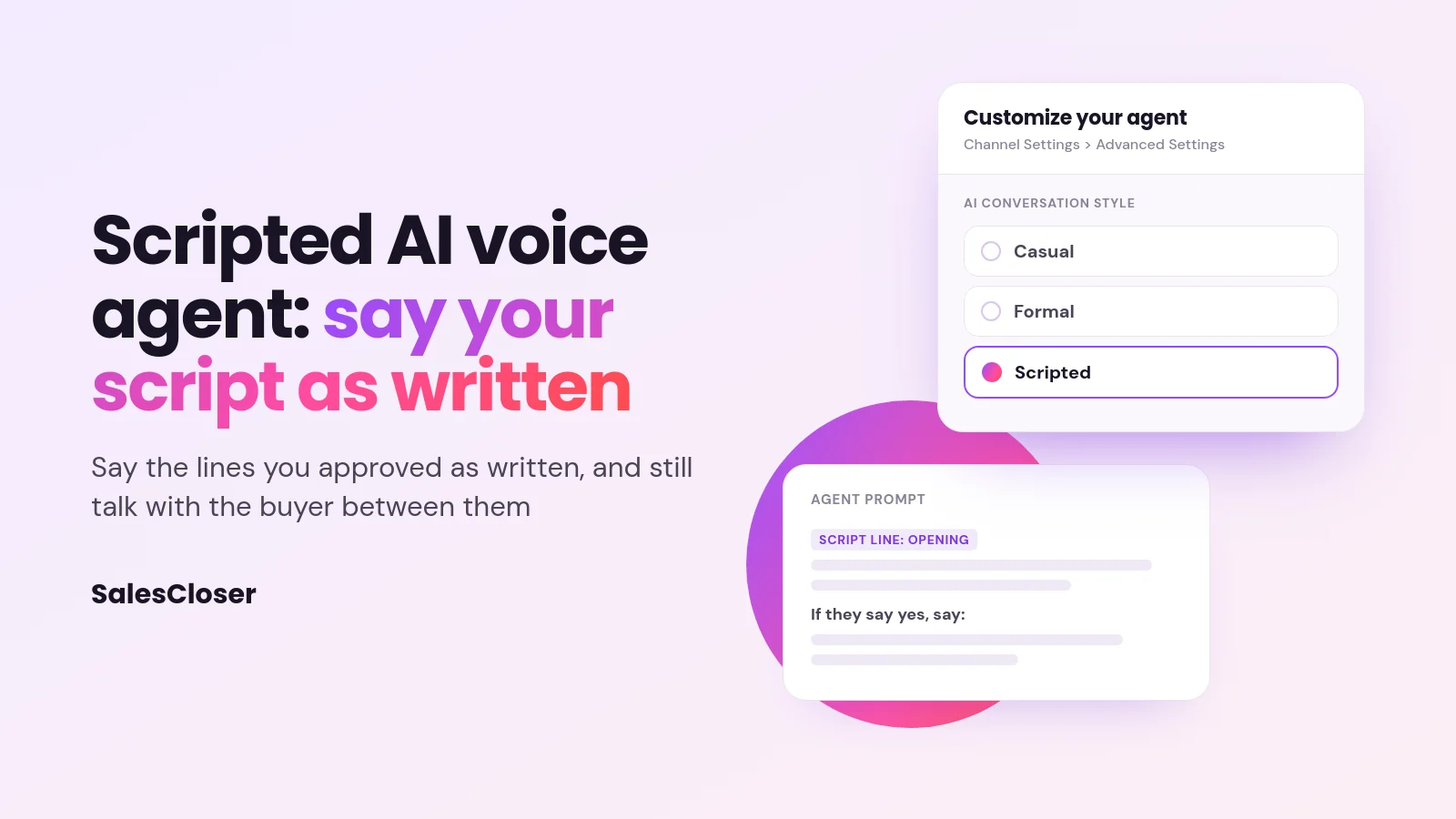
A scripted AI voice agent is told to say your script lines exactly as written instead of paraphrasing them. In SalesCloser, you pick the Scripted conversation style on a prompt-based voice agent. When a buyer goes off script, the agent answers briefly using only what you’ve told it, then steers back to your next scripted question.
Most AI voice agents are built to sound natural, and that usually means they rephrase. On a discovery call, that is a strength. But if your team spent weeks agreeing on how the opening, the offer or a key question should be worded, an agent that improvises on that wording gives you one more thing to check.
SalesCloser added a Scripted conversation style for this case. It tells a voice agent to say the lines in your script exactly as written, while still handling questions you did not plan for. This guide covers what Scripted does, when to use it, when not to, how to set it up and the limits to plan around.
What is a scripted AI voice agent?
A scripted AI voice agent is a phone or video agent that is instructed to deliver set lines in full, word for word, rather than putting them in its own words. The rest of the call can still be a conversation. Lines that are not in the script stay short, plain and conversational.
In SalesCloser, Scripted is a conversation style, not a separate product. The script itself stays in the agent’s prompt, where you write your opening, questions and branches. With Scripted on, the agent is told to say each script line in full, even when it is long, and not to shorten, soften or paraphrase it.
It is still an AI model speaking, not a recording, which is why it can respond to what the buyer says between lines. For more on how the voices sound, see our guide to natural AI voice agents.
Scripted vs adaptive AI agents: what’s the difference?
An adaptive agent works from goals and guidelines. It knows what it needs to find out and phrases each question to fit the moment. A scripted agent works from exact lines. It still listens and responds, but when it reaches a script line, it is told to say that line the way you wrote it.

SalesCloser offers three AI Conversation Style options: Casual, Formal and Scripted. New agents start on Casual. Scripted is the style that adds the word-for-word instruction, and it only appears for prompt-based agents.
When should an AI sales agent read your script word for word?
Scripted fits when the exact wording matters more than flexibility. Think of lines your team has already reviewed and approved, and does not want reworded on the fly:
- Openings: how the agent introduces itself and explains the reason for the call.
- Offer terms: the way a package, promotion or next step is described.
- Required statements: any line your team has decided must be said in full. Wording your instructions require, such as a disclosure or a spelling, is also to be said in full, even when it sits outside a script line.
- Qualifying questions: the same question asked the same way on every call, so the answers are easy to compare.
Consistency also helps outbound teams who want every lead to hear the same pitch. If you are planning outbound campaigns, our guide to AI agents for outbound sales covers the wider setup.
When is a scripted agent the wrong choice?
Open discovery calls, where you want the agent to dig into a buyer’s situation and follow the thread, usually go better when the agent can phrase questions to fit what it just heard.
Long scripts are another warning sign. Because the agent is told to say each line in full, a script full of long paragraphs can turn a call into a monologue.
If those calls are your main use case, Casual or Formal may suit you better. Another option is to keep the script short: write only the lines that must be exact as script lines, and guide the rest of the call with normal prompt instructions.
How do you turn on the Scripted conversation style in SalesCloser?
You set Scripted for each agent in its settings. It is available on prompt-based agents with voice: phone, web call and video agents. It is not available on Speech to Speech agents or chat-only agents.

- Open the create or edit modal for a prompt-based agent.
- Go to the Channel Settings step (“Customize your agent”).
- In the Advanced Settings area, find the AI Conversation Style selector.
- Choose Scripted instead of Casual or Formal.
- Write or paste your script lines into the agent’s prompt. There is no separate script or disclosure field.
- Save your changes, then run a few test calls and read the transcripts.
Make it easy for the agent to tell a line it should say from an instruction about how to behave. Label script lines clearly, and write branches as plain conditions, such as “If they say yes, say:” followed by the exact line.
Can a scripted AI agent still answer questions off script?
Yes. When a buyer asks something unexpected, the agent answers, then steers back to the script. The table shows how the agent is instructed to handle common moments on a call.

| Moment on the call | What the Scripted agent is told to do |
|---|---|
| It reaches a script line | Say the line in full, as written, without shortening or paraphrasing it |
| The buyer asks something the script covers | Use the script’s line for that question |
| The buyer asks something the script does not cover | Answer briefly in its own words, using only facts from its instructions |
| The instructions do not cover the question | Say it does not have that detail |
| The off-script answer is done | Re-ask the most recent unanswered script question in the same reply, unless the script says where to go next |
| A number it cannot find | Never invent it; numbers must come from the instructions, knowledge base, tools or conversation |
The agent is also told not to end on a statement while a question is still open, and not to go back over parts of the script the buyer has already answered.
These are instructions to an AI model, not a playback system, so test them with the questions your buyers really ask. If a buyer asks for a person, decide in advance what should happen; our guide to AI to human handoff covers the options.
How do you write a script that sounds good read aloud?
The agent will say your lines as written, so the writing has to work for the ear:
- Keep lines short. One idea per sentence, and one question per line.
- Write the way people talk. Use contractions and everyday words, and skip brackets and asides.
- Read every line out loud. If you stumble, the line needs work.
- Script only what must be exact. Leave small talk and follow-up questions to the agent.
- Put your facts in the instructions. Off-script answers can only use what you have told the agent, so add the details buyers ask about most.
Does a scripted AI agent make your calls compliant?
No. Scripted tells the agent to say your lines as written. It does not review your wording, approve it or make any call meet a legal requirement. What your script needs to say, and the rules for who you call and when, stay your responsibility and your legal team’s.
It is also an instruction to an AI model rather than a guarantee. Nothing checks that each line was delivered exactly, so review calls instead of assuming. You control how the agent introduces itself, including whether it says it is an AI up front, and you can tell it to always answer truthfully when asked.
How do you check the agent stuck to the script?
Conversations are recorded and transcribed so your team can review them. Check a handful of transcripts against your script, especially in the first days after you switch it on.
Look for three things: script lines that came out shorter or reworded, off-script answers that went beyond the facts you gave, and moments where the agent said it did not have a detail. Each one points to a fix, either a clearer script line or a fact added to the instructions.
How does SalesCloser fit?
SalesCloser AI sales agents hold real conversations by voice, video or chat. They answer inbound leads, ask qualifying questions, run discovery and book qualified prospects onto your team’s calendar.
The Scripted style gives voice agents one more option: say the lines you approved as written, and still talk with the buyer between them. For more, see our guide to AI for sales.
Want to hear a scripted agent handle an off-script question? See it on a demo and bring a few lines from your own script.
Frequently asked questions
Can AI call agents follow custom scripts?
Yes. In SalesCloser you write your script in a prompt-based agent’s prompt and choose the Scripted conversation style. The agent is then told to say each script line exactly as written, without shortening or paraphrasing it.
Will a scripted AI agent sound robotic?
Not because of the style itself. The agent uses the same voice as any other agent, and lines outside the script stay short and conversational. Stiffness usually comes from scripts written to be read rather than heard. Keep lines short, use everyday words and read each one out loud before it goes live.
Can I mix scripted lines with natural conversation?
Yes. Script only the lines that must be exact and guide the rest with normal instructions. When a buyer goes off script, your agent answers briefly using only what you’ve told it, then steers back to your next scripted question, unless your script says where to go after that kind of question.
Does a scripted AI agent guarantee compliance?
No. Scripted tells the agent to say your approved lines as written, but it does not review your wording or make calls meet any legal requirement, and nothing checks that every line was delivered exactly. What your script says and the rules for who you call and when remain your responsibility. Check them with your legal team.
Which channels support the Scripted style?
You can choose Scripted on prompt-based voice agents: phone, web call and video agents. It is not available on Speech to Speech agents or chat-only agents. If a Scripted voice agent also answers by text, the same instructions carry over, but the style is written for calls and has not been tested for text.