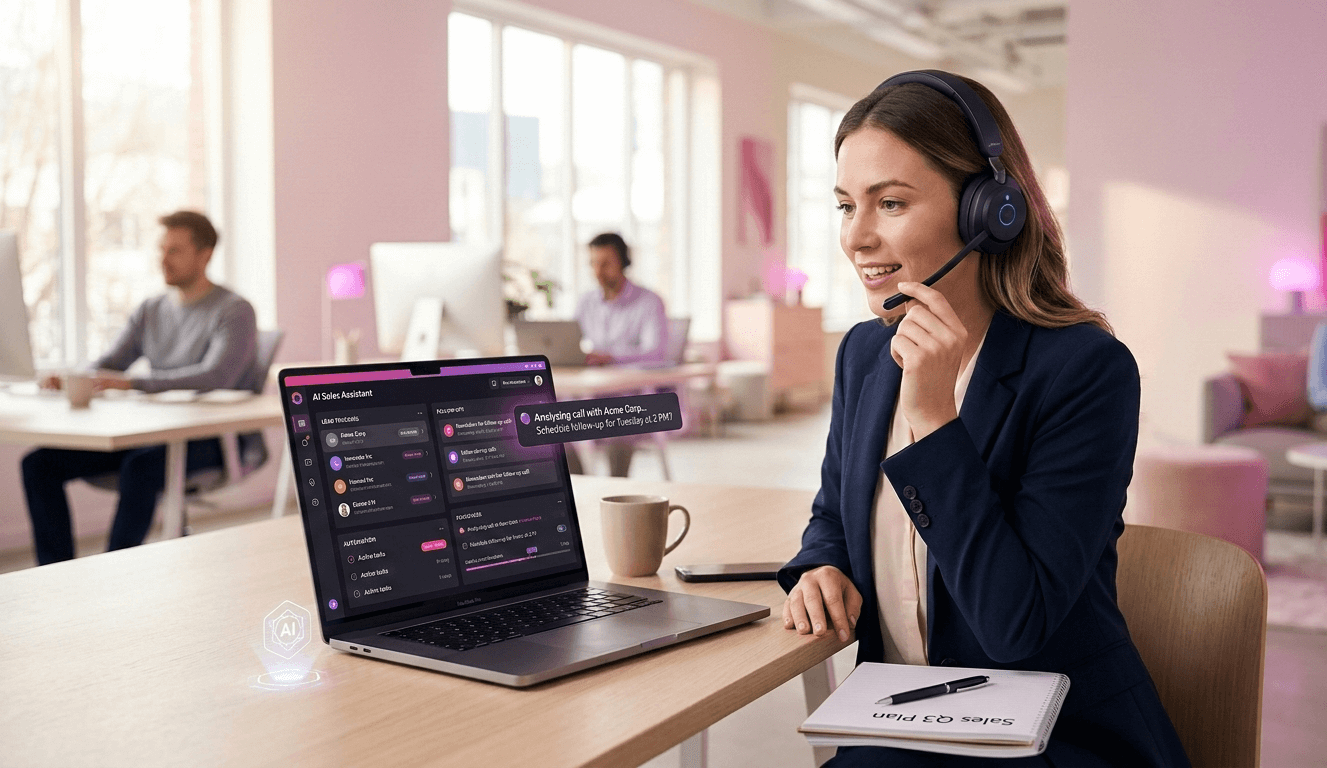
“Master Post-Call Summaries & Follow-Up with AI tools to automate data capture, sync with your CRM, and keep deal momentum high after every meeting.”
Let’s be honest. The hardest part of a sales call or customer meeting isn’t the call itself. It’s what happens right after you hang up.
You just spent 45 minutes building rapport, handling objections, and discussing next steps. The adrenaline is going. You feel good. Then the Zoom window closes, and silence hits.
Now the real work begins.
You have scribbled notes that barely make sense. You need to update the CRM before your manager asks why the pipeline isn’t up to date. You promised the prospect three specific resources and a tailored proposal by EOD. And your next call starts in eight minutes.
This is the post-call slump. It is where momentum dies.
It’s also where deals are actually won or lost. A brilliant demo means nothing if the follow-up email is generic, late, or misses the key pain points the prospect just emphasized.
For years, this post-call friction was just part of the job. It was manual, tedious, and prone to human error. But the landscape has changed. We now have access to AI tools specifically designed to handle this exact workflow.
However, the market is flooded with options. Every tool claims to transcribe, summarize, and draft emails. If you just look at feature lists, they all seem identical.
They aren’t.
Choosing the right post-call AI tool isn’t about finding the “best” one. It’s about understanding your specific bottleneck. A high-volume SDR team needs a very different solution than an enterprise Account Executive working six-month deal cycles.
This guide won’t give you a ranked list of winners and losers. Instead, we will examine common post-call workflows and identify which types of AI tools address the specific problems inherent in those situations. We need to move beyond generic transcripts and look at fit.
Here is how to match the tool to your team’s actual workflow challenges.
The Anatomy of the Post-Call Workflow
Before diving into specific tools, we need to break down what actually needs to happen after a call. The “post-call” isn’t one single action. It is a chain of dependent tasks.
If any link in this chain breaks, the value of the original meeting diminishes.
- Data Capture: Remembering what was said. Who promised what? What were the specific objections? What was the vibe of the room?
- Synthesis: Turning raw data into usable intelligence. A 5,000-word transcript isn’t helpful. You need the concise summary, the action items, and the key insights.
- CRM Hygiene: Getting that synthesized data into your system of record so the rest of the business knows what’s happening.
- External Follow-up: Communicating back to the customer. This confirms you listened and pushes the ball forward.
- Internal Alignment: Sharing crucial information with product teams, managers, or customer success teams for handover.
Different AI tools specialize in various parts of this chain. Some are brilliant at capture but weak on integration. Others are fantastic at external follow-up but lack deep analytical features.
Understanding where your team currently struggles in this chain is the first step to choosing the right software.
Use Case 1: High-Volume Outbound Sales (SDRs/BDRs)
This use case is characterized by speed and volume. Representatives often make 50+ dials a day and have numerous short, introductory conversations.
The Bottleneck: Time and repetition. When you have back-to-back calls, you cannot spend 20 minutes crafting a hyper-personalized follow-up email for a five-minute conversation. The goal here is efficient, standardized follow-up that keeps prospects in the funnel without bogging down the rep.
The problem is that speed often leads to sloppy CRM data. Reps will paste generic notes just to move to the next dial, making later pipeline reporting useless.
The Solution Strategy: Lightweight Automation and Speed
If this is your workflow, you don’t need deep conversation intelligence that analyzes sentiment shifts over the past 6 months. You need tools that act like a fast, reliable assistant sitting next to you.
You need instant call summaries that fit standardized CRM fields. You need one-click follow-up drafts based on proven templates.
Tools That Fit This Workflow
For high-volume teams, the best fit is often a standalone AI notetaker that integrates tightly with the CRM, or AI features native to your existing sales engagement platform.
AI Notetakers (e.g., Fireflies.ai, Otter.ai): These tools join meeting participants, record audio, and generate transcripts and summaries. For high-volume reps, their value lies in speed.
- Why they fit: They require almost no behavior change from the rep. The bot shows up automatically. As soon as the call ends, a concise summary and a list of detected action items are ready.
- The workflow benefit: The rep doesn’t have to re-listen to calls. They review the AI summary, correct any errors, and paste it into Salesforce or HubSpot. Some even automate the entire CRM entry.
- The follow-up aspect: These tools often have “Ask AI” features where you can prompt: “Draft a short follow-up email mentioning their interest in feature X.” It won’t be perfect, but it’s a 90% complete draft in seconds.
Sales Engagement Platform AI (e.g., Outreach, Salesloft, HubSpot Sales Hub). If your team already lives inside a sales engagement platform, adding a third-party recording tool might add noise. These platforms are increasingly building native AI post-call features.
- Why they fit: Consolidation, the call happens in the dialer, the recording stays there, and the AI summarizes it within the same interface used for emailing.
- The workflow benefit: Seamless transitions. The AI knows the context of the sequence the prospect is in. The follow-up email drafted by the AI can be loaded into the next step of the cadence immediately. It reduces tab-switching, which is a significant drag on high-volume productivity.
Summary for High-Volume: Focus on speed, CRM discipline, and “good enough” automated email drafts. Avoid overly complex analytical tools.
Use Case 2: Complex B2B Sales (Account Executives)
This workflow is the polar opposite of the high-volume SDR. These are Account Executives managing long sales cycles involving multiple stakeholders, complex requirements, and high-dollar values.
The Bottleneck: Information density and strategic alignment. A 60-minute discovery call for an enterprise software deal contains massive amounts of critical information. Missing a single technical requirement mentioned by a stakeholder can tank the deal three months later.
A generic summary isn’t enough here. The AE needs to recall precisely how the prospect phrased their pain point so they can mirror it back in a proposal. Furthermore, selling is a team sport in this environment. The AE needs to share specific clips of the call with sales engineers, product managers, and leadership to get deal support.
The Solution Strategy: Deep Conversation Intelligence
If this is your workflow, you need a tool that acts more like a strategic analyst than a stenographer. You need reliable, searchable records and the ability to extract particular types of information.
Tools That Fit This Workflow
This is the domain of dedicated Conversation Intelligence (CI) platforms.
Conversation Intelligence Platforms (e.g., Gong, Chorus by ZoomInfo). These platforms do more than just transcribe. They analyze conversations across your entire pipeline to identify trends, risks, and coaching opportunities.
- Why they fit: They provide depth. For an AE, the ability to search a transcript for terms like “budget,” “competitor name,” or “timeline” across five different meetings with the same account is invaluable. You don’t just get a summary; you get a searchable database of the deal’s history.
- The workflow benefit (The Follow-Up): When crafting a proposal or a detailed follow-up email, the AE can re-watch specific moments at 2x speed to ensure they capture the nuance of the prospect’s objection. The AI helps draft the follow-up by highlighting key topics discussed, ensuring nothing critical is missed.
- The workflow benefit (Internal Alignment): This is the biggest differentiator. Instead of writing a three-paragraph Slack message to a Sales Engineer explaining a technical hurdle, the AE can simply clip the 45 seconds of the video where the prospect explains it and share that directly. It ensures everyone on the internal deal team is working from primary sources rather than secondhand interpretations.
Advanced Meeting Assistants with Analytics (e.g., Grain). Some tools bridge the gap between simple notetakers and full CI platforms. They are intensely focused on capturing and sharing video snippets.
- Why they fit: If the primary need is sharing the “voice of the customer” internally during complex deals, these tools excel. They make it incredibly fast to highlight a transcript section and turn it into a shareable video clip.
- The workflow benefit: For an AE, this facilitates faster handover to onboarding teams or quick clarifications with product teams. It keeps the complex web of stakeholders aligned on what the customer actually said.
Summary for Complex Sales: Focus on depth of retrieval, searchability, and the ability to easily share specific parts of the conversation internally. Speed is less important than accuracy and detail.
Use Case 3: Customer Success and Account Management
The sale is done. Now the goal is retention, adoption, and expansion. The post-call workflow for Customer Success Managers (CSMs) is fundamentally different from that for sales.
The Bottleneck: Tracking commitments and sensing long-term health. A CSM’s post-call work isn’t about closing a deal next week; it’s about ensuring the customer achieves value over the next year.
The critical information isn’t necessarily budget or timelines. It’s feature requests, subtle frustrations with the product, changes in the customer’s internal champions, and agreed-upon adoption milestones.
The Solution Strategy: Long-term Memory and Sentiment Tracking
CSMs need tools that help them maintain a continuous narrative of the customer relationship. A QBR (Quarterly Business Review) requires looking back at three months of conversations to show progress against goals.
Tools That Fit This Workflow
CS teams often benefit from tools that integrate tightly with CS platforms or offer specific features for tracking action items over time.
CS-First Intelligence (e.g., Gainsight, Planhat native AI features). Just like sales engagement platforms, major Customer Success platforms are integrating AI meeting summaries.
- Why they fit: Context is king. If the AI summary is embedded directly into the customer’s health scorecard in Gainsight, it provides immediate context for the entire account team.
- The workflow benefit: The post-call summary doesn’t sit in a silo; it contributes to the customer’s overall health score. AI can help identify risk factors mentioned on the call (e.g., “We’re reviewing budgets next month”) that a human might miss during a busy day.
Meeting Intelligence with Action-Item Focus (e.g., Fireflies, specialized bots). While also used in sales, certain AI notetakers excel at distinguishing between general discussion and specific commitments.
- Why they fit: CS meetings are heavy on “next steps.” “I will send you that doc,” or “You will configure that setting.” AI that can reliably extract these promises on both sides is crucial.
- The workflow benefit: The immediate post-call task is ensuring these action items land in a project management tool or a shared customer workspace. AI tools that can format these clearly save significant administrative time and prevent ball-dropping.
Summary for Customer Success: Focus on extracting concrete next steps, tracking sentiment changes over time, and integrating call data into the long-term customer health record.
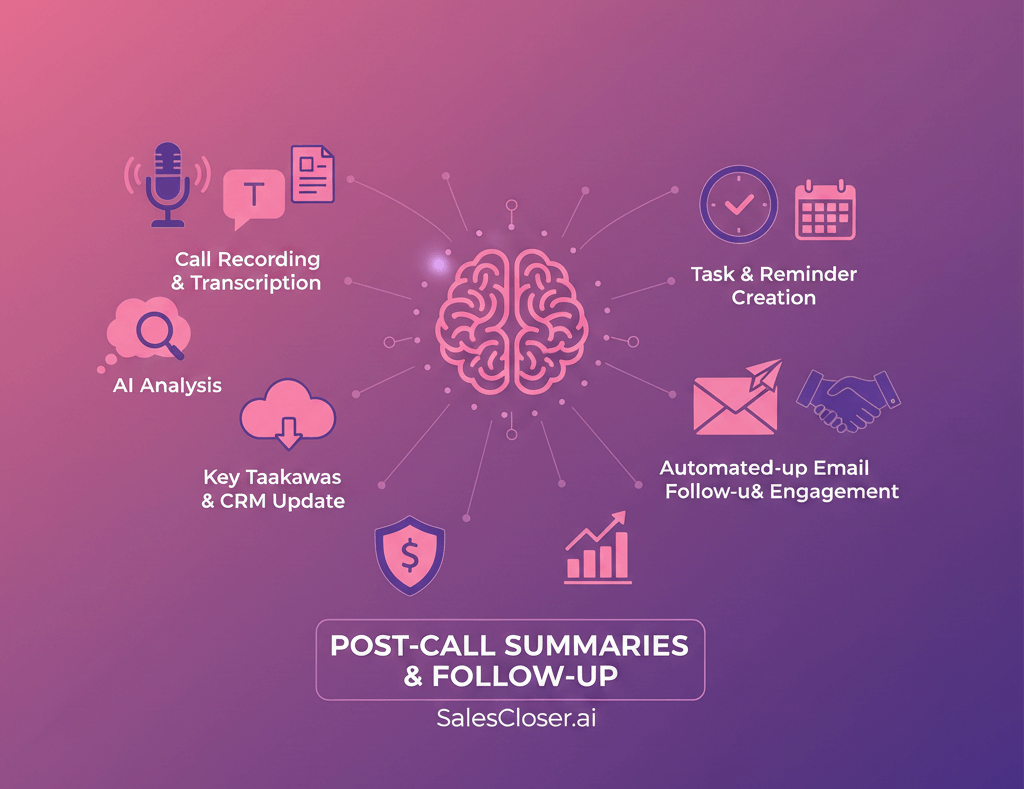
Spotlight: SalesCloser.ai – The Agentic Approach
While tools like Gong and Otter analyze the past, tools like SalesCloser.ai represent the shift toward “Agentic AI”—tools that actively participate in the sales process to improve performance.
What makes this workflow different?
In this use case, the AI isn’t just a passive observer; it is an active participant. This solves the “Post-Call” problem by ensuring the call itself is handled perfectly, and the follow-up is instantaneous.
1. The Autonomous Agent (Scale) SalesCloser.ai offers AI Agents that can handle discovery calls, demos, and qualification independently.
- The Workflow: An inbound lead books a demo at 2:00 AM. Instead of waiting for a human rep to wake up, the SalesCloser agent takes the call (voice or video). It conducts the discovery, answers questions, and handles objections.
- The Post-Call Automation: Because the agent is the AI, there is no translation loss. It immediately schedules the next step with a human AE or sends the relevant contract. The “post-call slump” is eliminated because the agent executes the follow-up milliseconds after the call ends.
2. Real-Time Performance Coaching (Improvement) For calls where humans are still required, this category of tools offers “Co-Pilot” capabilities.
- The Workflow: As your rep speaks, the AI listens. If the prospect mentions a competitor, the AI agent instantly pops up a “Battlecard” on the rep’s screen with the correct talking points. If the rep is talking too much, the AI flashes a “Slow Down” warning.
- The Post-Call Benefit: This shifts the workload from “Post-Call Repair” to “In-Call Correction.” You spend less time after the call trying to fix mistakes because the AI helped prevent them in real-time.
Why consider this use case?
If your primary pain point is scale (you have more leads than people) or proficiency (your reps are ramping up slowly), a simple transcription tool won’t fix the root cause. An Agentic tool like SalesCloser.ai addresses the performance gap directly, ensuring that by the time the “post-call” phase arrives, the hard work is already done correctly.
Summary for Autonomous/Agentic: Focus on this if you need to scale engagement without increasing headcount, or to bridge the skills gap for junior reps in real time.
The “Complement vs. Replace” Reality Check
A common mistake buyers make is thinking they must choose only one tool. The reality of modern tech stacks is that these tools often need to complement each other.
There is rarely a single “ring to rule them all.”
For example, an organization might use a heavy-duty Conversation Intelligence platform like Gong for its Account Executives to manage complex deals and for sales leadership to do coaching. However, the marketing team might find Gong too complex for their vendor calls, or the product team might want something lighter for user interviews. In that case, the company might also sanction a lighter tool like Otter for non-sales use cases.
Furthermore, CRM AI is changing the game. Salesforce and HubSpot are aggressively building generative AI into their core products.
How they complement: You might use a specialized tool like Grain to capture and clip a video testimonial during a call. Then, you might use HubSpot’s native AI to draft the follow-up email that delivers that clip back to the customer for approval. Or, you might use SalesCloser.ai to handle your initial Tier-2 inbound leads autonomously, while your senior AEs use Gong to manage the Tier-1 strategic accounts.
Don’t look for one tool to replace your entire workflow. Look for tools that plug the specific leaks in your current process.
- If your CRM data is empty, prioritize tools with strong, automatic CRM syncing.
- If your follow-up emails are taking too long to write, prioritize tools with strong generative writing capabilities.
- If your deals are stalling because internal teams aren’t aligned, prioritize tools with strong clipping and sharing features.
- If you are missing leads due to capacity, prioritize AI Agents.
The Human Element: Why AI Won’t Fix a Broken Process
Before concluding, a crucial caveat. AI is an amplifier.
If you have a solid post-call process that is overly manual, AI can speed it up and make it more efficient.
If you have no post-call process—if reps don’t know what good follow-up looks like, or if your CRM fields are a mess—AI will just help you generate insufficient data and poor emails faster.
You cannot outsource thinking to AI.
The “best” post-call follow-up isn’t the one generated fastest. It’s the one that makes the customer feel heard and clearly defines the path forward. AI provides the raw materials for that—the accurate transcript, the reminder of key points, the draft email.
But the human needs to review that draft. The human needs to decide if the tone is right. The human needs to add that personal touch—perhaps referencing a joke shared during the call or asking about their weekend plans mentioned in the first five minutes.
AI handles the science of the post-call workflow—the data capture and synthesis. The human must still hold the art of the relationship.
Final Thoughts on Finding Your Fit
The market for post-call AI is exploding. It is tempting to get caught up in feature comparisons—who has the best speaker identification? Who supports the most languages?
While important, these are secondary to the workflow fit.
Start by auditing your post-call slump. Where does the time go? Where do the errors creep in?
If you are drowning in volume, seek lightweight speed and automation. If you are navigating complex deals, seek depth, searchability, and shareability. If you are managing long-term relationships, seek action-item tracking and sentiment history.
The goal is not to have the newest AI tool. The goal is never again to finish a great call and feel that sinking feeling of knowing you have an hour of administrative work ahead of you before you can genuinely say you are done.
Frequently Asked Questions (FAQs)
Q: Won’t customers get annoyed if they see an AI bot join the meeting?
A: This used to be a bigger concern, but it is rapidly normalizing. Most business professionals now
accept that recording calls is standard practice for accuracy. The key is transparency. Always disclose that the call is being recorded for note-taking purposes. Many tools let you customize the bot’s name to something friendlier, like “Notetaker,” rather than a generic brand name. If a customer objects, you must have a quick way to boot the bot from the bot.
Q: Are these tools secure? What happens to my confidential call data?
A: This is a critical question, especially for enterprise businesses. SOC 2 compliance and GDPR compliance should be baseline requirements for any tool you consider. You need to understand where data is stored, how long it is kept, and who has access to it. Be wary of free tiers of unknown tools for sensitive business calls. Major players like Gong, ZoomInfo, and HubSpot have robust enterprise-grade security protocols.
Q: How accurate are the summaries really? Do I still need to take notes?
A: Accuracy has improved dramatically in the last two years, but it is not perfect. Heavy accents, poor microphone quality, or people talking over each other can still trip up transcription models. You should view AI summaries as a 90% complete first draft. You absolutely still need to review them. You might not need to take verbatim notes during the call, but jotting down key themes or “must-haves” to cross-reference with the AI summary later is still a best practice.
Q: Can’t I just use the recording feature built into Zoom or Teams and paste the transcript into ChatGPT?
A: You can, and for individuals with very low meeting volume, that might work. But it doesn’t scale. That process is highly manual: wait for the recording to be processed, download the transcript, log in to ChatGPT, paste the transcript, write a prompt for the summary, copy the result, and paste it into CRM. The dedicated tools listed in this article automate the entire chain, saving hours each week.
Q: My team uses Salesforce. Do all of these integrate?
A: Almost every serious B2B sales tool integrates with Salesforce and HubSpot. However, the quality of the integration varies wildly. Some just dump a link to the recording in a notes field. Others intelligently map summarized fields to specific Salesforce objects (Opportunity, Account, Contact). Always test the depth of the integration during your trial period to ensure it actually reduces manual data entry.