
For high-volume photography studios, this isn’t just a minor annoyance; it’s a critical business bottleneck. When your business model relies on quantity—think school photos, endless real estate listings, back-to-back corporate headshots, or packed mini-session weekends—your administrative workload doesn’t just grow, it multiplies.
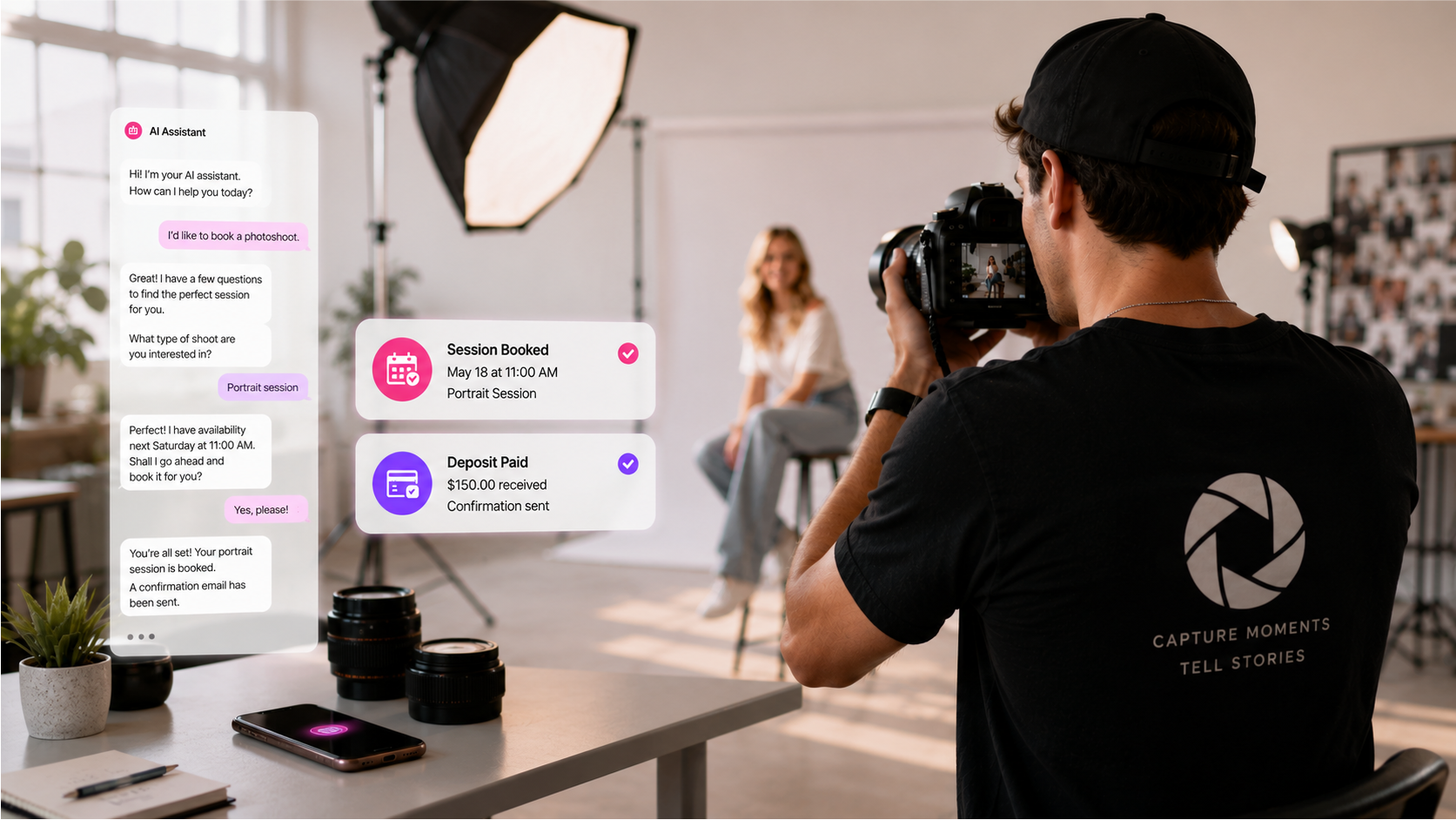
The phone rings. You’re balancing a reflector. It goes to voicemail. That’s a potential $400 real estate shoot that just called the next photographer on the list.
An email lands. “What are your headshot packages?” You’ve answered this question 12 times this week. While you type out the same response, another email arrives. “Are you free on the 10th?” You sigh as you open your calendar app.
This constant back-and-forth is the administrative quicksand that swallows your time, your energy, and ultimately, your profit. You’re so busy managing your work that you have no time to do the job or find new opportunities.
But what if you could change that? What if you had a “Studio Manager” that never slept, never took a vacation, and could instantly answer every single inquiry, 24/7? Could this assistant perfectly explain your pricing, check your real-time availability, and even book the client right on the spot?
This isn’t science fiction. This is the new reality of AI for high-volume photography studios. It’s time to get you off the phone and back behind the camera.
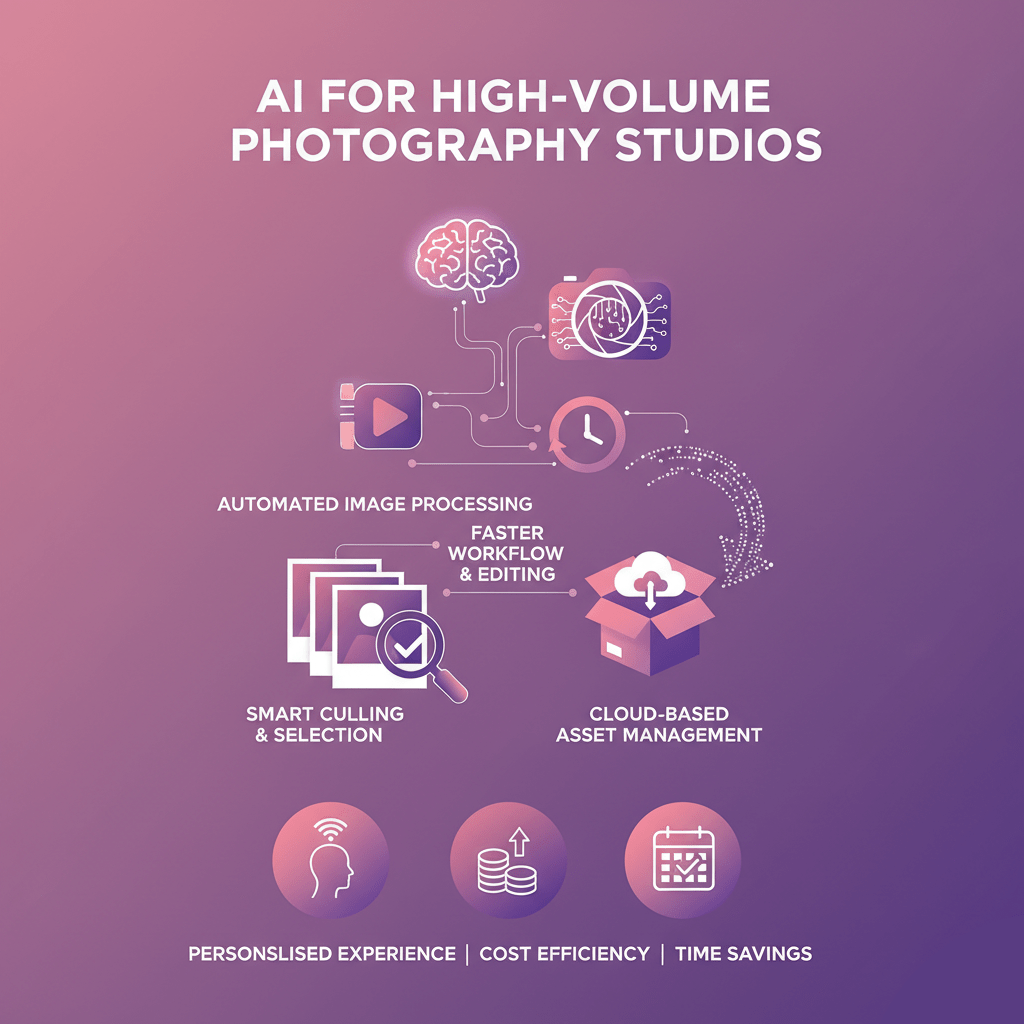
The Anatomy of “Admin Overload”
Before we find a cure, we must first diagnose the disease. The problem for high-volume studios isn’t just “a few emails.” It’s a relentless, high-speed flood of communication that demands immediate answers. If you don’t respond, the client moves on. Speed is the new currency.
Your day is likely a chaotic mix of these profit-draining tasks.
1. The Endless Inquiry Loop
This is “email tennis.” A new client inquiry is rarely a single question. It’s a 10-message chain.
- Client: “Hi, how much are your photos?”
- You: “Hi! Which photos are you looking for? Headshots, family, or real estate?”
- Client: “Oh, headshots.”
- You: “Great! My standard package is $300 for three retouches. I also have a premium…”
- Client: “OK. Are you free next week?”
- You: (Checking your calendar) “I have Tuesday at 2 PM or Thursday at 10 AM.”
- Client: (Six hours later) “Ah, I can’t do those. What about the week after?”
You spent 20 minutes (spread over two days) to book one client. Now, multiply that by the 10, 20, or 50 inquiries you get every single week. You’re spending 15+ hours a week just talking about work instead of doing it.
2. The “While You Shoot” Catastrophe
This is the most painful one. High-volume photographers are out of the office by definition. You’re on-site at a school. You’re at a property. You’re in the studio with a client. You cannot answer your phone.
But the leads don’t stop. A real estate agent with a hot new listing needs photos tomorrow. A corporate client needs to book 10 headshots this week. They call you. They get your voicemail: “Hi, you’ve reached… I’m on a shoot right now, please leave a message…”
They don’t leave a message. They hang up and call the next name on their list from the Google search. They need an answer now. You just lost hundreds, maybe thousands, of dollars, and you don’t even know it. You’re being punished for being busy.
3. Calendar Tetris and the Mini-Session Nightmare
Scheduling is a logic puzzle from hell. You’re trying to fit 15-minute mini-sessions into 3-hour blocks, manage different locations for real estate shoots, and block out editing time.
Automating mini-session scheduling is a perfect example. Let’s say you open 30 slots for your holiday minis. You post about it on Instagram. Your DMs and emails explode.
- “Can I have 10:15 AM?”
- “My son has soccer, can we do 1:30 PM?”
- “My payment isn’t going through on your site!”
- (10 minutes later) “Hi, I need to cancel the 10:15 AM slot.”
You’re now manually updating a spreadsheet, sending payment links, and trying to fill the canceled slot. The $2,000 you thought you’d make just cost you an entire week of admin pain. The profit margin on those sessions gets eaten alive by the administrative labor.
Not All Volume is Created Equal: Booking Pains by Niche
This administrative burden feels different depending on your specialty. The core problem remains the same—too many inquiries, not enough time—but the type of inquiry and the client’s expectations change everything.
The School Photography Software Gap
If you’re in school photography, your “clients” are twofold: the school administrator you book with, and the hundreds of parents you get inquiries from.
Most school photography software is built for the backend. It excels at handling pre-orders, managing student data, and allowing parents to purchase prints after picture day.
But what about the frontend?
- “When is picture day for the 3rd graders?”
- “What’s the difference between Package A and Package B?”
- “My ex-husband and I both want to order. How do we do that?”
- “I missed the pre-order deadline. Can I still buy photos?”
These questions flood your inbox and ring your phone off the hook. You need a system that can handle new client inquiries 24/7, acting as your customer support agent for parents, all while you’re busy coordinating the actual shoots with the schools.
The Real Estate Photography Speed-Booking Problem
In real estate, there is only one rule: speed. Realtors work on insane timelines. When they call you, they don’t want to chat. They want to know two things: “Are you free tomorrow?” and “When will I get the photos?”
Your entire real estate photography booking process needs to be instant.
- If a realtor calls and gets your voicemail, you have a 90% chance of losing that job.
- If they email you, and you don’t respond within 15 minutes, you’ve probably lost that job.
- They need to see your availability now, book it now, and get a confirmation now.
You can’t be on a shoot and simultaneously be booking another shoot. This is where high-volume real estate photographers burn out. They are chained to their phones, terrified to miss a call that could be worth $500.
The Headshot and Mini-Session Admin Sinkhole
This is the “high-quantity, low-margin-per-session” trap. A 30-minute headshot or a 15-minute mini-session is profitable only if the administrative time is minimal.
Think about it. If you spend 30 minutes in back-and-forth emails to book a $199 headshot session, you’ve just added a tremendous amount of overhead to that one job. Your effective hourly rate plummets.
To make this model work, you must automate mini-session scheduling and headshot booking completely. You need a system where the client can:
- See your pricing and packages.
- See your live calendar.
- Book a slot.
- Pay for it.
- Get a confirmation email.
…all without you ever having to touch your keyboard. Your only job should be to show up and shoot.
The “Old Way” of Handling It (And Why It Fails)
Photographers have been trying to solve this problem for years. The “old” solutions are just band-aids on a broken bone.
- The “Contact Me” Form: This is the most basic and passive tool. It simply converts a website visitor into another email that you have to respond to manually. It doesn’t solve the problem; it just organizes the problem into your inbox.
- The Basic Calendar Link (e.g., Calendly): This is a step up, but it’s “dumb.” It can show your availability, but it can’t answer questions. A client must find your pricing page, then find your calendar link, and then book. What if they have a question first? They’re back to emailing you. It doesn’t stop the inquiry loop.
- Hiring a Human Virtual Assistant (VA): This is the traditional solution. You hire someone to answer your emails and take your calls. This approach can be practical, but it has significant drawbacks.
- It’s Expensive: A good VA costs $25-$45+ per hour. That’s a massive chunk of your profit.
- It’s Not 24/7: Your VA works a standard 9-to-5 schedule. What about the realtor who calls at 8 PM? Or the mom who’s organizing her week at 11 PM on a Sunday? You’re back to missing leads.
- They Get Sick & Take Vacations: A human VA is… human. When they’re out, you’re the receptionist again.
- Training is a Pain: You have to train them on your packages, your tone, and your calendar system. It’s a considerable time investment.
We need a better way. We need a system that’s cheaper than a VA, smarter than a “dumb” calendar, and works 24/7/365.
The New Way: Your AI Studio Manager
This is where AI for high-volume photography studios changes the entire game.
Imagine a new employee. Let’s call them “Alex.”
- “Alex” answers every single phone call on the first ring, 24/7.
- “Alex” can also respond to every website chat message and email, instantly.
- “Alex” has perfect knowledge of all your packages, pricing, and add-ons.
- “Alex” can answer complex questions like, “What’s the difference between your ‘Premium’ and ‘Standard’ real estate packages?” or “What’s your turnaround time for headshots?”
- “Alex” has direct access to your live calendar.
- “Alex” can book the client, take their information, and send them a confirmation, all in one conversation.
This is precisely what a new generation of AI tools provides. This is the virtual assistant for photographers you’ve always dreamed of. And the leading tool in this space, built specifically for this kind of sales and booking process, is SalesCloser.ai.
Spotlight: How SalesCloser.ai Becomes Your Studio’s Front Desk
Think of SalesCloser.ai as the “brain” of your customer-facing operations. It’s not just a simple chatbot that pops up in the corner of your website. It’s a fully conversational AI agent that can actually talk on the phone and hold intelligent, human-like conversations to achieve a goal: booking a paid client.
Here’s how it directly solves every one of your high-volume problems.
1. It Answers Every Call, 24/7
This is the game-changer. You can forward your studio line directly to your AI agent.
The Old Way: A realtor calls at 8 PM. It rings… rings… rings… voicemail. They hang up. Lead lost.
The New Way with SalesCloser.ai: A realtor calls at 8 PM.
- AI: “Hi, you’ve reached Top-Tier Real Estate Photography. This is Alex. How can I help you today?”
- Realtor: “Oh, hi. I wasn’t expecting to reach anyone. I have a new listing and need photos ASAP. What’s your availability and pricing?”
- AI: “Absolutely! Our ‘Standard Listing’ package is $350, which includes 25 HDR photos with a 24-hour turnaround. We also have a ‘Luxury’ package with drone video. Are you interested in video as well?”
- Realtor: “No, just the Standard package for now. My client needs it listed by Monday. Can you do it tomorrow?”
- AI: “Let me check our photographer’s real-time schedule. (Checks your Google Calendar integration). Yes, I see an open slot tomorrow, Saturday, at 10:00 AM. Would that work for you?”
- Realtor: “That’s perfect. Book it.”
- AI: “Great. I just need the property address and your email to send the confirmation. You’re all set for 10:00 AM tomorrow.”
You just made $350 while watching Netflix. You didn’t lift a finger. The AI handled the inquiry, upsold (by mentioning video), checked your actual availability, and booked the job.
2. It Becomes Your Package & Pricing Expert
You don’t just “install” SalesCloser.ai. You train it. You feed it your “knowledge base”—your package PDFs, pricing sheets, FAQs, and website copy.
- It learns all the names of your school’s photography software packages.
- It memorizes the exact details of your mini-session offerings.
- It knows your add-on prices, your turnaround times, and your deposit policies.
When a client asks, “What’s included in your ‘Gold’ headshot package?” the AI doesn’t just send a link; it provides a detailed breakdown of the package’s contents. It explains it.
“The ‘Gold’ package is our most popular for a reason. It’s $450 and includes a 60-minute session, three outfit changes, and five fully retouched images. It’s perfect for updating your LinkedIn and personal website at the same time.”
It’s not just a scheduler; it’s a sales agent. It’s building your photography sales funnel by intelligently answering questions and guiding the client to the right package.
3. It Integrates Directly with Your Calendar to Streamline the Booking Process
This is the final piece of the puzzle. The AI isn’t guessing at your availability. It connects directly to your Google Calendar, Outlook Calendar, Calendly, Acuity, or other scheduling tools commonly used by photography studios.
This is what allows the magic to happen.
- It sees you blocked out “Editing” from 9 AM to 12 PM on Wednesday. It will not book a client then.
- It sees you have a “Dentist Appointment” at 3 PM. It knows you’re unavailable.
- It sees your “Holiday Mini-Session” block from 9 AM to 2 PM on Saturday. It knows it can only book 15-minute slots within that specific window.
When a client asks, “Are you free next Tuesday?” the AI scans your actual calendar and offers only the times you are truly free.
When the client says “Yes, 2 PM works,” the AI instantly creates the event on your calendar, sends a confirmation email to the client (with your deposit link, if desired), and the loop is closed.
No more email tennis. No more “Calendar Tetris.” Just a steady stream of new, confirmed, booked appointments showing up on your phone.
Your 5-Step Framework to Automate Your Studio
How do you actually do this? It’s not a magic button, but it’s a straightforward process. Here is your framework to streamline the booking process and reduce administrative tasks for good.
Step 1: Audit Your Bottlenecks & Communications
Before you can automate, you have to understand what you’re fixing. For one week, keep a “pain journal.”
- Write down every repetitive question you get. (“How much…?” “Are you free…?” “Do you do…?”)
- Track where your inquiries come from. (Phone? Email? Website chat? Instagram DMs?)
- Identify your biggest time-waster. Is it scheduling? Is it answering pricing? Is it following up?
You’re looking for the high-volume, low-skill tasks that are eating your day. These are the first things you’ll hand over to your AI.
Step 2: Document Everything (Build Your AI’s “Brain”)
Your AI only knows what you teach it. You need to create a simple “Studio Bible” or knowledge base. This can be a series of simple text documents or a Google Doc.
- Services & Packages: List every package. Write a clear, simple description of what’s included. List the exact price.
- FAQs: Write down the 20 questions you get asked most often. Then, write down your perfect answer to each one. (e.g., “What’s your turnaround time?” “My standard turnaround is 48 hours for real estate…”)
- Process: Explain your process. (“First, we book a session. Then, I send a deposit link. After the shoot, you’ll get a gallery in 5 business days.”)
This documentation will become the “brain” you upload to SalesCloser.ai. This ensures it answers questions your way, in your brand’s voice.
Step 3: Centralize Your Calendar (The “Source of Truth”)
Your AI can’t schedule you if it doesn’t know your location. You must commit to a single, central calendar. For 99% of photographers, this is Google Calendar or an Outlook Calendar.
- Block out everything. Personal time. Family dinners. Editing time. Driving time.
- If you’re unavailable, please add it to the calendar.
- This calendar becomes your “source of truth.” If it’s open on the calendar, it’s available for the AI to book. If it’s blocked, it’s not.
Step 4: Configure and “Hire” Your AI Studio Manager
This is the fun part. You’ll sign up for a tool like SalesCloser.ai and begin the setup.
- Connect Your Calendar: You’ll grant it permission to read/write to your calendar from Step 3.
- Upload Your Brain: You’ll feed it your knowledge base from Step 2.
- Set Your Rules: You’ll define its personality. (e.g., “Be friendly and professional.”) You’ll tell it what phone number to answer or what website to live on.
- Define Your Goal: You’ll say, ‘Your main goal is to get clients to book a ‘Headshot Session’ by finding a time on my calendar.’
Step 5: Test, Launch, and Let Go
Before you “unleash” it on your clients, you test it.
- Call your own number. Pretend to be a confused parent. See how it handles your questions.
- Pretend to be an aggressive realtor. See if it stays on task.
- Tweak its answers in the knowledge base until it sounds perfect.
Once you’re confident, you launch. You forward your studio line. You embed the chat on your site. And then… You do the most challenging part. You let it work. You stop checking your phone every 30 seconds. You trust your “Studio Manager” to handle the front end while you focus on the high-value work: shooting, editing, and growing your business.
The Real-World Impact: How This Helps You Grow Your Photo Business
This isn’t just about “saving time.” It’s about fundamentally changing the economics of your photography studio.
You Will Stop Leaking Money
This is the most immediate impact. Every missed call is a lost lead. Every 24-hour delay in an email response is a potential client who booked with someone faster. An AI that provides instant, 24/7 answers plugs all those leaks. You will capture 100% of the leads that come your way, turning more inquiries into paid bookings.
You Will Drastically Reduce Your Admin Costs
A good human VA costs $3,000-$4,000+ per month. An AI-powered system like SalesCloser.ai costs a fraction of that. You get 24/7/365 coverage for less than you’d pay for a part-time, 10-hour-a-week assistant. This high-powered tool enables you to reduce administrative tasks and costs, passing those savings directly to your bottom line.
Your Client Experience Will Be Better
Think about it from the client’s perspective.
- Old Way: Call a photographer. Get voicemail. Leave a message. Wait 8 hours for a call back.
- New Way: Call a photographer. Get an instant, intelligent answer. Get your questions about pricing answered. Book your session. Get a confirmation email. All in one 3-minute conversation.
. It builds trust from the very first interaction.
You Finally Get to Scale
This is the proper way to grow your photo business. With a human VA, you can only handle one call at a time. If you run a massive mini-session promotion, your VA is instantly overwhelmed.
An AI can handle one, ten, or one hundred conversations at the same time.
You can run a Black Friday sale for your headshot studio and have 50 people booking at once, all without your system even blinking. The AI handles the flood, fills your calendar, and you just watch the payment notifications roll in. That is how you scale a high-volume studio. You’re no longer the bottleneck to your own growth.
Stop Being a Receptionist. Start Being a Photographer.
The creative-to-admin ratio in your business is upside down. You likely spend 60% of your time on admin and 40% on the creative work you actually love.
The promise of AI for high-volume photography studios is that it flips that ratio. It gives you the power of a full-time, hyper-efficient administrative team, all working 24/7 to fill your calendar.
Imagine a week where you only shoot. You only edit. You only network and market your business. You’re not answering a single “how much?” email. You’re not playing phone tag with a realtor. You’re just doing the work.
Your phone rings. You smile, ignore it, and press the shutter. You know “Alex” has it covered.