
AI outbound calling means an AI voice agent calls your leads, talks with whoever answers, and qualifies them, books meetings, schedules callbacks or transfers ready buyers to your team. It works best on leads that already know you, such as new inbound leads and older CRM leads, with calling hours, call-rate limits, retries and opt-out lists set before you start.
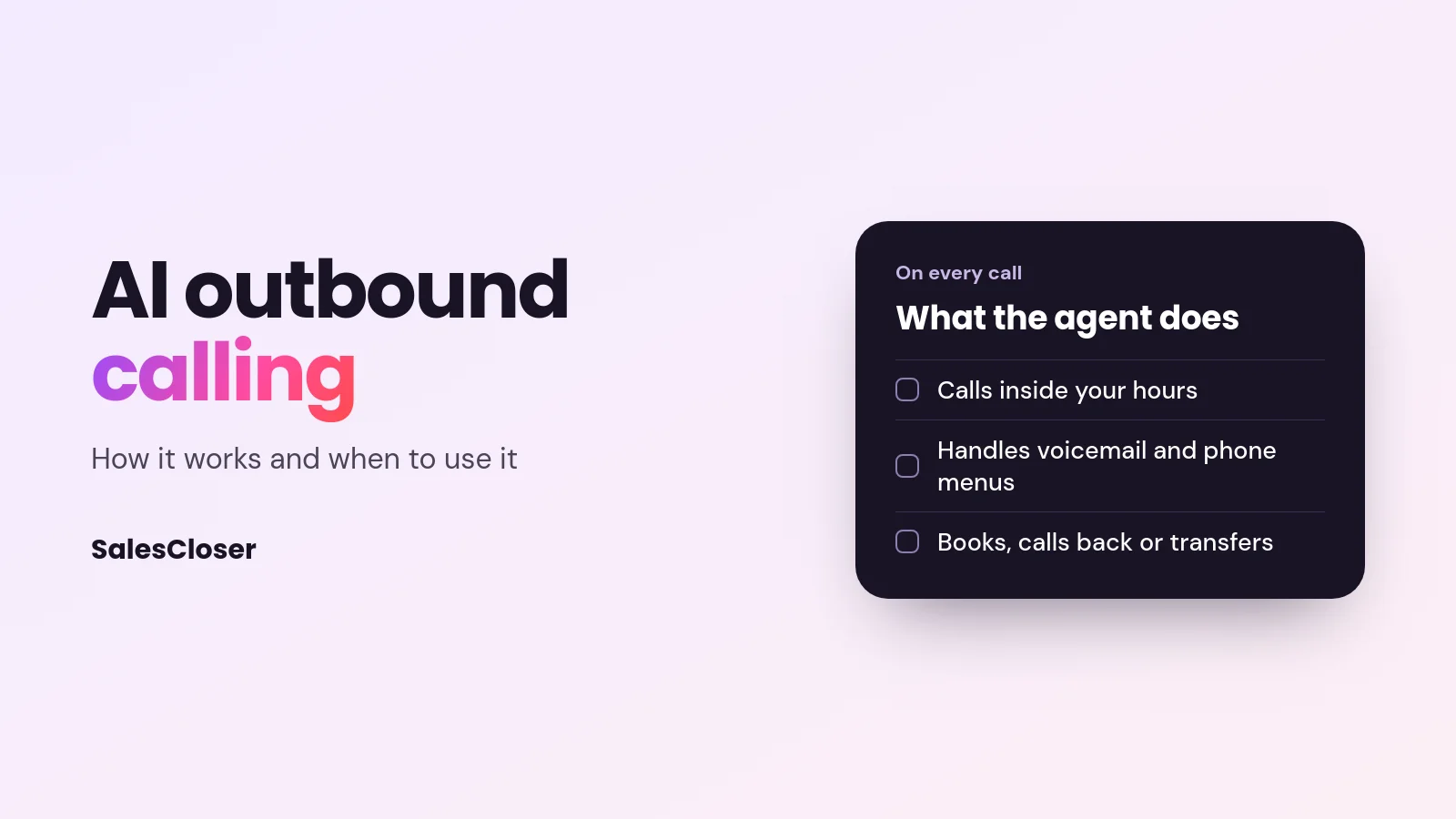
Most lead lists never get fully called. Reps start at the top, the day fills up, and the rest of the list waits. An AI outbound calling agent works through the whole list inside your calling hours and hands your team the conversations worth having.
This guide covers how an AI outbound calling campaign works step by step, where it fits and where it does not, the controls that keep it respectful, and what to check before you choose a tool.
How AI outbound calling works
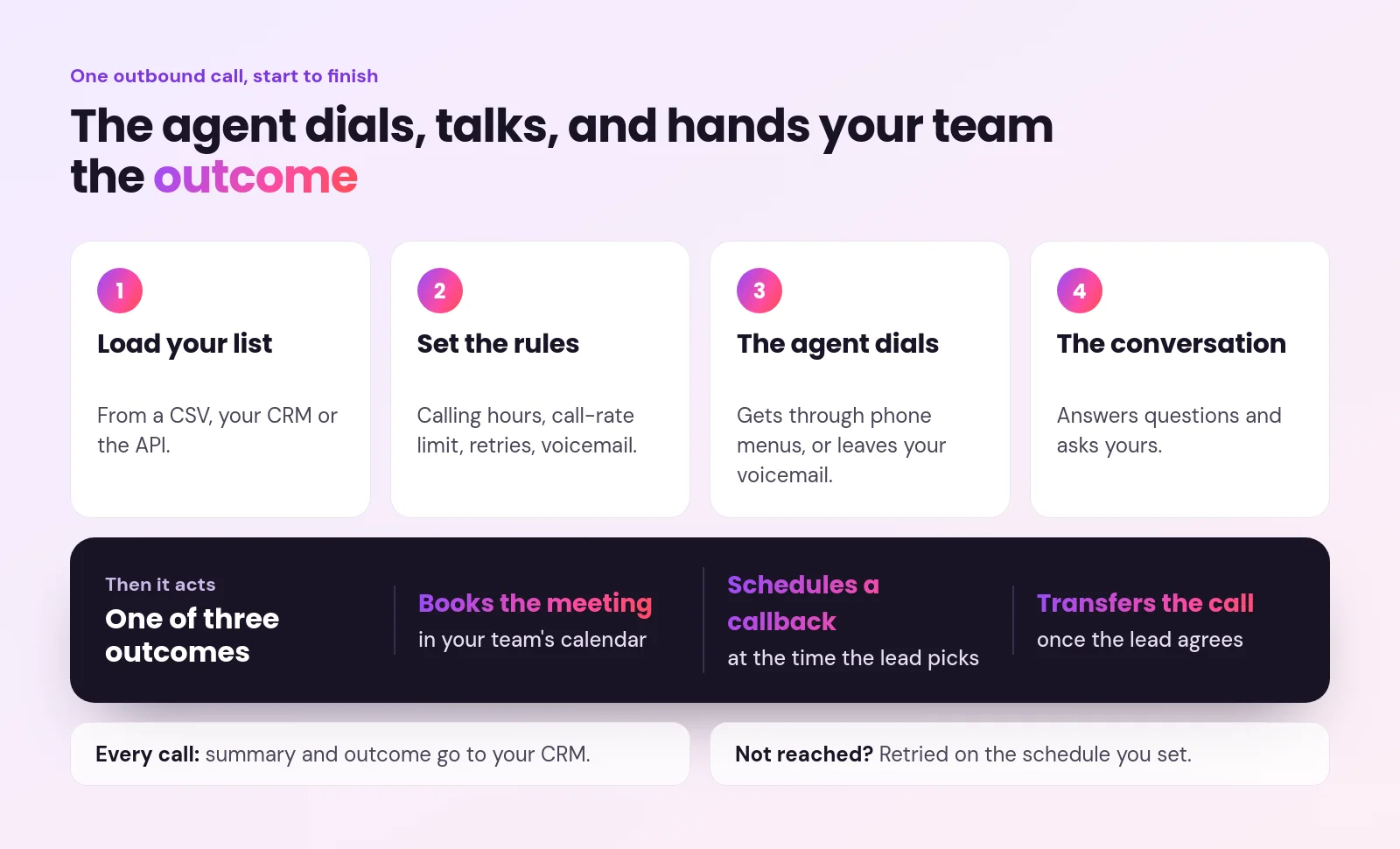
- You load a list. Leads come from a CSV, your CRM or an API, with a phone number and, ideally, a time zone.
- You set the rules. Calling hours, how many calls to start per minute, hour or day, how many retries and how far apart, and when to leave a voicemail.
- The agent dials. If it reaches a phone menu, it presses keys to get to a person. If it reaches voicemail, it leaves a message from your prompt, or switches to talking if a person picks up mid-message.
- It has the conversation. The agent explains why it is calling, answers questions from your knowledge base, and asks your qualifying questions.
- It acts on the answer. It books a meeting in your calendar, schedules a callback at the time the lead asks for, or transfers the call to your team once the lead agrees.
- It records everything. A call summary and outcome go to your CRM, and leads who are not reached are retried on your schedule.
What an AI outbound call sounds like
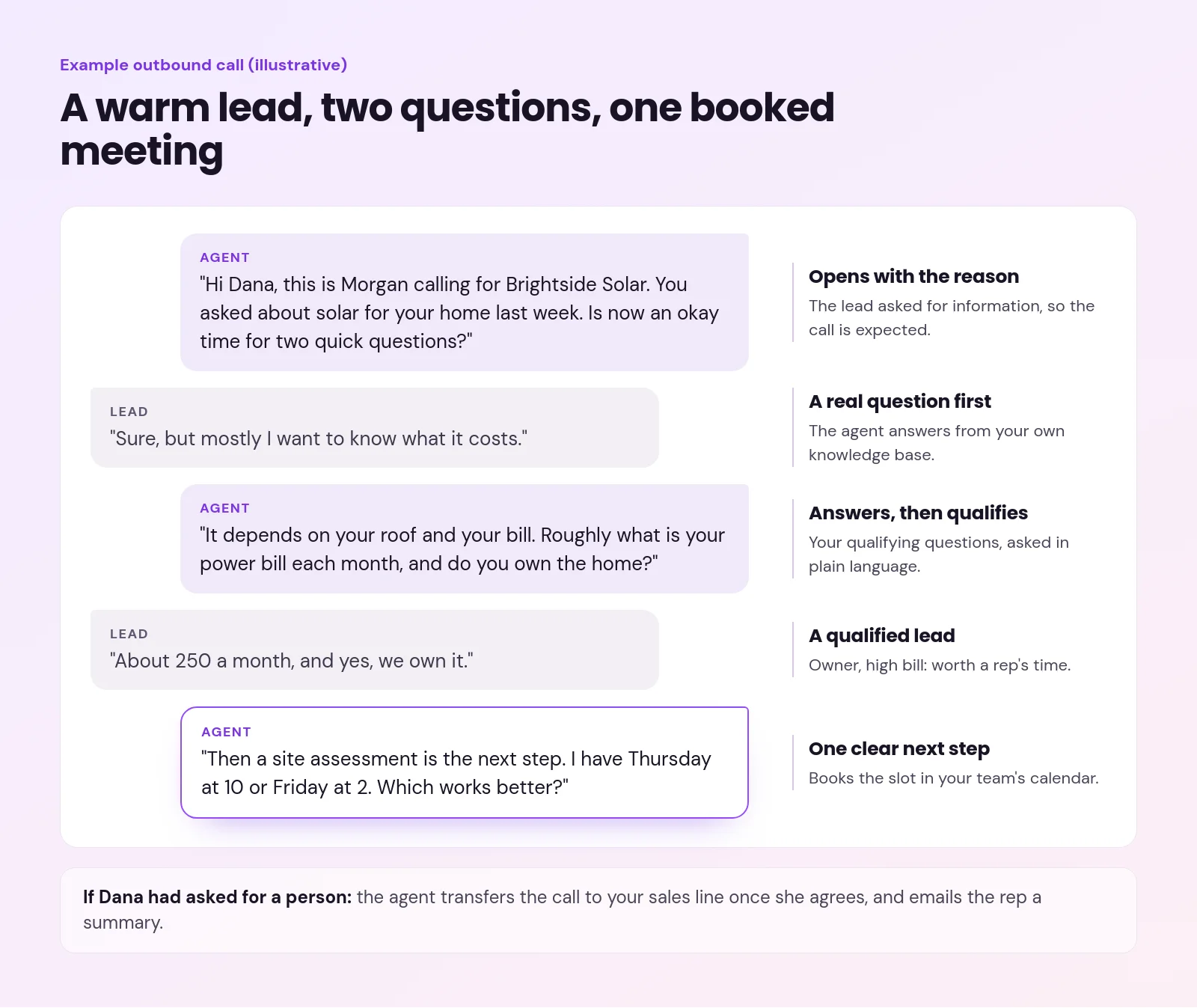
Here is an illustrative call to a warm lead who asked about solar last week. The agent opens with the reason for calling, answers the question first, asks two qualifying questions and offers one clear next step.
Where AI outbound calling works best
AI calling does best when the person on the other end has some reason to expect the call: leads who filled in a form, asked for information, or are already in your CRM.
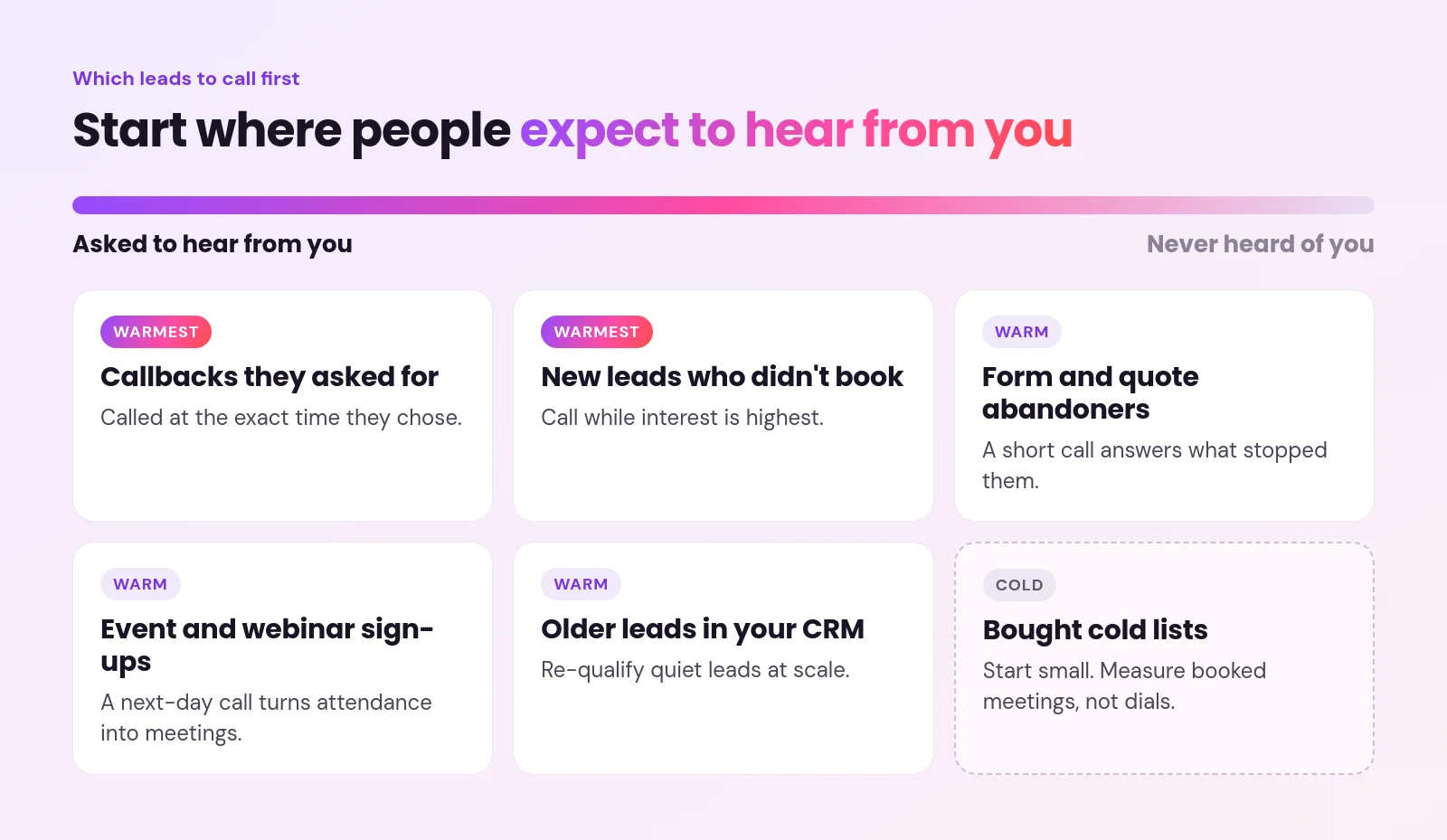
Cold lists are harder. Answer rates are lower, and people who never asked to hear from you are less patient with any caller, human or AI. If cold calling is your main motion, start small, measure booked meetings rather than dials, and keep a person ready to take hot transfers.
Controls that keep outbound calling respectful
A good AI calling tool gives you the same controls a careful sales manager would want. These are the ones to look for, and how SalesCloser handles each:
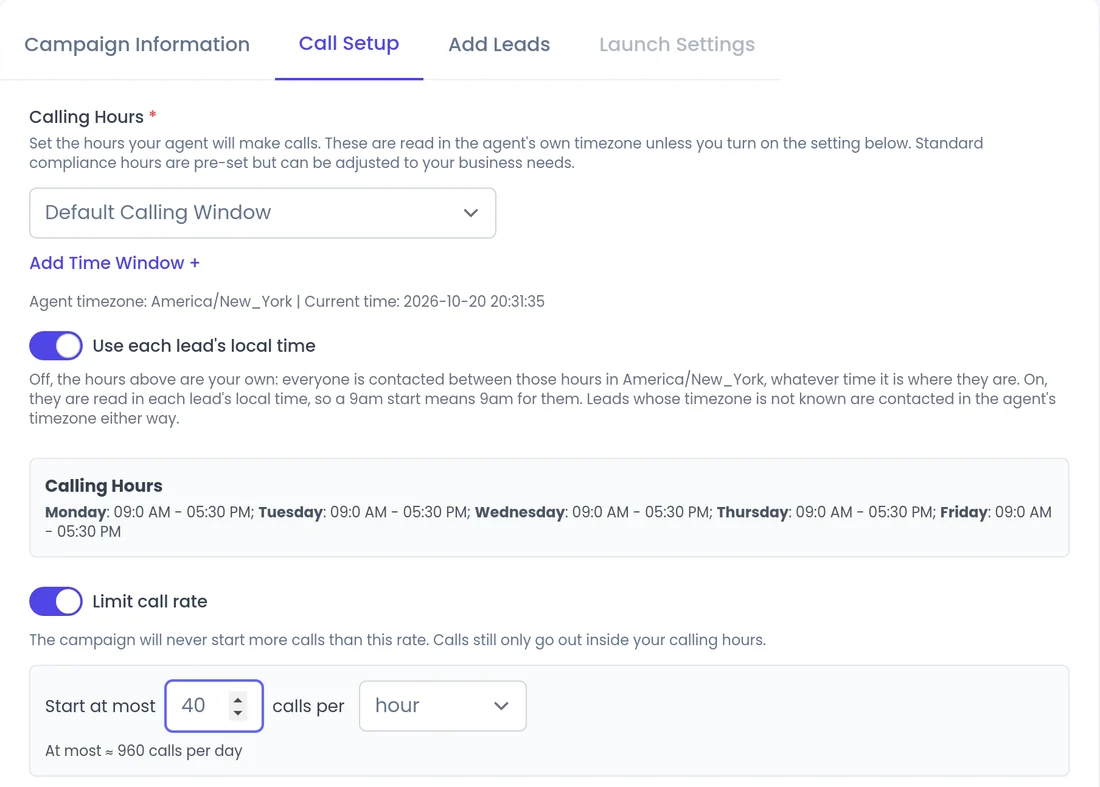
- Calling hours. Campaign calls only start inside the windows you set, and calls outside them wait for the next allowed time instead of being dropped. You can turn on calling in each lead’s local time. One exception: a callback the lead asked for is made at the time they chose.
- A call-rate limit. Start at most a set number of calls per minute, hour or day, so a big list does not flood your team with transfers.
- Retries with spacing. Choose up to five retries after the first call, the delay between them, and whether the voicemail goes on the first or last attempt.
- Opt-outs. Keep a blocked-numbers list that is checked before every call, and turn on automatic blocking for leads who ask not to be called again. This is your own list: SalesCloser does not check national do-not-call registries for you.
- Stop once you have talked. Cancel a lead’s pending calls once a conversation has happened.
Calling, recording and consent rules vary by country and state, and they stay your responsibility with any vendor, including checking national do-not-call registries. Check them before you load a list. See all the settings on our calling controls page.
What to check before you choose an AI outbound calling tool
- Voicemail and phone menus. Does it leave a message and work through a phone tree, or hang up?
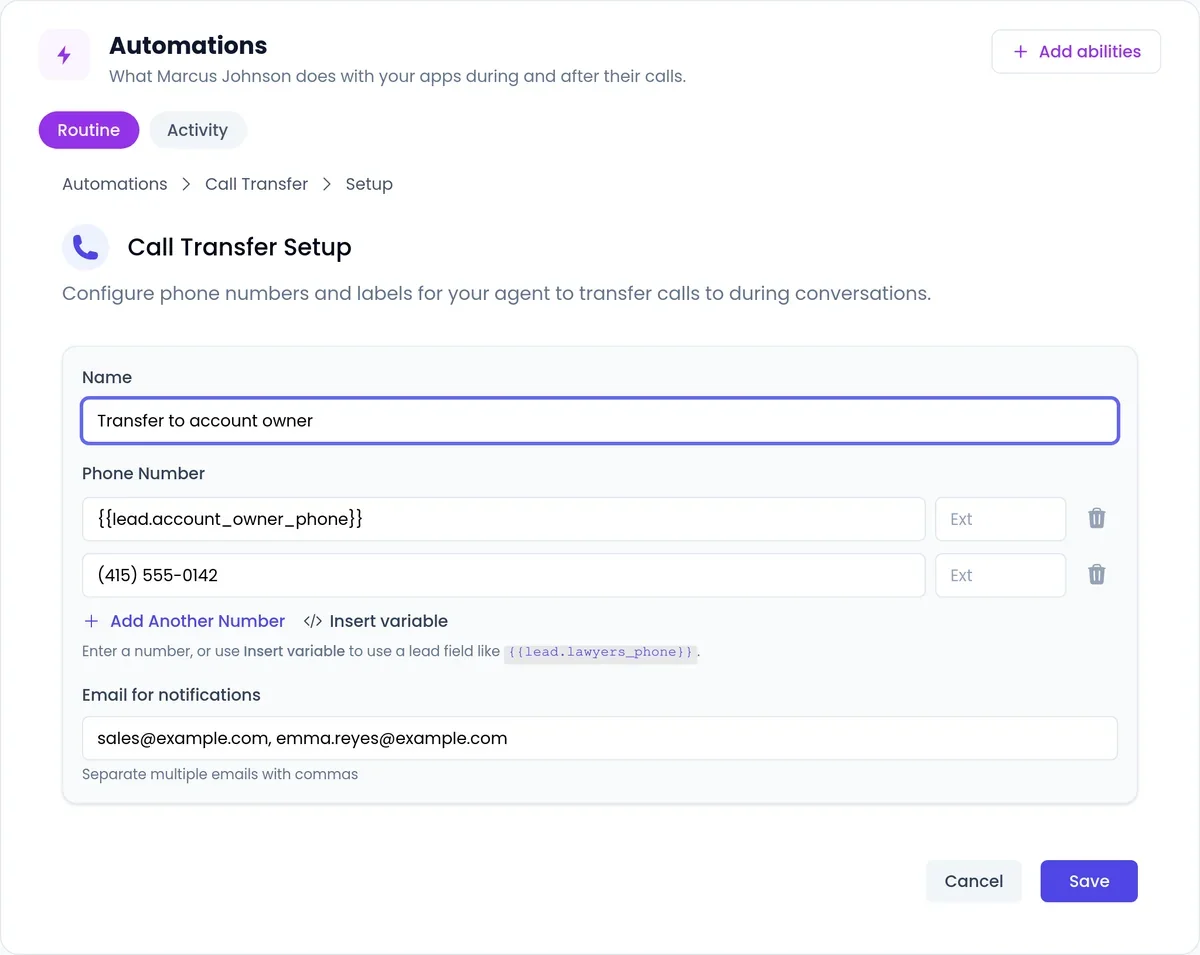
- Live handoff. Can it transfer a ready buyer to your team’s number, with backup numbers if the first rep does not answer?
- Callbacks. When a lead says “call me Thursday at 3”, does the agent book that call itself?
- Your CRM. Do the outcome and summary land in the CRM you use, without a person copying notes?
- Languages. Can the same agent call in the languages your leads speak?
- Beyond the phone. Leads who miss the call may visit your website next. Can the same agent talk with them there by chat, voice or video?
How SalesCloser does AI outbound calling
SalesCloser is your AI sales team. The same agent that answers your website visitors and inbound calls also works through your outbound lists:
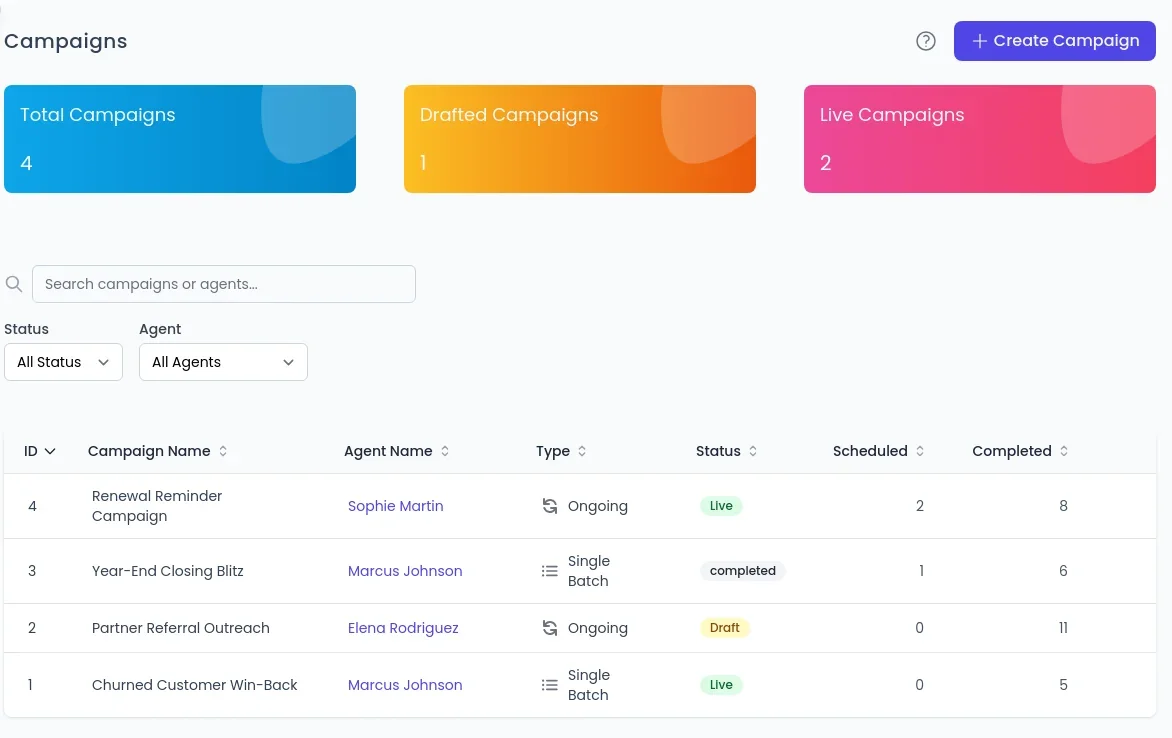
- It calls inside your calling hours, retries on your schedule, and handles voicemail and phone menus.
- It qualifies with your questions and books meetings on Calendly or Cal.com.
- When a lead agrees to talk to a person, it transfers the call to your team, with fallback numbers and a call summary emailed to the rep.
- It schedules the callbacks leads ask for and makes them at the agreed time.
- Results write back to HubSpot, Pipedrive, GoHighLevel, Zoho CRM and Zendesk, and other tools connect through Zapier, webhooks or the API.
- It talks in 50+ languages.
See the outbound calling feature, and read more about voicemail and phone menu handling, callback scheduling and AI call transfer. Want to hear one first? You can talk to our AI sales agent right now on the demo page, see pricing, or book a demo to hear it call your own leads.
Frequently asked questions
What is AI outbound calling?
AI outbound calling is when an AI voice agent places calls to a list of leads, has a real conversation with the people who answer, and then qualifies them, books a meeting, schedules a callback or transfers the call to your team.
Is AI outbound calling legal?
It depends on where you and your leads are, and on consent. Calling, recording and consent rules vary by country and state and remain your responsibility, including national do-not-call registries. Use calling hours, your own opt-out list and automatic blocking of leads who ask not to be called.
Does the AI leave voicemails?
SalesCloser can leave a voicemail from your prompt, on the first or last attempt, and switches to talking if a person picks up mid-message. Detection is automatic but not perfect.
Can the AI transfer a call to a person?
Yes. On phone calls, the agent transfers the call to your team’s number once the lead agrees, tries backup numbers if the first does not answer, and emails the rep a summary.
Which leads should I call with AI?
Leads that already know you work best: new inbound leads who did not book, older leads in your CRM, event sign-ups and people who asked for a callback. Cold lists work less well, so start small and measure booked meetings.