Outbound calling: AI phone campaigns that respect your leads' time
Your AI agent calls through a list of leads for you. Import a CSV or Excel file, add leads by API or feed them in from Meta lead ads. It handles phone menus and voicemail, calls in each lead's local time, respects call caps and opt-outs, and retries leads who miss the call. Calling rules, consent and do-not-call lists stay your responsibility.
- CSV, API or Meta lead ads
- Each lead's local time
- Retries and callbacks
- Opt-outs respected
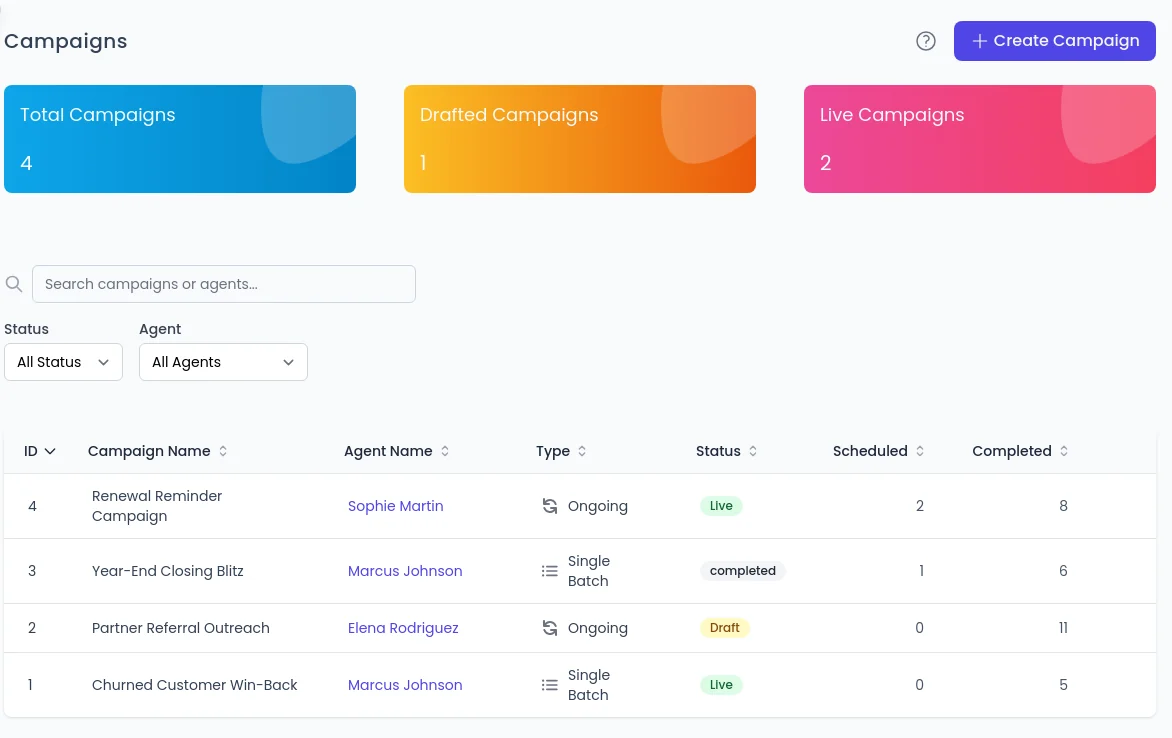
Who the agent calls
Bring in your call list
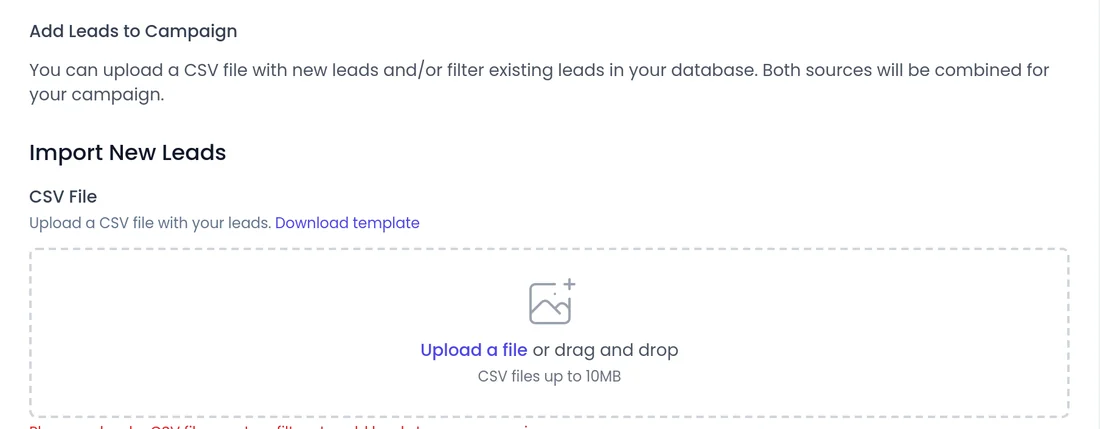
In the campaign's Add Leads step, import a CSV or Excel file and map each column to a lead field. Extra columns are saved as custom fields.
- Add a lead to a campaign through the API in one call.
- Connect Facebook and Instagram lead forms to an ongoing campaign, so new form leads are called within your calling hours.
- When a campaign finishes, a report arrives by email, with the call spreadsheet attached for most campaigns, to the people you choose in Notification Settings.
- Get a calling number from your dashboard right after billing. See phone calls
How the agent handles each call
Voicemail and phone menus
It presses keys through phone menus and leaves a voicemail when nobody answers. If a person picks up, even mid-voicemail, it talks with them. Up to 300 seconds in a menu, voicemail on the first or last attempt. Detection is automatic but not perfect. See voicemail and IVR
Transfers to your team
It transfers ready callers to your team or the lead's own rep, with backup numbers. Phone agents can also transfer hot leads when the live intent score reaches your threshold. See call transfer
Retries and callbacks
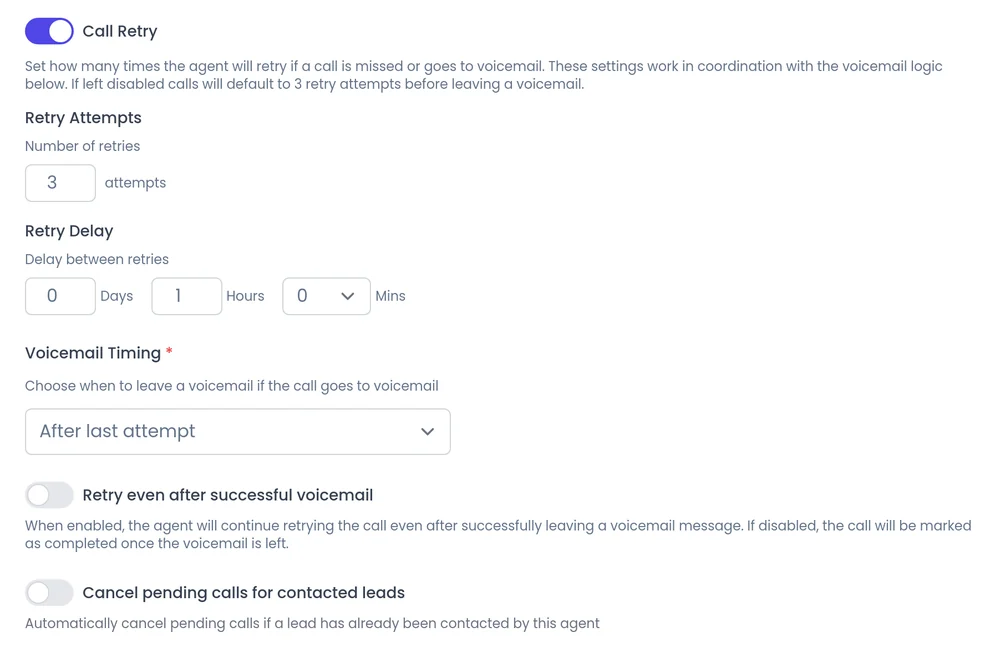
Missed leads are tried again on your schedule, including after a voicemail. A lead who asks for a callback is called at the time they chose, even outside calling hours. See callbacks
When and how often
Calls at a sensible hour and pace
Set the Calling Hours in the campaign's Call Setup step; every campaign needs them. Calls outside them wait for the next allowed time instead of being dropped.
- Use each lead's local time (off by default) makes a 9am start mean 9am where the lead is.
- Limit call rate (off by default) caps calls per minute, hour or day. Leads waiting on the cap keep their place.
- Call Retry sets up to 5 tries and the delay between them, and Voicemail Timing picks the attempt that leaves a voicemail.
- See calling controls
Clean lists and safe stops
Stop after a conversation
With Cancel pending calls for contacted leads, a campaign stops calling a lead once they have talked.
Opt-outs are blocked
Leads who ask not to be called again are blocked from future calls.
Dead numbers removed
Numbers that no longer work are removed automatically, and you can cancel future calls for any lead.
Pauses that say why
If your calling connection stops working, live campaigns pause and show you why, instead of failing quietly.
Compliance is yours
Calling rules, consent and do-not-call lists stay your responsibility. Check what applies to the leads you call.
A report at the end
The completion report goes to the people you choose, so you can follow up on opt-outs and failed calls.
Other ways to reach leads
Calls over WhatsApp
Campaigns can also place calls over WhatsApp.
- Needs a WhatsApp Business account with a registered number
- Available on every account
- See WhatsApp AI agent
Text campaigns
Campaigns can be sent by text instead of dialed.
- Our team switches SMS on for your account
- US numbers need carrier registration
- See SMS
FAQ
Still wondering about something? Ask us on the call. We'll build your agent while we talk.
How do I add leads to a campaign?
Upload a CSV or Excel file and map the columns, add leads through the API, or connect a Meta lead form to an ongoing campaign.
Does the agent call outside my calling hours?
Regular campaign calls wait for the next allowed time. The one exception is a callback the lead asked for, which dials at the time they chose.
Who is responsible for calling rules?
You are. Calling rules, consent and do-not-call requirements stay the customer's responsibility. SalesCloser gives you the controls, such as calling hours, caps and opt-out blocking.
See an outbound campaign in action
Book a demo and watch an agent work through a call list for a business like yours.