
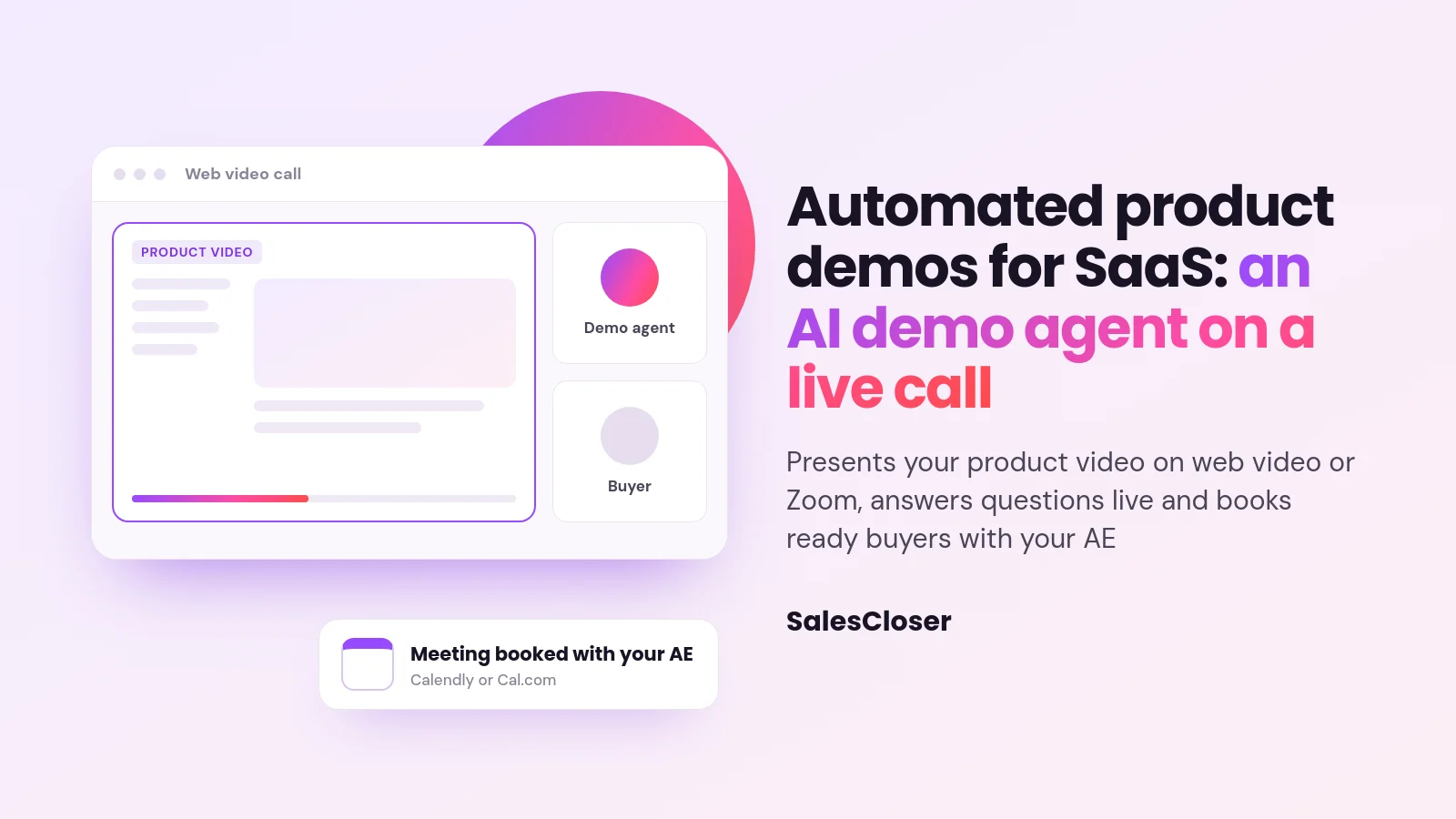
An AI demo agent runs the first product demo for you on a live call, without waiting for a rep. On SalesCloser, the demo agent presents your product video on a web video or Zoom call, answers questions live and books ready buyers with your account executive through Calendly or Cal.com.
Most SaaS buyers want to see the product before they commit to a sales process. When the earliest demo slot is days away, interest cools, and some buyers sit through a competitor’s demo in the meantime. SaaS demo automation aims to close that gap by giving every request a first demo without waiting on a rep’s calendar.
There are several ways to automate a demo, from recorded videos to click-through tours. This guide focuses on one: an AI demo agent that presents your product on a live call, answers questions and books the right buyers with your account executives. It covers how it works, how it compares, how to set it up and where its limits are.
What is an AI demo agent?
An AI demo agent is an AI that runs the first product demo for you on a live call. It talks with the buyer, shows the product, answers questions as they come up and moves ready buyers to the next step. You may also see it called a demo bot, an autonomous demo or an automated AI sales demo.
The difference from a recorded video is the conversation. A video plays the same way for everyone and cannot answer anything. A demo agent is in the call with the buyer, so they can ask about the part they care about and get an answer before moving on.
On SalesCloser, the demo agent presents your product video and answers questions live. It plays your pre-recorded product video as a screen share in a web video room or on a Zoom call, and the visitor can share their own screen too.
A real-time avatar is available if you want a face on the call. The screen share demos feature explains how video sharing works.
How does an automated SaaS demo work on a live call?
A good automated demo follows the same arc as a strong first call with a rep, just without the wait. Here is how a typical demo runs with an AI demo agent:

- The buyer joins. They start a web video call from your site or a link you send, or meet the agent on a Zoom call.
- The agent sets the agenda. It greets them, asks what they want to see and asks the qualifying questions you wrote for it.
- It presents the product. It plays your product video on screen so the buyer sees the flows that matter.
- It answers questions live. The buyer can ask questions along the way. They can also share their own screen to show their current setup.
- It books the next step. When the buyer is ready, the agent books a meeting with your AE through Calendly or Cal.com.
- Your team reviews. Conversations are recorded and transcribed so your team can review them before the AE meeting.
Your AE then starts at the second conversation, with a buyer who has already seen the product. The live product demo use case shows how this fits into a SaaS demo funnel, from the demo request to the AE handoff.
What types of automated product demos are there?
Automated demo is a broad label. Tools sold under it do quite different jobs, so it helps to compare them by what the buyer actually experiences. The table below covers the common formats and where each one fits.

| Format | What the buyer gets | Two-way conversation | Books a meeting | Best for |
|---|---|---|---|---|
| Recorded demo video | The same video for everyone, watched any time | No | Only through a link afterwards | Top of funnel and product education |
| Click-through product tour | Clickable screens of your product at their own pace | No, guided clicks only | Usually through a form or link | Visitors who prefer to explore alone |
| Personalized demo video | A recorded video with their name or company added | No | Through a link on the video page | Outbound emails and old leads |
| AI demo agent on a live call | Your product video presented on a live call, questions answered | Yes, on a video call | Yes, during the call | First demos for inbound requests |
| Live AE demo | A rep runs the demo and tailors it on the spot | Yes | Yes | Complex deals and later stages |
These formats work well together. A click-through tour or recorded video can build interest, and the demo agent can take the buyers who want to talk. Many teams keep live AE demos for second meetings and larger accounts.
What can a SalesCloser demo agent do, and what can’t it?
Being clear about limits avoids a poor first impression with buyers. Here is what the SalesCloser demo agent does today, in plain terms.
It presents your product video and answers questions live. The agent plays a pre-recorded product video that you supply, shared on screen during the call. It does not click through your product live, so the video should show the flows buyers ask about most. Update it whenever your product changes.
It works on web video calls and Zoom. Demos run in web video rooms in the browser or on Zoom calls. The demo agent is not available on phone calls or in text chat, so buyers who want to see the product should be offered a video call.
The visitor can share their screen. A buyer can share their own screen during the call. This helps when they want to ask how your product would fit the tools they use today.
It books the AE. Booking runs through Calendly or Cal.com, and buyers can cancel or reschedule. Bookings do not round-robin across reps, so decide which calendar the agent books into for each demo flow.
You decide how it introduces itself. That includes the name it uses and what it says at the start of the call. Conversations are recorded and transcribed so your team can review them.
It connects to your stack. Native integrations include HubSpot, Pipedrive, Zoho and GoHighLevel, Salesforce is supported, and Zapier and webhooks cover other tools. See CRM integrations for the full list.
When should a SaaS team use an AI demo agent instead of an AE?
An AI demo agent fits best where demand for first demos outpaces your AEs’ calendars, and where the first demo is similar from buyer to buyer. Common signs that it is time:

- Demo requests wait days for the first open slot.
- AEs spend much of their week on intro demos that never progress.
- Buyers arrive from many time zones or outside office hours.
- Your first demo covers the same core flows most of the time.
- New signups and inbound leads ask to see the product before they talk to sales.
Keep the AE for demos that need real tailoring: large accounts, deep technical evaluations, security reviews and deals with many stakeholders. The demo agent works as the first meeting, not the last. Its job is to show the product, answer the common questions and put an informed buyer on the AE’s calendar.
If your challenge is presentation skill rather than capacity, start with our tips for delivering a great sales demo. The same principles, such as leading with outcomes and keeping it short, shape a good agent demo too.
How do you set up an automated product demo?
The setup is mostly about content and rules, not code. Treat the agent like a new hire you are preparing for their first demo. These steps work for most SaaS teams:
- Pick your golden demo. List the three to five flows that most often lead to a second meeting. That is what the video should show.
- Record the product video. Lead with the result the buyer gets, then show how it works. Use real screens and plan to re-record when the product changes.
- Write the agent’s instructions. Describe your product, who it is for, the questions it should ask and when it should offer the AE meeting.
- List objections and answers. Collect what your reps hear most, such as integrations, security and contract questions, and write the answers you want given. Tell the agent to note anything it cannot answer for your team rather than guess.
- Connect the calendar and CRM. Link Calendly or Cal.com for AE bookings and connect your CRM so your team sees each demo in context.
- Test it hard. Have your team play different buyers, ask off-topic questions and try to trip it up. Tighten the instructions, then test again.
- Offer it where buyers ask for demos. Put the video call on your demo request page, in your signup flow and in follow-up emails.
The most common setup mistake is a video that tries to show everything. Buyers in a first demo want to see whether the product solves their problem, not every settings screen. A focused video plus good answers beats a long tour.
How do you measure whether automated demos work?
Measure the demo agent the way you would measure a new rep’s first demos: by what happens next, not by activity. Track how many demo requests get a demo, how many of those book an AE meeting, and how many of those meetings become real opportunities.
Then read the transcripts. Questions the agent could not answer show gaps in its instructions. Points where buyers drift off show where the video or script needs work. Repeated requests for missing features are useful input for your product team.
Finally, ask your AEs. If buyers arrive at the second meeting already knowing the basics and asking sharper questions, the first demo is doing its job. If not, revisit the golden demo and the qualifying questions.
How can you see an AI demo agent in action?
The quickest way to judge an AI demo agent is to sit through one as a buyer would. Book a SalesCloser demo to see the demo agent present a product video on a live call, answer your questions and book the next meeting, then decide whether it fits your demo funnel.
Frequently asked questions
Is an AI demo agent the same as a demo bot or chatbot?
Demo bot is often used for the same idea, but a chatbot answers in text. The SalesCloser demo agent runs on a live web video or Zoom call, presents your product video and answers questions live. It is not available in text chat.
Does the AI demo agent operate my product live?
No. It presents a pre-recorded product video that you provide, shared on screen, and answers questions live around it. Make sure the video covers the flows buyers ask about most, and update it when your product changes.
Can the demo agent run on phone calls?
No. The demo agent works on web video calls in the browser and on Zoom calls. It is not available on phone calls or in chat, because the buyer needs to see the product video.
Can buyers book a meeting with a sales rep during the demo?
Yes. The agent can book a meeting through Calendly or Cal.com, and buyers can cancel or reschedule. Bookings go to the calendar you connect, since round-robin booking across reps is not supported.
Do I still need account executives if I use an AI demo agent?
Yes. The demo agent handles first demos so your AEs can focus on buyers who have already seen the product. Complex evaluations, negotiations and large accounts still need people. Conversations are recorded and transcribed so your team can review them before the next meeting.