
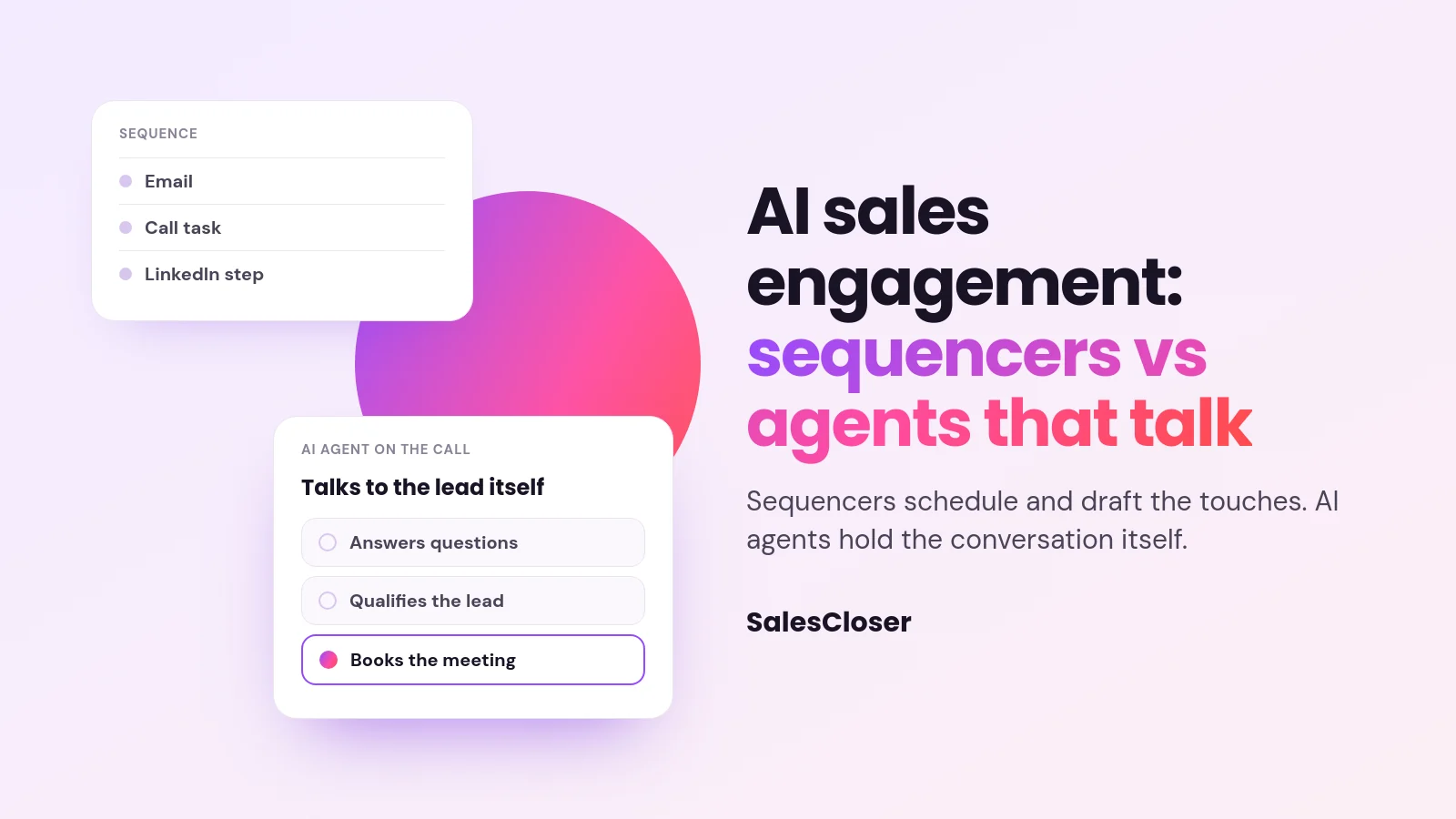
AI sales engagement uses AI to reach and respond to prospects. Sequencers such as Outreach, Salesloft and Apollo schedule and draft emails, calls and tasks for reps. AI agents such as SalesCloser hold the conversation itself: they answer or place calls, qualify the lead and book the meeting. Many teams need both.
Your sequences run. Emails go out on schedule, call tasks appear on day three. And then the call tasks pile up, the lead who replied ‘call me Thursday’ gets missed, and the prospect who rang back at 6 pm reaches voicemail.
Search for AI sales engagement and you find two kinds of product. A sequencer such as Outreach, Salesloft, Apollo or HubSpot sequences schedules and drafts touches for your reps. An AI agent such as SalesCloser holds the conversation itself: it places or answers the call, qualifies the lead and books the meeting. Most teams with real volume need both. This playbook shows six ways to run them together.
| Job | Sequencer | AI agent (SalesCloser) |
|---|---|---|
| Schedule email, call and social steps | Yes, its core job | No, keep your sequencer for this |
| Talk to the lead when they pick up | Creates a task for a rep | Holds the conversation on phone, chat or video |
| Qualify and book | The rep does it | Asks your questions, books on Calendly or Cal.com |
| Write results to the CRM | Logs activity | Writes summary, next steps and status |

Play 1: hand the call steps to the agent
Keep the email steps in your sequencer and load the same leads into a SalesCloser outbound campaign by upload, API or Zapier. The agent makes the calls inside the calling hours you set, tries again when no one answers and leaves a voicemail on the attempt you choose.
Example: a cybersecurity firm’s SDRs had 300 overdue call tasks every Monday. The agent now makes those calls, and the SDRs start the week with the meetings it booked instead of the backlog.
Play 2: answer the leads who come back to you
Sequences create replies on every channel, including calls back to your number and visits to your pricing page. The agent answers inbound calls and talks to website visitors by chat, voice or video, so the moment of interest is not wasted.
Example: a prospect gets your day-two email at 7 pm and calls the number in your signature. The agent picks up, answers two questions about integrations and books a demo for the next morning.
Play 3: turn ‘call me later’ into a booked callback
When a lead answers but asks for another time, the agent books a callback and calls at the time they chose. Nobody has to remember it.
Example: a facilities manager says she is walking into a meeting and asks for Friday at 10. The agent confirms it, the campaign calls her on Friday at 10, and she books a site survey.
Play 4: transfer hot leads while they are on the line
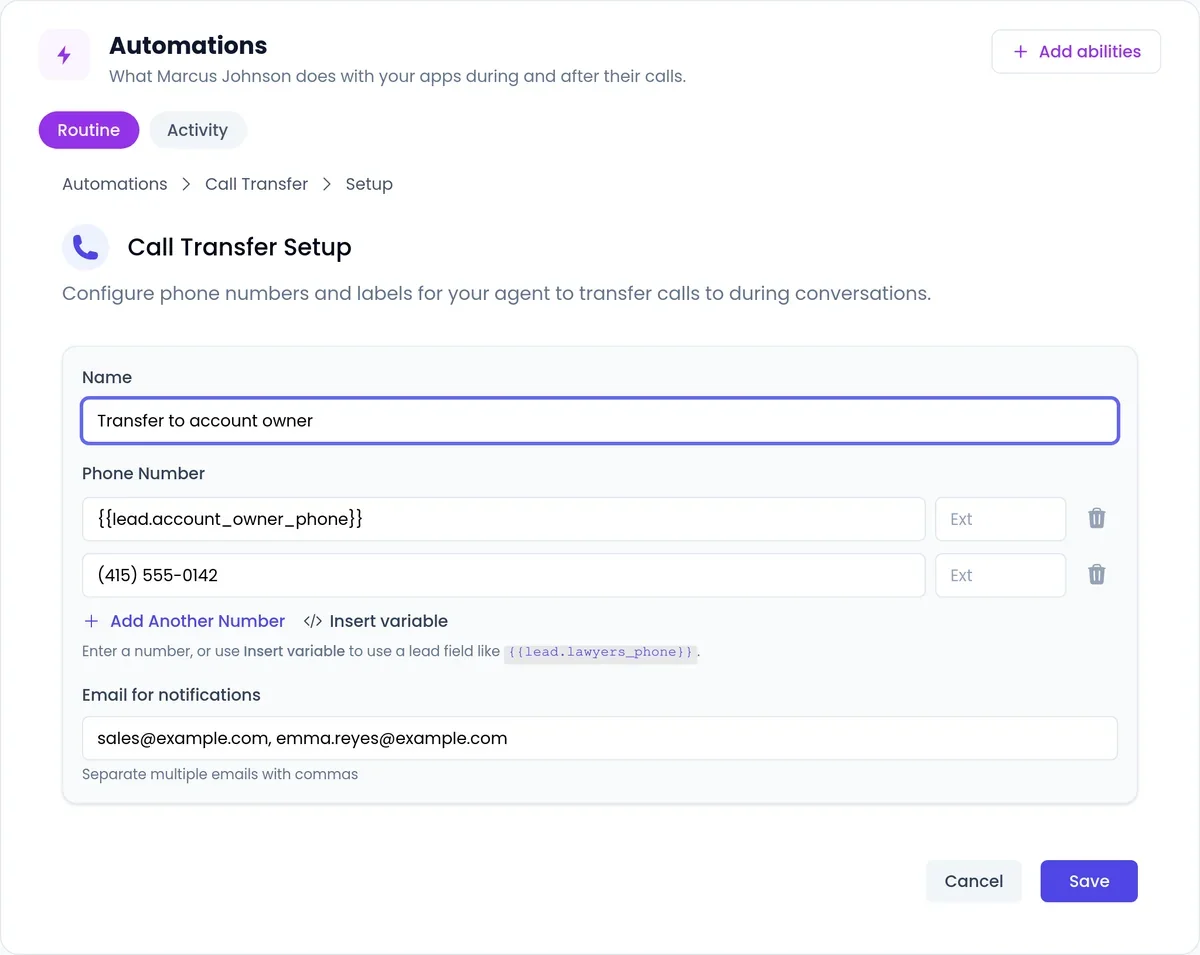
Some leads are ready now. On phone calls, once the lead agrees, the agent transfers the call to a rep, trying the next number on your fallback list if the first does not answer. On web calls, a rep covering the Waiting Room can listen in and take over.
Example: an operations director says he has budget this quarter and wants pricing today. The agent offers to connect him with an account executive, he agrees, and the AE picks up with a call summary already in his inbox. See how call transfer works.
Play 5: close the loop between agent, CRM and sequence
After each conversation the agent writes the summary, next steps and status back to HubSpot, Pipedrive, GoHighLevel, Zoho, Zendesk or Intercom, and sends events such as a completed call or a scheduled booking to Zapier or webhooks. Use those events to pause the email steps once a meeting is booked, if your sequencer accepts Zapier or webhooks.
Example: the agent books a demo at 11 am. A Zap marks the contact as booked, the sequencer removes them from the cadence, and nobody gets tomorrow’s ‘just checking in’ email. Details on what each CRM integration records.

Play 6: review calls every week
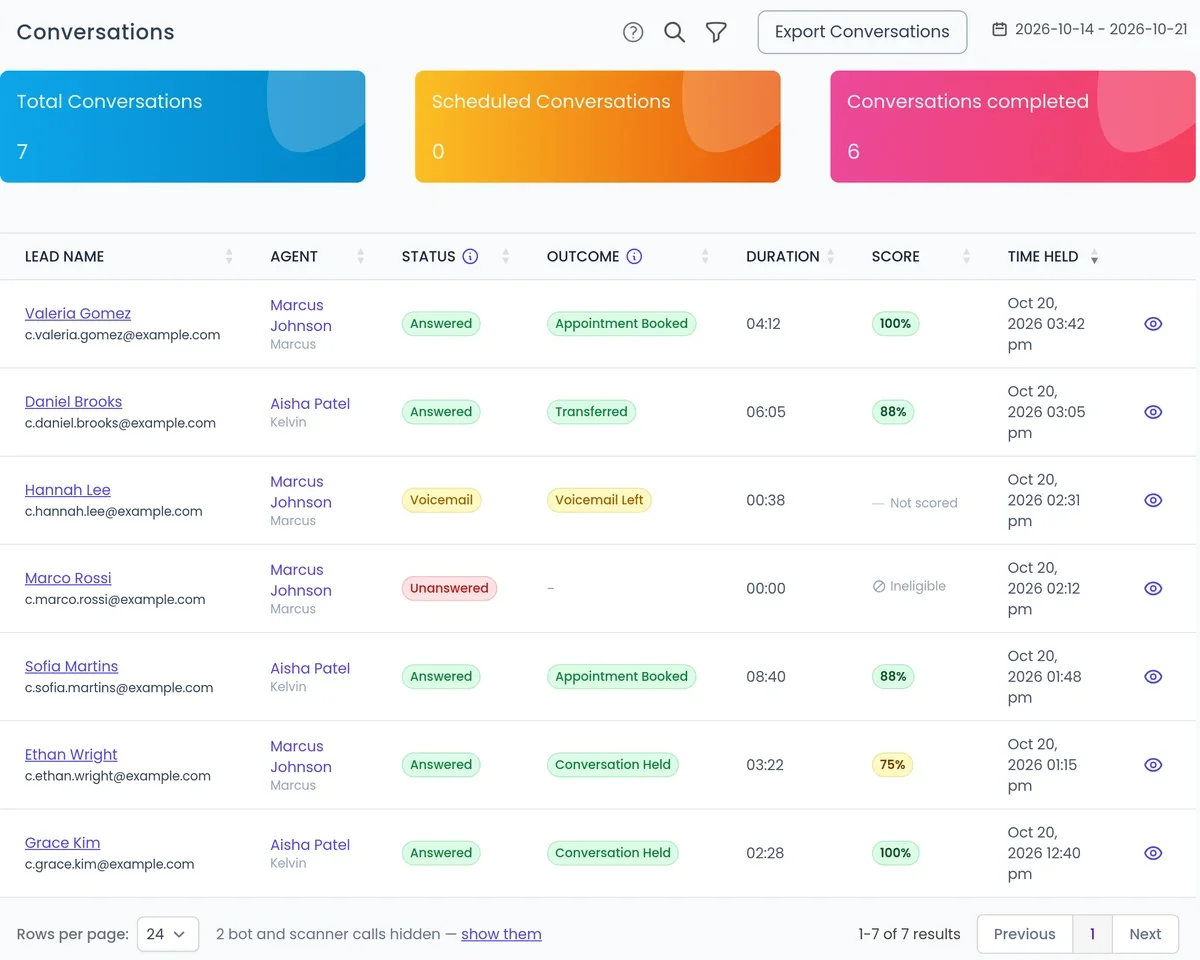
Conversations are recorded and transcribed so your team can review them. Read ten calls a week, find where leads hesitate, and update the agent’s instructions and knowledge. Treat it like coaching a rep, except the change applies to every call from then on.
Example: reviews show leads keep asking whether the product works with their phone system. The team adds a clear answer to the knowledge base, and the question stops ending calls early.
Do you need both?
You need both when your team runs a lot of outreach and also loses leads at the moment of contact: call tasks sit overdue, callbacks get forgotten, inbound calls hit voicemail. The sequencer keeps the schedule going and the agent makes sure someone has the conversation while the lead is still interested.
You may need only one. If you mostly email a small set of named accounts, a sequencer may be enough. If most leads arrive by phone or through your website and you run no outbound cadences, an AI agent plus your CRM can cover it. If you sell across markets, the agent’s 50+ languages let you hold first conversations without a rep for each language.
Before you start
- SalesCloser is not a sequencer or a contact database: keep your sequencer for email cadences and bring your own leads.
- Every outbound campaign needs calling hours; local-time calling and call-rate limits are settings you turn on in calling controls.
- Salesforce connects through Zapier, webhooks or the API rather than a direct connection.
For the email side, see our guide to building an outreach sequence, and for finding leads, our roundup of AI sales prospecting tools. To see the agent work alongside your sequencer, book a demo and bring one sequence you want to fix.
Frequently asked questions
What is an AI sales engagement platform?
Software that uses AI in the touches between your team and prospects. Sequencers use it to prioritize and draft emails, calls and tasks for reps. AI agents such as SalesCloser use it to hold the conversation itself on the phone, website chat or video.
Is SalesCloser a sales engagement platform like Outreach?
Not in the sequencer sense. Outreach and similar tools schedule multi-step touches for reps. SalesCloser is an AI agent that talks to leads, qualifies them and books meetings. Many teams run both, connected through the CRM and Zapier or webhooks.
Do you still need SDRs if you use an AI agent?
Most teams keep them. The agent takes the repetitive calls, callbacks and after-hours conversations, and SDRs spend their time on the leads that showed interest, account research and harder conversations.
Will an AI agent sound robotic to prospects?
SalesCloser agents hold a natural two-way conversation and answer from your own knowledge. Listen to calls on a demo, test it with the objections your buyers raise, and decide how the agent introduces itself.
Which languages can the agent speak?
SalesCloser agents hold conversations in 50+ languages, so you can engage prospects in new markets without a rep for every language at first contact.