
Proactive website chat opens the conversation instead of waiting for a click. On SalesCloser, the floating widget can open itself after a 0 to 10 second delay or when a visitor scrolls 10 to 90% of the page, and a smart link sends clicks to a live person when one is available, or to a booking page when nobody is.
Most website chat sits in the corner and waits. A visitor reads your pricing page, then leaves without typing a word. Nothing invited them in.
Proactive chat closes that gap: the AI sales agent opens the conversation at a moment you choose. This guide covers SalesCloser auto-open triggers, the CTA banner, the availability-aware smart link, page awareness, setup and limits.
What is proactive website chat?
Proactive website chat means the chat starts the conversation. The widget opens on its own based on a rule, such as time on the page or scroll depth, and invites a reply.
Reactive chat waits for a click. That works for visitors who already have a question, and misses the ones who are curious but would never click first.
On SalesCloser, proactive chat is a set of settings on your AI sales agent’s website widget. If you have not set up the widget yet, start with our guide to the AI chat widget with voice and video.
Why does proactive chat matter for sales?
Buyers research on their own before they talk to a seller. A visitor on your site is already showing interest, and if nobody speaks up, that interest often ends in a closed tab.
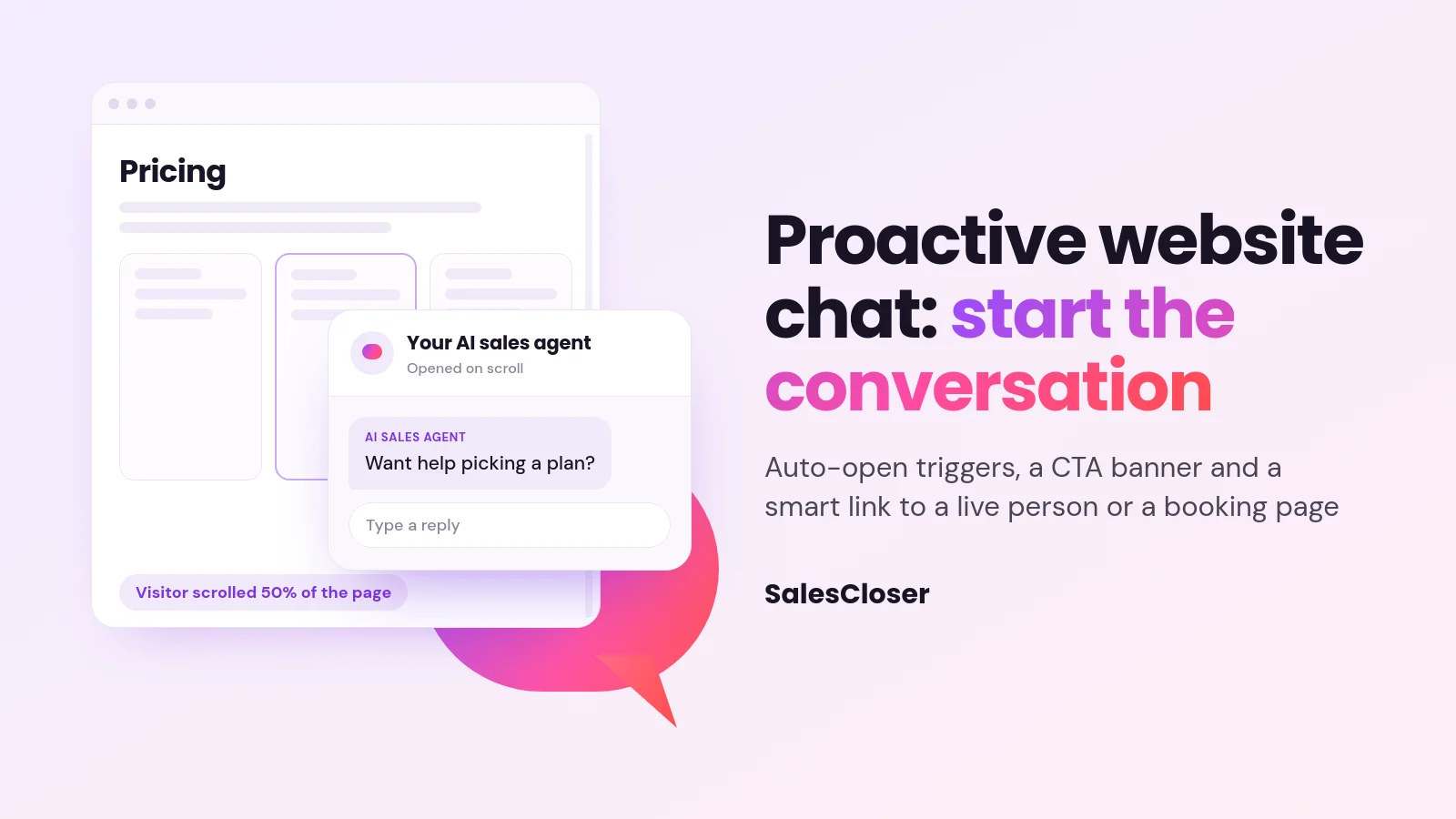
A visitor halfway down a pricing page is a better moment to ask “Want help picking a plan?” than the first second of a blog visit. Proactive chat lets the agent ask at that moment without anyone on your team watching the site.
It also gives buyers a choice. Some want to type a quick question. Others want to talk to a person now. The smart link and the CTA banner give both groups a clear next step, which is the core idea behind AI for sales: help each buyer move forward the way they prefer.
How do auto-open triggers work?
Each SalesCloser agent has one Widget Trigger setting. You pick how the floating widget opens on its own, and that one rule applies wherever the widget is embedded. There are two proactive options.

- After a few seconds: the widget opens once the visitor has been on the page for the delay you set, from 0 to 10 seconds. The default is 3.
- On scroll: the widget opens once the visitor scrolls past the percentage of the page you set, from 10 to 90%. The default is 50.
Either trigger fires once per browser session, and not again after the visitor closes the widget. That keeps proactive chat helpful rather than pushy.
| Setting | What it does | Range | Default | Where it works |
|---|---|---|---|---|
| Widget Trigger: After a few seconds | Opens the widget after a time delay | 0 to 10 seconds | 3 seconds | Floating widget only |
| Widget Trigger: On scroll | Opens the widget at a scroll depth | 10 to 90% of the page | 50% | Floating widget only |
| Opening Message | Short text shown on the widget launcher | Up to 100 characters | None | Floating widget launcher |
| Call-to-Action Banner | Static title, subtitle and one button inside the chat | One fixed link | Off | Hybrid and chat-only widgets |
Auto-open works with the floating widget, in either the Pill or Round button style. The other layouts (Bottom bar, Inline, Fullscreen and Sidebar) do not auto-open. There is also no exit-intent trigger, so the widget does not react to a visitor moving to leave the page.
What does the visitor see when the chat opens?
Before the widget opens, the visitor sees your Opening Message on the widget launcher. This is one short line, up to 100 characters, such as “Questions about plans? I can help.” It is the same message on every page where the widget appears.
When the trigger fires, the widget opens and the visitor can reply in text. On a hybrid widget, they can also start a voice or video call with the agent in the same window. A CTA banner, if you add one, gives visitors who do not want to chat one clear action.
How do you set up auto-open triggers and the opening message?
Both settings live in the same step of the agent editor.
- Go to AI Agents, open your agent and choose Edit Agent.
- Go to the Channel Settings step.
- Type your Opening Message. Keep it under 100 characters and make it work on any page.
- Under Widget Trigger, choose After a few seconds and set Auto-Open Delay (seconds), or choose On scroll and set Scroll Trigger Percentage (%).
- Save, then check it on your site with the floating widget.
How does the availability-aware smart link work?
The smart link answers a common question: what happens when a visitor wants a human right now? It is a link or button you place anywhere on your site, separate from the chat widget. Each time someone clicks it, SalesCloser checks whether a teammate who covers that agent is available in the waiting room.

If someone is available, the click can start a live browser call or go to a URL you choose.
If nobody is, the visitor sees “Grab a time and we’ll call you.” with a button such as Pick a time →, Open the form → or Continue → that leads to a booking page like Calendly, a form or another URL.
The smart link works for voice or video agents and hybrid agents, and covers web calls on your site, not phone calls. It depends on Bring in a human being turned on for the agent, which is the same escalation setting covered in our guide to AI to human handoff.
How do you set up a smart link?
- Go to AI Agents and open the agent’s advanced editor.
- In the sidebar, open Bring in a human and make sure it is on.
- Go to Your links and choose New link (or Add a link).
- Set what happens when a teammate is available: send the visitor to the Agent or to a URL.
- Set what happens when nobody is available: the Agent or a fallback URL, such as your booking page.
- Use the link with Copy link, Redirect URL, or Use it in JavaScript to attach it to your own button.
Put it where buyers decide, like a “Talk to sales” button on pricing.
What is the CTA banner in the chat widget?
The Call-to-Action Banner is a static banner inside the chat widget: a title, an optional subtitle and one button that opens a fixed link. Use it for one action you always want visible, like booking a demo.

It shows on hybrid and chat-only widgets, stays pinned while a call runs in the widget, and is hidden during fullscreen calls. Unlike the smart link, it does not check who is available.
To add it, go to Edit Agent > Channel Settings, turn on Call-to-Action Banner, then fill in Title, Subtitle (Optional), Button Label and Button Link. Choose Open in new tab if the visitor should keep the chat open. Title, label and link are required when the banner is on.
Can the agent see which page the visitor is on?
Yes, if you turn it on. Page Awareness lets the agent read the page the visitor is viewing (URL, title, main heading, description and text) as background for its answers. A visitor on a pricing page can ask “Does this plan include video?” and the agent knows which page “this” means.
Page Awareness is off by default. Turn it on from AI Agents > your agent’s menu > Test Widget (or Test Chat) > More Settings > Page Awareness. Add paths under Restricted pages with Add page, such as /checkout, and nothing from those pages is sent.
It works on hybrid and chat-only widgets, including voice calls inside the hybrid widget. Separately, the agent also gets a summary of the pages a visitor moves through while a conversation is open. Page awareness shapes the answers, not the opener: the Opening Message and the trigger stay the same on every page.
What are the limits of proactive chat?
- One Opening Message and one Widget Trigger per agent, the same on every page.
- Auto-open works on the floating widget only, not Bottom bar, Inline, Fullscreen or Sidebar.
- No exit-intent trigger.
- The CTA banner is static. Only the smart link checks availability.
- The smart link covers browser calls on your site, not phone calls.
- Page Awareness needs a hybrid or chat-only widget and is off until you turn it on.
What are best practices for proactive website chat?
- Write an opener that fits every page. Since there is one message per agent, offer help in general terms rather than naming a product page.
- Match the trigger to intent. A scroll trigger near 50% favors engaged readers. A short delay suits sites where most visits are already high intent.
- Give one clear action. Use the CTA banner for your main offer and the smart link for “talk to a person” buttons.
- Protect sensitive pages. Add checkout or account paths to Restricted pages before turning on Page Awareness.
How does SalesCloser fit?
SalesCloser gives your website an AI sales agent that can chat, talk and show video, then bring in your team when a buyer is ready. Proactive triggers start the conversation, and the smart link gets the visitor to a person or a booking page. For a full view of the widget, see the website chat widget feature page.
See it on a demo. We will show you auto-open triggers, the CTA banner and a smart link on a live widget. Book a SalesCloser demo.
Frequently asked questions
Can the chat widget open based on exit intent?
No. SalesCloser does not have an exit-intent trigger. The floating widget can open after a delay of 0 to 10 seconds or when the visitor scrolls 10 to 90% of the page.
Can I use a different opening message on each page?
No. Each agent has one Opening Message, up to 100 characters, and one Widget Trigger. Both are the same wherever the widget appears, so write an opener that works on any page.
Will the widget keep popping up after the visitor closes it?
No. The auto-open trigger fires once per browser session and not again after the visitor closes the widget.
What is the difference between the CTA banner and the smart link?
The CTA banner sits inside the chat widget with one button to a fixed URL. The smart link is a separate link on your site that checks whether a teammate is available, then opens a live call or a fallback such as a booking page.
Does the agent know what page the visitor is reading?
Yes, when Page Awareness is on. It is off by default and works on hybrid and chat-only widgets. The agent uses the page as background for its answers, and you can block paths like /checkout with Restricted pages.