
AI-to-human handoff is when an AI sales agent brings a live rep into the conversation at the moment a buyer is ready. On SalesCloser, it works on web voice, video and hybrid calls: the agent offers the call to a covering rep in the Waiting Room, who listens with a live summary, then takes over.
An AI sales agent can answer questions, run discovery and qualify a buyer at any hour. But some moments call for a person. The buyer wants to talk terms, has a question only your team can answer, or simply says they are ready. That is when a good handoff matters.
This guide explains what AI-to-human handoff is, why the timing matters, how it works on a SalesCloser call, how the live buying-intent score helps, and how to set it all up step by step. It also covers best practices and the limits you should know before you switch it on.
What is AI-to-human handoff?
AI-to-human handoff is the moment an AI agent brings a person into a conversation it started. Done well, it is a warm transfer: the rep joins with context, the buyer does not repeat themselves, and the conversation keeps moving. Done badly, it is a dead end, such as a form, a callback promise or a long hold.

People search for this in different ways: “ai to human handoff”, “live transfer ai agent” or “warm transfer”. They all describe the same goal. The AI handles the early part of the conversation, and a human takes over when the buyer is ready for one.
Why does handoff timing matter?
Buying interest is strongest in the moment. A buyer who asks how to get started, or who wants to talk to someone right now, is telling you they are ready. If the answer is “someone will be in touch”, the conversation ends there and the buyer may move on to whoever answers first.
This is the same idea behind speed to lead: the sooner you respond to interest, the better the conversation tends to go. Handoff takes it one step further. Instead of responding quickly after the conversation, a rep joins during it, while the buyer is still engaged.
Timing also matters for your reps. Pulling a rep into conversations that are not ready wastes their day. Pulling them in only when a buyer is qualified and interested puts their time where it counts.
What is the difference between a warm transfer and a cold transfer?
A cold transfer passes the buyer along with no context. The new person starts from zero, and the buyer has to explain everything again. A warm transfer gives the new person the background first, so they can pick up where the conversation left off.
With an AI agent, a warm transfer is easier than it sounds. The agent has already heard everything the buyer said. The rep needs a quick way to catch up, and a simple way to step in when they are ready. That is what the SalesCloser Waiting Room is built for.
How does AI-to-human handoff work on a SalesCloser call?
On a SalesCloser web voice, video or hybrid call, the AI sales agent runs the conversation from the start. It greets the buyer, answers questions from your knowledge base and asks your qualifying questions. When the buyer is ready, the agent brings a covering rep into the live call.

Covering reps wait in the Waiting Room. When a call is offered, it goes to one rep at a time, with a countdown and the choice to accept or decline. Rep priority, shown as stars, decides who is offered the call first.
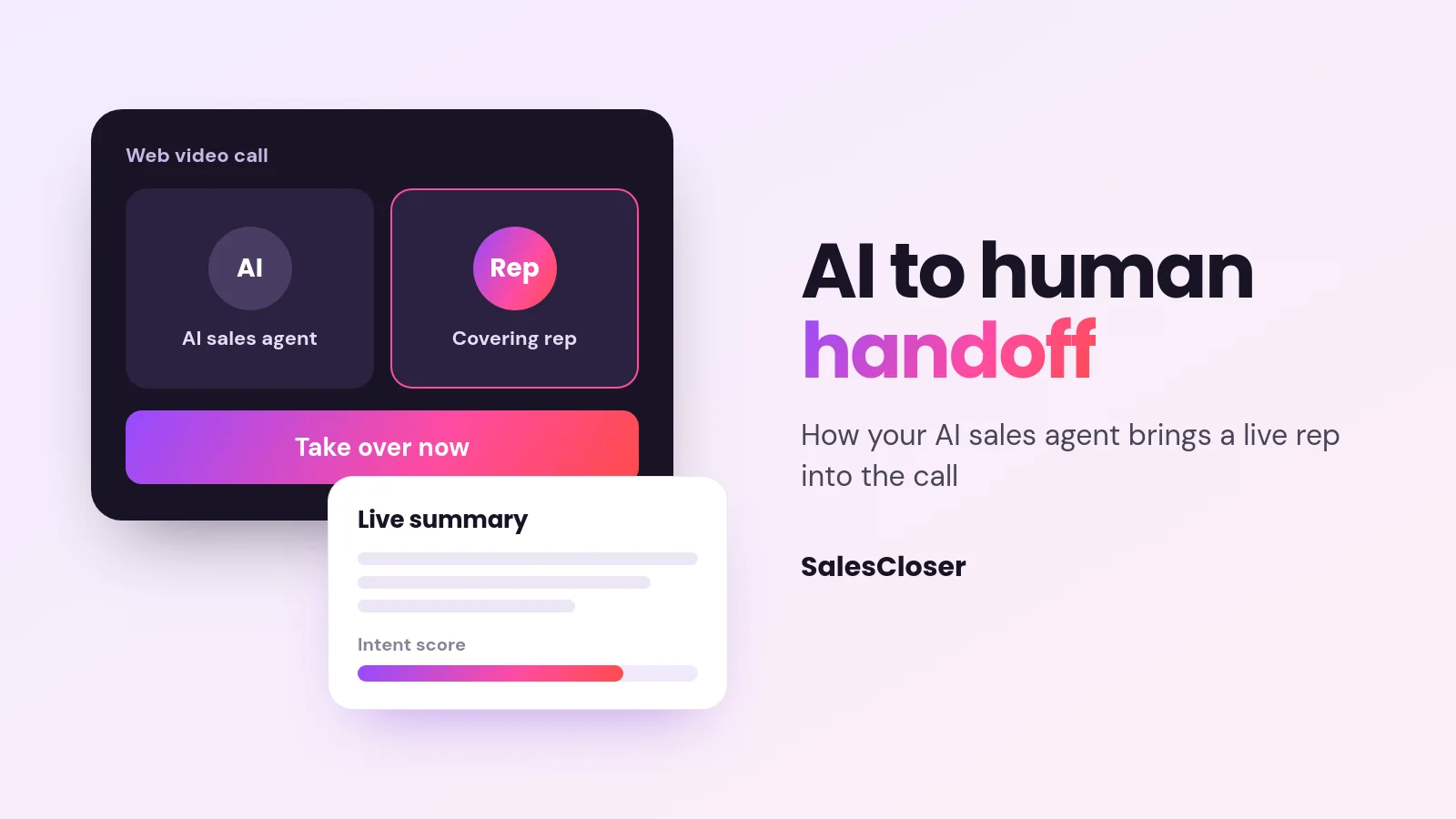
Once a rep accepts, they listen in with a live summary of the conversation so far and can see the buyer’s intent score on a 0 to 100 meter. When they are ready, they join and click Take over now. The buyer stays on the same call the whole time.
The takeover passphrase is the backup. It is a line the rep says aloud after joining. The agent keeps talking until it hears that line, then goes quiet so the rep can lead. Choose something a customer would never say, so the agent never stops by accident. The setup refuses risky phrases.
Handoff, joining and taking over work on web voice, video and hybrid calls only, meaning calls made in a browser. Phone calls appear in the Waiting Room list so reps can monitor them, but a rep cannot take over an ordinary phone call. Phone agents hand off by call transfer instead.
| Moment | What the AI does | What the rep does |
|---|---|---|
| Buyer joins the call | Greets the buyer and starts the conversation | Waits in the Waiting Room |
| Discovery and qualifying | Asks your qualifying questions and answers from your knowledge base | Nothing yet; stays available |
| Interest rises | Keeps the conversation going while the intent score climbs | Can watch the live intent meter |
| Buyer is ready | Brings in a covering rep; the call is offered to one rep at a time | Accepts or declines before the countdown ends |
| Rep catches up | Carries on talking with the buyer | Listens in with a live summary |
| Takeover | Goes quiet and hands the conversation over | Clicks Take over now, or says the takeover passphrase as a backup |
| No covering rep present | Carries on the conversation alone | Not involved |
If you are planning a wider inbound program, our inbound AI voice agent guide covers how to plan the conversations that lead up to this moment.
What is the live buying-intent score?
The intent score is a live measure of how ready a buyer seems, shown as a meter from 0 to 100 on the conversation page. It gives your team a quick read on a conversation without listening to all of it.

You turn it on per agent with Lead Intent under Advanced Settings. It is off by default. Once it is on, it works on every channel the agent uses, so you can see it on chat conversations as well as voice and video.
The score can also drive action while the conversation is still happening. With Lead Intent on, go to Automations > Add abilities > Call handling. There are two automations, and both trigger when the score reaches a threshold you set, which is 70 by default.
- “Email your team to join hot calls” works on voice/video and hybrid agents. It sends your team one email with a join link when the score reaches the threshold.
- “Transfer hot leads to your team” works on phone agents only. The agent tells the caller they are being connected, then transfers the call to your number.
Treat the score as a signal, not a verdict. Read it alongside the live summary and the buyer’s own words before you act.
How do you set up AI-to-human handoff in SalesCloser?
Setup takes two switches: one for your account and one for each agent that should be able to bring in a person. Here are the steps, with the exact menu paths.

- Enable the Waiting Room. Go to Account Settings > Agents > Waiting Room, turn on “Enable the waiting room” and click Save.
- Let the agent bring in a human. Open the agent, go to Bring in a human and turn on “Let this agent bring in a human”.
- Choose who covers. Under “Who answers when it happens?”, pick the team members who cover this agent and set their priority.
- Set how your team takes over. Under “How does your team take over?”, set the takeover passphrase: the line a rep says aloud after joining to make the agent go quiet. Pick something a customer would never say.
- Add a website button (optional). Under “Your links”, you can add a button on your website that offers a live rep.
- Turn on the intent score (optional). In the agent’s Advanced Settings, switch on Lead Intent. Then, under Automations > Add abilities > Call handling, add “Email your team to join hot calls” for voice/video and hybrid agents, or “Transfer hot leads to your team” for phone agents.
- Open the Waiting Room. Once both switches are on, Waiting Room appears in the sidebar. Covering reps open it there to receive calls.
Test it before buyers see it. Run a practice web call with a teammate in the Waiting Room, accept the offer, read the live summary, click Take over now, and try the passphrase too, so everyone knows what to expect.
What are the best practices for a live transfer from an AI agent?
- Pick covering reps who can act. Choose people who can answer the questions a ready buyer asks, such as onboarding, terms or next steps. A rep who has to say “let me check” loses the benefit of a live handoff.
- Set priority on purpose. Use the star priority to put your best fit for this agent first. Review it when people change roles or schedules.
- Choose a passphrase no customer would say. The agent goes quiet when it hears the phrase, so pick a line that could never come up in a normal sales conversation. Use Take over now first on web calls and keep the phrase as the backup.
- Staff the hours that matter. Handoff only works when a covering rep is in the Waiting Room. Reps are marked away after 15 minutes idle, so covering reps should stay active during their shift.
- Plan for when nobody is available. If no covering rep is present, the agent carries on alone. Make sure it can still answer questions, qualify and book the buyer onto a rep’s calendar.
- Read the summary before you speak. The live summary lets the rep open with something relevant instead of “so, what can I help you with?”
- Be honest with buyers. You control how the agent introduces itself, including whether it says it is an AI up front, and you can tell it to always answer truthfully when asked.
Conversations are recorded and transcribed so your team can review them. Use those reviews to see where handoffs went well, where the agent offered a rep too early or too late, and what covering reps needed but did not have.
What are the limits of AI-to-human handoff?
It is better to know the limits up front than to find them on a live call. Here they are, stated plainly.
- Web voice, video and hybrid calls only. Handoff, joining and Take over now work only on calls made in a browser. Phone calls show in the Waiting Room list for monitoring only, and phone agents hand off by call transfer. Chat-only agents do not use handoff.
- A rep has to be present. Handoff needs a covering rep in the Waiting Room. If nobody is there, the agent carries on alone.
- Idle reps are marked away. A rep who is idle for 15 minutes is marked away and will not be offered calls until they are active again.
- One rep is offered the call at a time. Offers go to one covering rep at a time, in priority order, with a countdown to accept or decline.
Most important: never promise buyers that a human is always available. Write your website copy, agent instructions and button text so they offer a rep when one can join, and make clear the AI agent can help in the meantime.
Can the agent bring in another AI agent instead of a person?
Yes. Sometimes the buyer does not need a rep yet, just a specialist. With Bring in another agent, your agent can invite one of your other agents into a live web call, for example a pricing or technical specialist you built for that topic. It does this when the conversation calls for it or when the buyer asks.
The colleague joins and stays for the rest of the call. The two agents take turns, and each one shows its own avatar, so the buyer always knows who is speaking. One colleague joins at a time.
To set it up, save the agent first, then edit it, open the agent settings and turn on Bring in another agent. Under Agents this agent may bring in, choose the colleagues it can invite, up to 10 to pick from. It is off by default and works on voice, video and hybrid agents on web calls, with agents in the same account.
Where does handoff fit in an AI sales team?
Handoff is what makes an AI agent a member of the team rather than a separate channel. The agent covers the conversations people cannot get to, and reps step in when a buyer is ready for them. Neither has to do the other’s job.
If you are planning how AI agents and reps should share the work, our guide to building an AI sales team covers roles and coverage, and our overview of AI for sales looks at where AI helps across the wider sales process.
How do you get started?
Start small. Turn on the Waiting Room, enable handoff on one voice/video or hybrid agent, choose two or three covering reps and set their priority. Switch on the intent score, run a few practice calls, then go live during hours when your team can cover.
If you would like to see a handoff on a live call, you can book a demo with the SalesCloser team.
Frequently asked questions
What is AI-to-human handoff in sales?
AI-to-human handoff is when an AI sales agent brings a live person into a conversation it started. In a warm handoff, the rep joins with context, such as a summary of what the buyer said, so the buyer does not have to repeat themselves and the conversation keeps moving toward a next step.
What is the difference between a warm transfer and a live transfer?
A live transfer means a person joins while the buyer is still in the conversation, rather than calling back later. A warm transfer means that person gets context first. The best AI handoffs are both: a rep joins the live conversation and already knows what has been discussed.
Which SalesCloser agents can bring in a human?
Handoff, joining and Take over now work on web voice, video and hybrid calls, the ones made in a browser. Phone calls appear in the Waiting Room for monitoring only, and phone agents hand off by call transfer instead. To set it up, turn on the Waiting Room for your account, then switch on “Let this agent bring in a human” for each agent.
What happens if no rep is available for the handoff?
Handoff needs a covering rep in the Waiting Room. If nobody is there, the agent carries on the conversation alone, so it should still be set up to answer questions, qualify and book a meeting. Reps idle for 15 minutes are marked away. Never promise buyers that a human is always available.
Does the intent score only work on calls?
No. The intent score is turned on per agent with Lead Intent under Advanced Settings and is off by default. It then works on every channel, with a live 0 to 100 meter on the conversation page. Under Automations, “Email your team to join hot calls” (voice/video and hybrid agents) and “Transfer hot leads to your team” (phone agents) trigger at a default score of 70.