
Simpletalk, LLC, the company behind SimpleTalk AI, filed for Chapter 7 bankruptcy on October 5, 2026, and its website was offline by late October. Customers should test their numbers, set a fallback, save their agent settings and data, then move to a replacement that works with GoHighLevel, handles calls and transfers, and books meetings.
If your business ran SimpleTalk AI for calls, the last few weeks have been confusing. Here is what the public record shows, what to protect first, and how to choose a replacement without losing leads in the gap.
What happened to SimpleTalk AI?
Public court records show that Simpletalk, LLC, the Florida company behind the SimpleTalk AI voice platform, filed a voluntary Chapter 7 bankruptcy petition on October 5, 2026, in the U.S. Bankruptcy Court for the Southern District of Florida (case 26-23313). Chapter 7 is the form of bankruptcy where a company stops operating and its assets are wound up.
As of October 30, 2026, the simpletalk.ai website returns a ‘deployment not found’ error, and users in the GoHighLevel community have reported failed texts and broken workflows. The filing does not tell you the status of your own account, phone numbers or data, so check those directly. This page is general information, not legal advice.
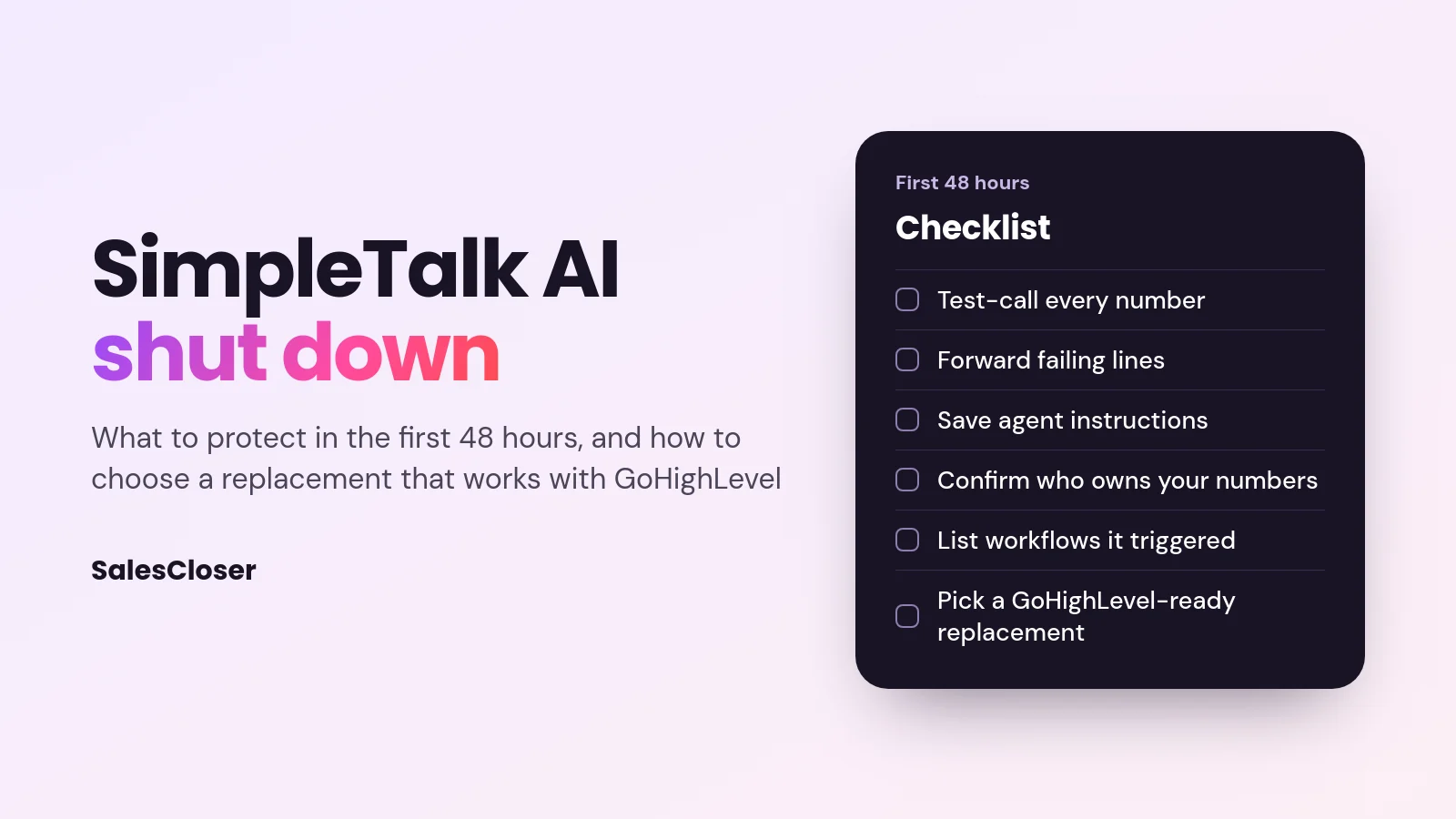
First 48 hours: protect your calls and your data
- Call your own numbers. Make a test call to each business line the AI answered, and note where it goes: the agent, a dead end or voicemail.
- Set a fallback. If calls are failing, forward those numbers to a person or a voicemail box today. A missed call now is a lost customer, not a technical problem.
- Save what you can still reach. Copy the agent’s instructions, scripts, knowledge and FAQs, and export any call recordings, transcripts and contact lists you can access.
- Find out who controls your phone numbers. Numbers bought inside your own GoHighLevel sub-account or phone provider are yours to repoint. Numbers held only by SimpleTalk may need help from your phone provider.
- Check what ran downstream. List the workflows, calendar bookings and CRM updates the AI triggered, so nothing silently stops when you switch.
- Tell your team and clients. If you are an agency, give each client a short note on what changed and when the replacement goes live.
What to look for in a replacement
Most SimpleTalk users were agencies and service businesses running AI calls inside GoHighLevel. Use these questions to compare options:
| What you need | Why it matters | Ask the vendor |
|---|---|---|
| Works with your CRM | Leads, notes and outcomes must land where your team works | Does it write calls and notes straight into GoHighLevel? |
| Inbound and outbound calling | Most setups answered calls and ran follow-up campaigns | Can one agent answer and also call a list? |
| A handoff to people | Hot leads and upset callers need a human fast | Can it transfer a live call to a rep, with a fallback number? |
| Booking | The point of the call is a meeting on a calendar | Which calendars can it book into? |
| Stability | You just lived through a vendor failure | How long have they operated, and can you export your data? |
| More than phone | Buyers also arrive by website chat and video | Does the same agent work on your website? |
Your options
- GoHighLevel’s own AI tools. Closest to what you had and inside the platform you already use. Check whether they cover your full call flow today.
- Other AI vendors built for GoHighLevel. Several have published SimpleTalk migration guides. Compare stability and export options as carefully as features.
- Answering services with people. Good for regulated or high-touch calls, at a higher cost per call.
- AI sales agent platforms such as SalesCloser. One agent for phone, website chat and video calls, that connects directly to GoHighLevel.
Moving to SalesCloser from GoHighLevel
SalesCloser connects directly to GoHighLevel. After each phone call it creates or updates the contact, adds the call to the conversation, saves a note with the summary and recording link, and sets a status field. A pipeline-stage change in GoHighLevel can start a SalesCloser call, so your existing workflows can hand leads to the agent.
Example: an agency with six client sub-accounts. The agency rebuilds each client’s agent from the instructions it saved, connects each sub-account, and points the overflow and after-hours lines at the new agent. New form leads move to a pipeline stage that triggers a call within the calling hours each client sets. Qualified callers are booked on the client’s Calendly or Cal.com calendar, or transferred live to the client’s office once they agree.
The same agent can also answer on the client’s website by chat, voice or video, in 50+ languages. Conversations are recorded and transcribed so your team can review them. See CRM integrations, phone calls and call transfer.
What to check before you switch
- Bookings go through Calendly or Cal.com, so connect one of those even if you used GoHighLevel calendars before.
- Ask in the demo how your existing phone numbers would be set up, and keep your fallback forwarding live until test calls pass.
- Calling rules, consent and Do Not Call scrubbing for outbound campaigns stay your responsibility, whichever vendor you choose.
If you are comparing replacements this week, book a demo and bring one of your SimpleTalk call flows. We will rebuild it live and show you what lands in GoHighLevel. For a wider comparison, see our guide to the best autonomous AI sales agents.
Frequently asked questions
Did SimpleTalk AI shut down?
Public court records show Simpletalk, LLC filed a voluntary Chapter 7 bankruptcy petition on October 5, 2026 (S.D. Fla., case 26-23313), and its website was offline as of October 30, 2026. Check your own account, numbers and data directly, since the filing alone does not show the status of each account.
What should SimpleTalk customers do first?
Test-call every number the AI answered, forward failing lines to a person, save your agent instructions and any recordings or contacts you can reach, and confirm who controls your phone numbers. Then choose a replacement.
What is the best SimpleTalk alternative for GoHighLevel users?
Look for direct GoHighLevel write-back, inbound and outbound calling, live transfer, calendar booking and a stable vendor. SalesCloser writes calls, notes and status back to GoHighLevel and can start calls from a pipeline-stage change.
Can I keep my phone numbers?
Numbers in your own GoHighLevel sub-account or phone provider can usually be repointed to a new system. Numbers held only by SimpleTalk may need your phone provider’s help. Ask any new vendor how your numbers would be set up.
How fast can I replace SimpleTalk?
If you saved your agent instructions, rebuilding the conversation is the quick part. Allow time to connect your CRM and calendar, test calls on your own numbers, and switch your lines over once the tests pass.