
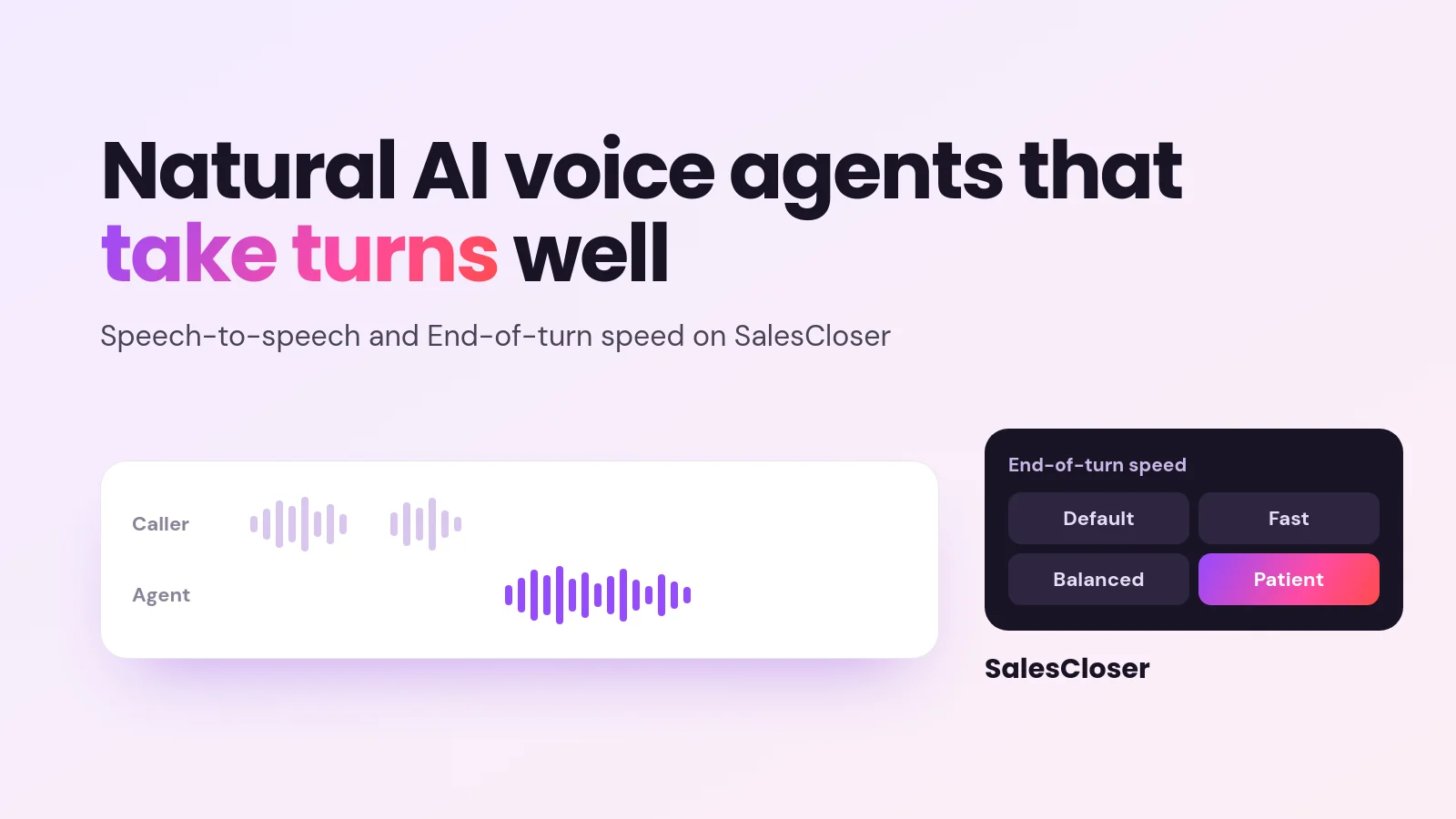
An AI voice agent sounds natural when it takes turns well, waits through pauses, says names correctly and speaks the caller’s language. On SalesCloser, speech-to-speech lets the agent hear and speak directly, for faster, more natural replies that follow the caller’s language, and an end-of-turn setting controls how long it waits before it replies.
Buyers judge a sales call in the first few exchanges. If the voice on the other end talks over them, leaves long gaps or stumbles on the product name, the conversation feels like a machine reading a script. If it listens, waits its turn and answers in their language, the call simply feels like a good conversation.
This guide explains what makes an AI voice agent sound natural on a sales call, what speech-to-speech changes on SalesCloser, how the end-of-turn setting works, how to turn it on, when to stay on the classic voice setup, and how to test before you put an agent in front of real prospects.
What makes an AI voice sound natural on a sales call?
A natural voice is less about the sound of the voice and more about the rhythm of the conversation. Five things matter most:

- Turn-taking. The agent knows when the caller has finished and replies without an awkward silence.
- Interruptions. Callers cut in, change their mind or ask a question halfway through an answer. A good agent lets them speak instead of talking over them.
- Pauses. People stop to think, check a calendar or look up a number. The agent should not jump in the moment the line goes quiet.
- Pronunciation. Product names, company names and industry terms need to sound right every time, or trust drops fast.
- Language. A caller who speaks Spanish or German expects the agent to reply in that language, not to force English on them.
Most of these come down to timing. An agent that replies too soon feels pushy and cuts people off. An agent that waits too long feels slow and makes the caller wonder if the line dropped. The right balance depends on who is calling and what the call is for.
For a wider look at how voice agents handle incoming calls, see our inbound AI voice agent guide.
What is speech-to-speech, and what does it change?
In a classic voice setup, the agent works in steps: it turns the caller’s speech into text, decides what to say, then turns its reply back into speech. Each step adds a little time.
With speech-to-speech on SalesCloser, the agent hears and speaks directly. It listens to the caller’s voice and answers in voice, without the separate steps in between. That changes three things you will notice on a call:
- Faster replies. The agent answers sooner, so the conversation keeps moving.
- More natural replies. The back and forth feels closer to an ordinary phone conversation, with fewer stiff gaps.
- It follows the caller’s language. If the caller speaks a different language, the agent follows them in that language.
Speech-to-speech is opt-in, set per agent, and works on both phone calls and web calls. You can try it on one agent and keep the rest of your agents on the classic setup while you compare.
What is the end-of-turn setting?
The end-of-turn setting, labeled End-of-turn speed, controls how quickly the agent decides the caller has finished speaking and starts its reply. It is the main control you have over turn-taking on a speech-to-speech agent.

There are four options:
| Option | What it does | Best for |
|---|---|---|
| Default | Uses the platform’s standard medium wait, which today is the same as Balanced. | A starting point for most agents before you tune anything. |
| Fast | Replies sooner, but may cut in when the caller pauses. | Short, quick exchanges, such as confirming details or simple questions. |
| Balanced | A medium wait before replying, between Fast and Patient. | Mixed calls with both quick answers and some longer explanations. |
| Patient | Waits through pauses before replying. | Discovery calls, complex products and callers who think out loud or check details mid-sentence. |
A simple rule: if test calls show the agent cutting people off, move toward Patient. If callers are left waiting in silence after they finish, move toward Fast. Change one step at a time and listen again.
Which end-of-turn speed should you choose?
Think about how your buyers talk. A caller booking a meeting slot gives short answers, so a faster setting keeps the call brisk. A buyer explaining their current process, team size and pain points will pause to think, and Patient gives them room to finish.
Discovery and demo agents usually benefit from more patience, because the best information comes after a pause. Agents that confirm a booking or answer a simple question can lean faster. If you are unsure, start on Default, review real calls, then adjust.
How do you turn on speech-to-speech in SalesCloser?
You switch it on inside the agent’s settings. The steps are:
- Create a new agent, or open an existing agent to edit it.
- Go to the advanced settings.
- Switch on Use Speech to Speech.
- Pick a voice and play the preview to hear it.
- Choose the End-of-turn speed: Default, Fast, Balanced or Patient.
- Save the agent.
Once speech-to-speech is on, the classic voice speed and stability sliders are hidden, because they apply to the classic setup. The voice list shows preset voices only.
When should you use the classic voice pipeline instead?
Speech-to-speech is not the right fit for every agent. Stay on the classic pipeline in these cases:

- Flow-builder agents. Speech-to-speech works with prompt-based voice agents only. Agents built with the flow builder stay on the classic setup.
- Chat-only agents. Speech-to-speech is a voice feature, so it does not apply to agents that only chat.
- Cloned voices. If your agent uses a cloned voice, keep it on the classic pipeline. Speech-to-speech offers preset voices only.
- Fine control over the voice. If you rely on the speed and stability sliders, those are part of the classic setup.
The classic pipeline has improved too. Every language on it has moved to newer voices, and follow-up messages are available in many languages. SalesCloser agents work in 50+ languages, so classic remains a strong choice for multilingual teams. Read more in our guide to multilingual AI sales calls.
Pronunciation is the other reason to look closely at your setup. SalesCloser has a pronunciation dictionary you can turn on for the classic voice pipeline, so the agent says your product names and brand terms the way you want. Speech-to-speech agents do not use it. If those terms are critical, keep that agent on classic.
How should you test a voice agent before going live?
Never switch a speech-to-speech agent on for real prospects without listening to it first. A short test plan covers most problems:
- Call it yourself. Run several test calls and play different callers: a fast talker, someone who pauses a lot, and someone who interrupts.
- Test other languages. If you sell in more than one language, start a call in each and check that the agent follows.
- Check names and terms. Say your product and company names and listen to how the agent says them back.
- Listen to recordings. Conversations are recorded and transcribed so your team can review them. Listen for cut-ins, long gaps and missed questions.
- Adjust the end-of-turn speed. Change one step at a time, then test again until turn-taking feels right.
It also helps to compare the same script on a classic agent and a speech-to-speech agent. Ask a few colleagues which call felt more natural and why. For more practical tips on running AI sales calls, see your top questions about AI for sales calls, answered.
What are the limits of speech-to-speech?
Before you switch it on across your account, keep these limits in mind:
- It is opt-in and set per agent, so nothing changes until you turn it on.
- It works with prompt-based voice agents only, not flow-builder agents and not chat-only agents.
- It uses preset voices only. Cloned voices are not available on speech-to-speech.
- The classic voice speed and stability sliders are hidden while it is on.
- Fast end-of-turn speed may cut in when a caller pauses, so test it before using it on longer calls.
A more natural voice also does not change your duty to be open with buyers. You control how the agent introduces itself, including whether it says it’s an AI up front, and you can tell it to always answer truthfully when asked. Check your own legal obligations for AI calls in the regions you sell to.
How does SalesCloser fit?
SalesCloser AI sales agents hold real conversations by voice, video or chat. They answer inbound leads, ask qualifying questions, run discovery, give product demos and book qualified prospects onto your team’s calendar. Setup is no-code: you give the agent your knowledge base and rules.
Speech-to-speech and End-of-turn speed sit inside the agent’s advanced settings, so you can tune how a voice agent listens and replies without rebuilding it. The classic pipeline, with its newer voices, cloned voice support and slider controls, remains available for agents that need it.
What is the bottom line?
A natural AI voice agent is one that takes turns well, gives callers room to think, says your terms correctly and speaks their language. Speech-to-speech helps with speed, flow and language, and End-of-turn speed lets you match the agent’s timing to your buyers.
Start with one agent, test it on real call patterns, adjust the setting and compare it with your classic setup. If you want to hear it on a live call, book a demo.
Frequently asked questions
What is speech-to-speech in an AI voice agent?
Speech-to-speech means the agent hears the caller and speaks back directly, without first turning speech into text and the reply back into speech. On SalesCloser, this gives faster, more natural replies and lets the agent follow the caller’s language. It is opt-in per agent, works with prompt-based voice agents, and runs on both phone calls and web calls.
What does End-of-turn speed do?
End-of-turn speed controls how quickly the agent decides a caller has finished speaking and starts its reply. The options are Default, Fast, Balanced and Patient. Balanced uses a medium wait, and Default follows the platform’s standard medium wait, the same as Balanced today. Fast replies sooner but may cut in on pauses, while Patient waits through pauses. You find it under the agent’s advanced settings after you switch on Use Speech to Speech.
Can I use a cloned voice with speech-to-speech?
No. Speech-to-speech offers preset voices only, and you pick one and preview it when you switch the feature on. If your agent needs a cloned voice, keep that agent on the classic voice pipeline, which also keeps the voice speed and stability sliders that are hidden when speech-to-speech is on.
Does speech-to-speech work with every SalesCloser agent?
No. It works with prompt-based voice agents only. Agents built with the flow builder and chat-only agents stay on the classic setup. Because it is opt-in per agent, you can switch it on for one voice agent, test it, and leave your other agents unchanged while you compare results on real calls.
How do I make my AI voice agent sound more natural?
Focus on timing, pronunciation and language. Try speech-to-speech on a prompt-based voice agent, start with the Default end-of-turn speed, and listen to recorded test calls for cut-ins or long gaps. For product names, the pronunciation dictionary works on the classic pipeline only, not speech-to-speech, so check names on each setup and test calls in each language you sell in before going live.