Team handoff: bring your reps in at the right moment
When a buyer is ready for a person, your agent brings your team in. On phone calls it transfers the call to your rep. On browser voice and video calls it brings an available rep into the live call. A live intent score shows your team which conversations to join.
- Call transfer on the phone
- Live handoff in the browser
- Live intent score
- Intercom for chat
Which handoff fits which conversation?
Each channel has its own route to a person.
Phone call
Call transfer to your number or the lead's own rep.
- Backup numbers
- Summary by email
Browser call
A rep joins from the Waiting Room and takes over.
- Web voice, video and hybrid
- Needs a covering rep present
Website chat
Hand off to your team in Intercom.
- Rep replies show in the chat
The agent stops, emails your team and holds the thread.
- Your team replies from Chats
Phone calls
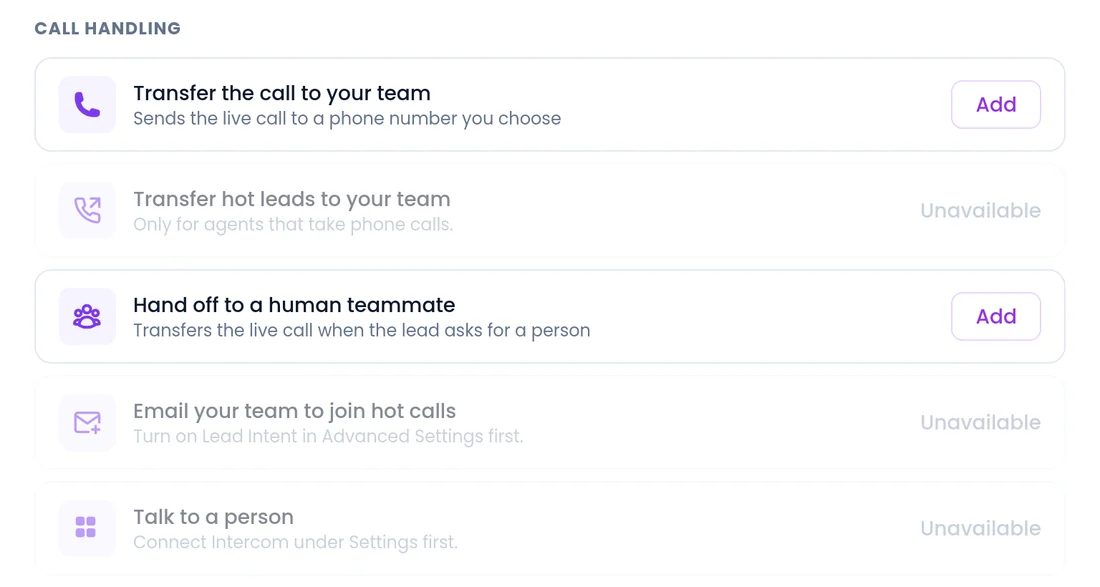
Transfer the call to the right rep
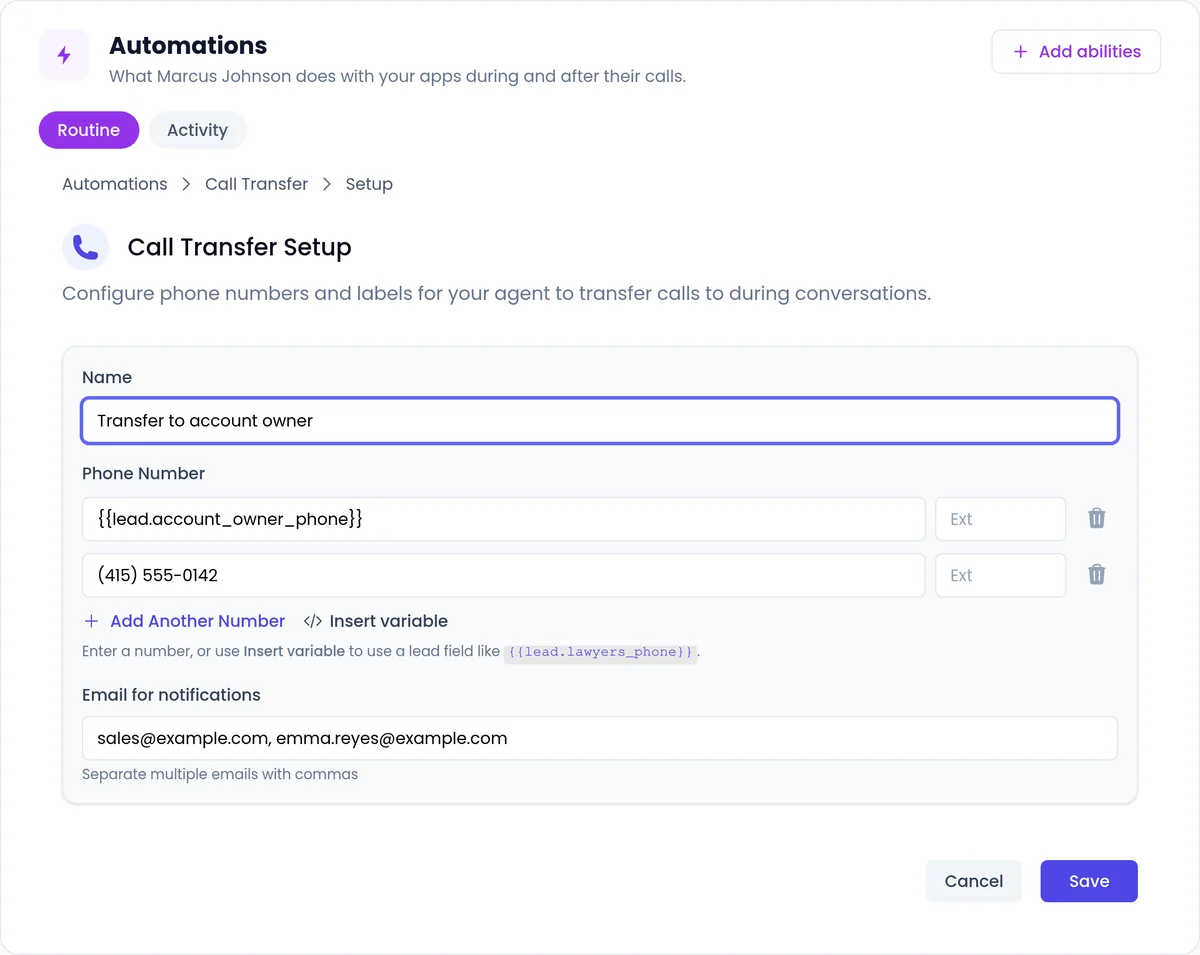
The agent transfers a phone call to your team, routes each lead to their own rep using a field on the lead, and tries the next number if the first one does not answer. The rep gets a call summary by email.
- Set several labeled transfers, such as "Sales Team" and "Customer Success", and the agent picks the right one.
- Routing by a lead field? Make sure it is filled, and add a backup number.
- See call transfer
Browser calls
A rep joins the live call
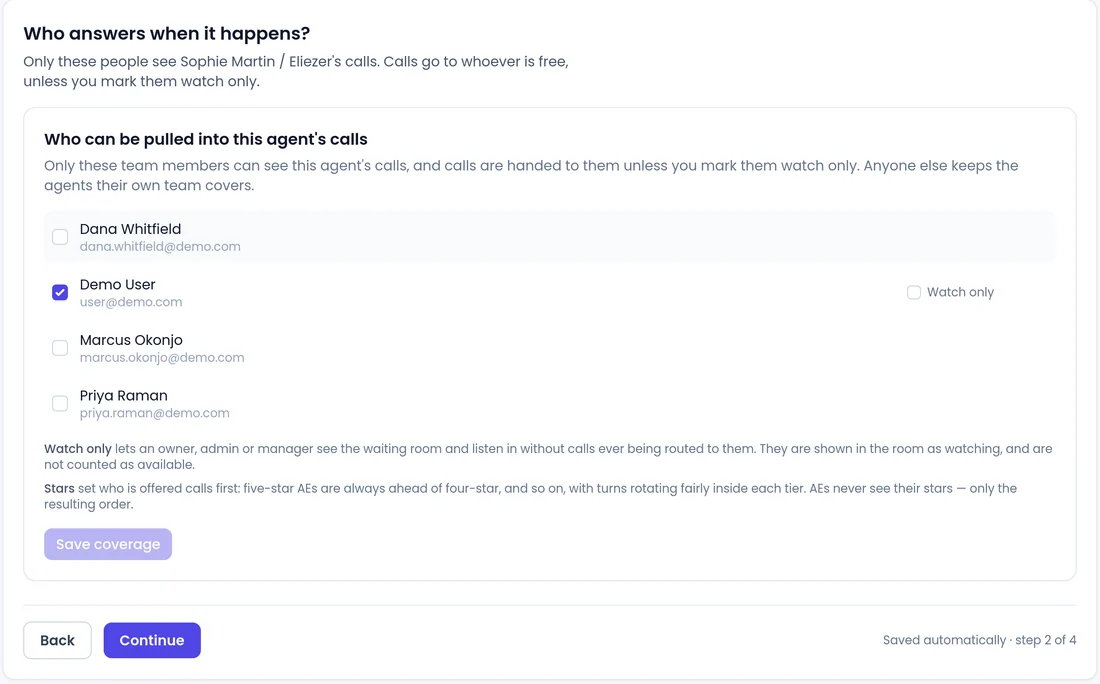
On web voice, video and hybrid calls, the agent alerts an available rep when a buyer is ready. The rep listens in with a running summary, then takes over with one click, from a Waiting Room that shows every live call.
- Star priority, and calls offered to one rep at a time with a countdown.
- Reps can claim, release or end calls, and see who is on a call before joining.
- Handoff needs a covering rep in the Waiting Room. With nobody there, the agent carries on alone, so never promise a person is always available.
- See live handoff
Live intent score
Know which conversations to join
While a conversation runs, the AI scores how interested the lead is and shows the score, its trend and the reasons behind it. You switch it on per agent, and it works on every channel that agent uses.
- Email your team a join link when a browser call gets hot.
- Transfer a hot phone lead to your number.
- See the intent score
More ways to bring people in
Another AI agent on the call
Let an agent invite one of your other agents onto a live web call, for example a specialist for a product line, when the conversation calls for it or the visitor asks.
Live translated transcript
Reps follow a web call in another language through a live English transcript, switch back to the original wording in one click, and step in when needed.
Intercom handoff
When a website visitor asks for a person, the agent opens a conversation in your Intercom inbox, and your rep's replies show up in the chat.
A call button that checks who is free
Offer a live conversation with a rep only when someone is available, and a booking link or form when nobody is.
FAQ
Still wondering about something? Ask us on the call. We'll build your agent while we talk.
Can a rep take over a phone call from the Waiting Room?
No. Phone calls appear in the Waiting Room for monitoring only. On phone calls the agent hands off by call transfer.
What happens if no rep is available?
On browser calls, the agent carries on the conversation alone and can still answer, qualify and book.
Can several reps join the same call?
Yes, on web calls. Each rep sees who is already on the call before joining.
Does the rep get context before joining?
Yes. On browser calls the rep listens in with a running summary. On phone transfers the rep gets a call summary by email.
Does Intercom handoff sync my contacts?
No. Intercom is for handoff only: the agent opens a conversation in your Intercom inbox when a visitor asks for a person, and your rep's replies show in the chat.
See a handoff on a live call
Book a demo and watch an agent bring a rep into the conversation at the moment a buyer is ready.