Live handoff: bring a rep into the call when the buyer is ready
On web voice, video and hybrid calls, your agent can bring a person from your team into the live conversation. Covering reps wait in a Waiting Room, are offered the call one at a time, listen in with a running summary and take over with one click. The buyer stays on the same call.
- Web voice, video and hybrid
- One rep at a time
- Running summary
- Take over in one click
How does a handoff go?
The agent runs the conversation from the start. A person comes in only when the buyer is ready.
- 1
The agent qualifies
It greets the buyer, answers from your knowledge base and asks your questions.
- 2
A rep is offered the call
One covering rep at a time, with a short countdown to accept or decline. Stars (1 to 5) set the order.
- 3
The rep catches up
They listen in with a live summary and the intent meter while the agent keeps talking.
- 4
The rep takes over
They click Take over now and the agent goes quiet. The buyer never repeats themselves.
Who answers
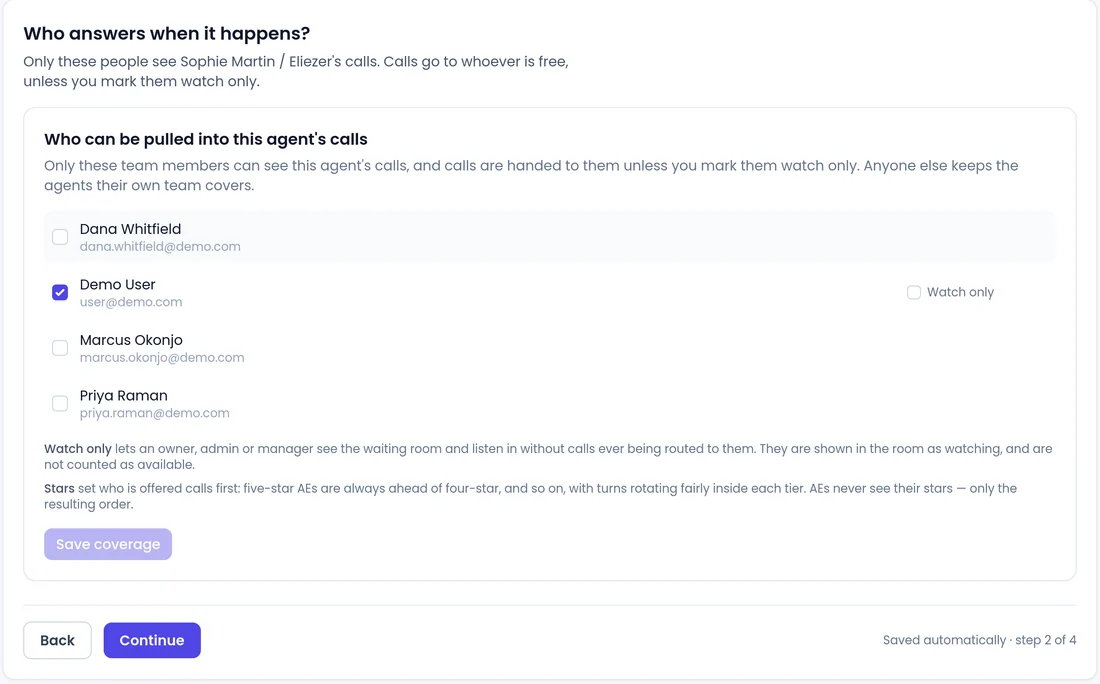
Choose who covers each agent
Only the team members you pick see this agent's calls. Mark an owner, admin or manager as Watch only to let them listen without calls being routed to them.
- Stars set who is offered calls first, with turns rotating fairly inside each tier.
- If a rep declines or the countdown runs out, the offer passes to the next person.
- Reps idle for 15 minutes are marked away, so calls do not go to an empty desk.
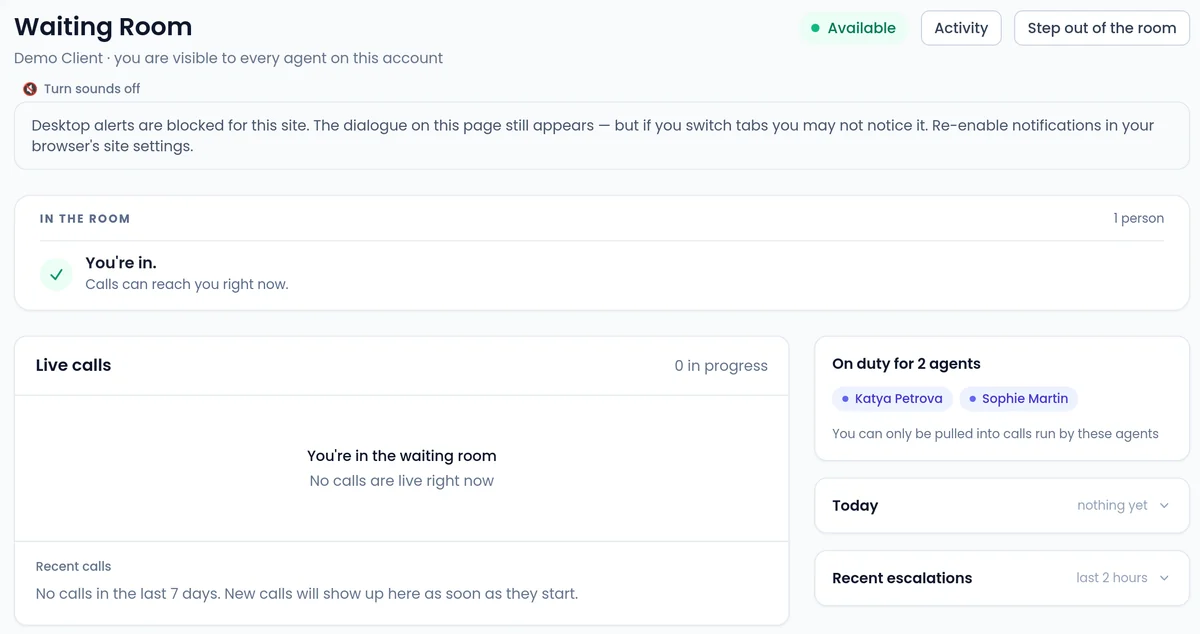
Waiting Room
What reps can do from the Waiting Room
The Waiting Room lists every call running live on your account, so reps can listen in or step into any web call.
- Read a running summary and the buyer's live intent score.
- Claim a call, release it, or end a call that is wasting the agent's time.
- Join a call a teammate is already on, after seeing who is there.
- Follow a call in another language through a live English transcript, and switch back to the original wording.
- Phone calls show here for monitoring only. A rep cannot take over an ordinary phone call.
How do you set up live handoff?
One switch for your account, one for each agent. Then run a practice call with a teammate before buyers see it.
- 1
Open the Waiting Room
In Account Settings > AI Agents > Waiting Room, turn on Enable the waiting room and click Save.
 2
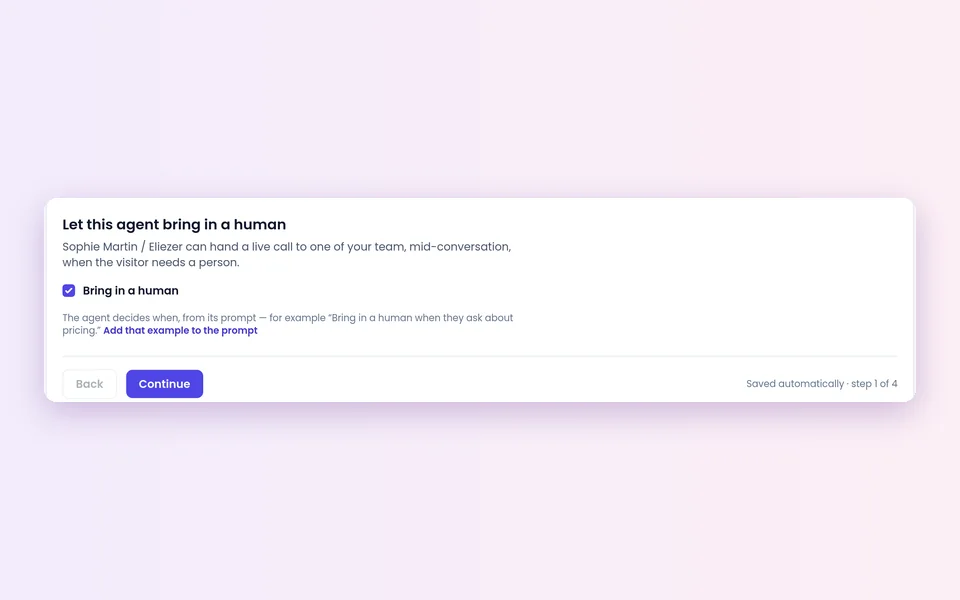
2Switch it on for the agent
Open the agent's Bring in a human page and turn on Let this agent bring in a human.
 3
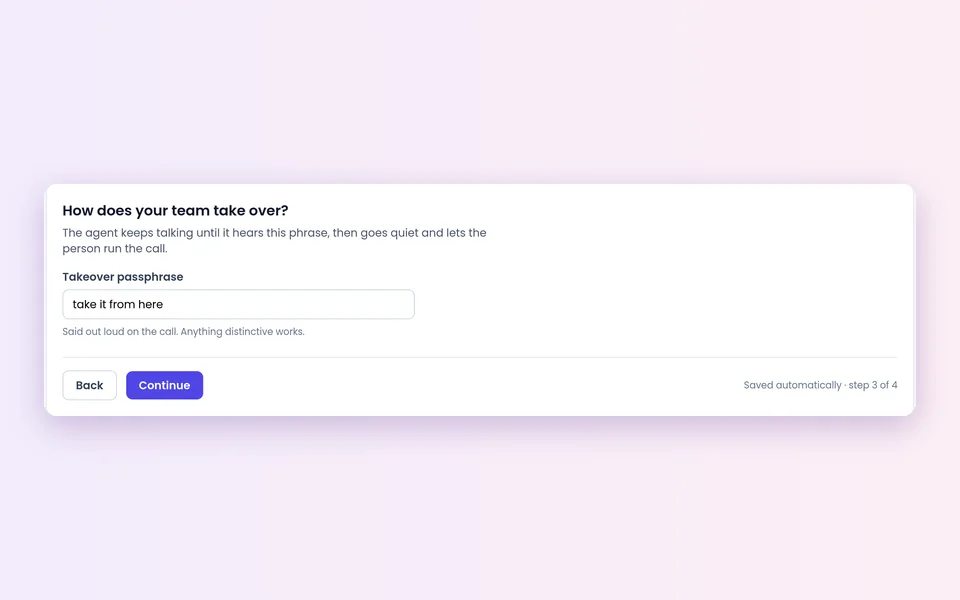
3Set the passphrase
Pick who answers, then a takeover passphrase the rep can say aloud. Choose something a customer would never say; risky phrases are refused.
 4
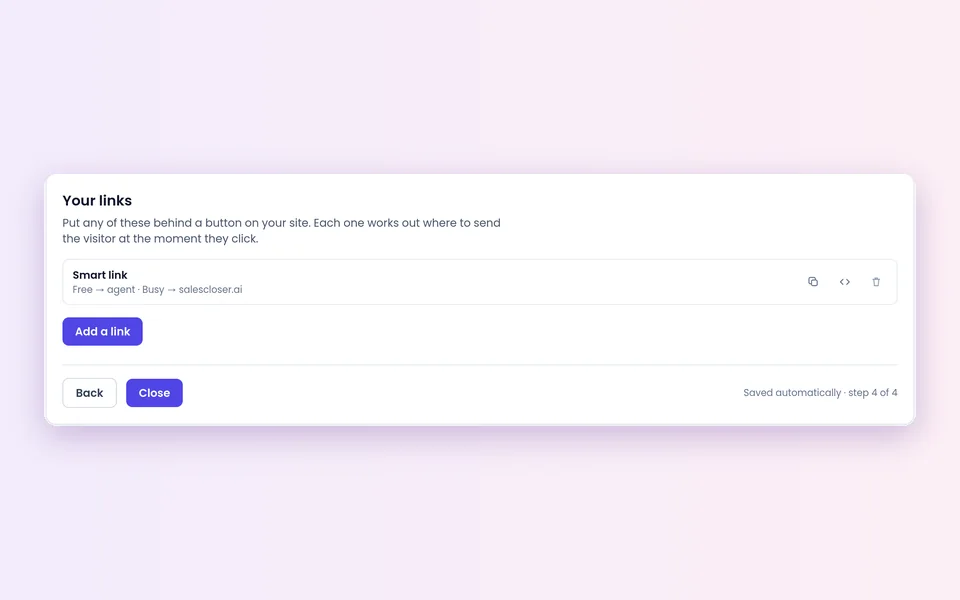
4Add your links
Optional: a website button that offers a live rep when someone is free, and a booking link or form when nobody is.
Good to know before you switch it on
Browser calls only
Handoff, joining and Take over now work on web voice, video and hybrid calls. Chat-only agents and phone calls use other routes, such as call transfer.
A rep has to be present
With nobody in the Waiting Room, the agent carries on alone. Never promise buyers a human is always available.
One offer at a time
Calls are offered in priority order. Review stars when roles or schedules change.
Plan for empty hours
Make sure the agent can still qualify and book a meeting when nobody is there.
Review your numbers
Handoff reporting shows how often visitors ask for a person, how often reps join, and each rep's join rate and handle time.
AI disclosure
You control how the agent introduces itself, including whether it says it is an AI up front, and you can tell it to always answer truthfully when asked.
FAQ
Still wondering about something? Ask us on the call. We'll build your agent while we talk.
Which calls support live handoff?
Web voice, video and hybrid calls made in a browser. Phone calls show in the Waiting Room for monitoring, and phone agents hand off with call transfer.
What happens if no rep is available?
The agent carries on the conversation alone, so set it up to answer questions, qualify and book a meeting. A website button under Your links can offer a booking link or form when nobody is available.
How does a rep take over?
After joining, the rep clicks Take over now and the agent goes quiet. The spoken takeover passphrase works as a backup.
Can more than one rep join the same call?
Yes. A rep can join a web call a teammate is already on, after seeing who is there and confirming.
Can reps follow calls in other languages?
Yes. On the call screen, reps can read a live English transcript and switch back to the original wording, then step in when needed.
See a live handoff
Book a demo and watch an agent qualify a buyer on a web call, then hand the conversation to a rep.