Insights and quality: see what your AI agents do on each conversation
Calls and chats sit in one list you can filter, with recordings, transcripts and clear labels for what happened. Calls are graded against each agent's own setup, handoff reports show how your team responds, and you can export what you need.
- Calls and chats in one list
- Status and outcome labels
- Quality scores
- Handoff reports and exports
Review conversations
Find the conversations that matter and understand why a call went the way it did.
Calls and chats in one list
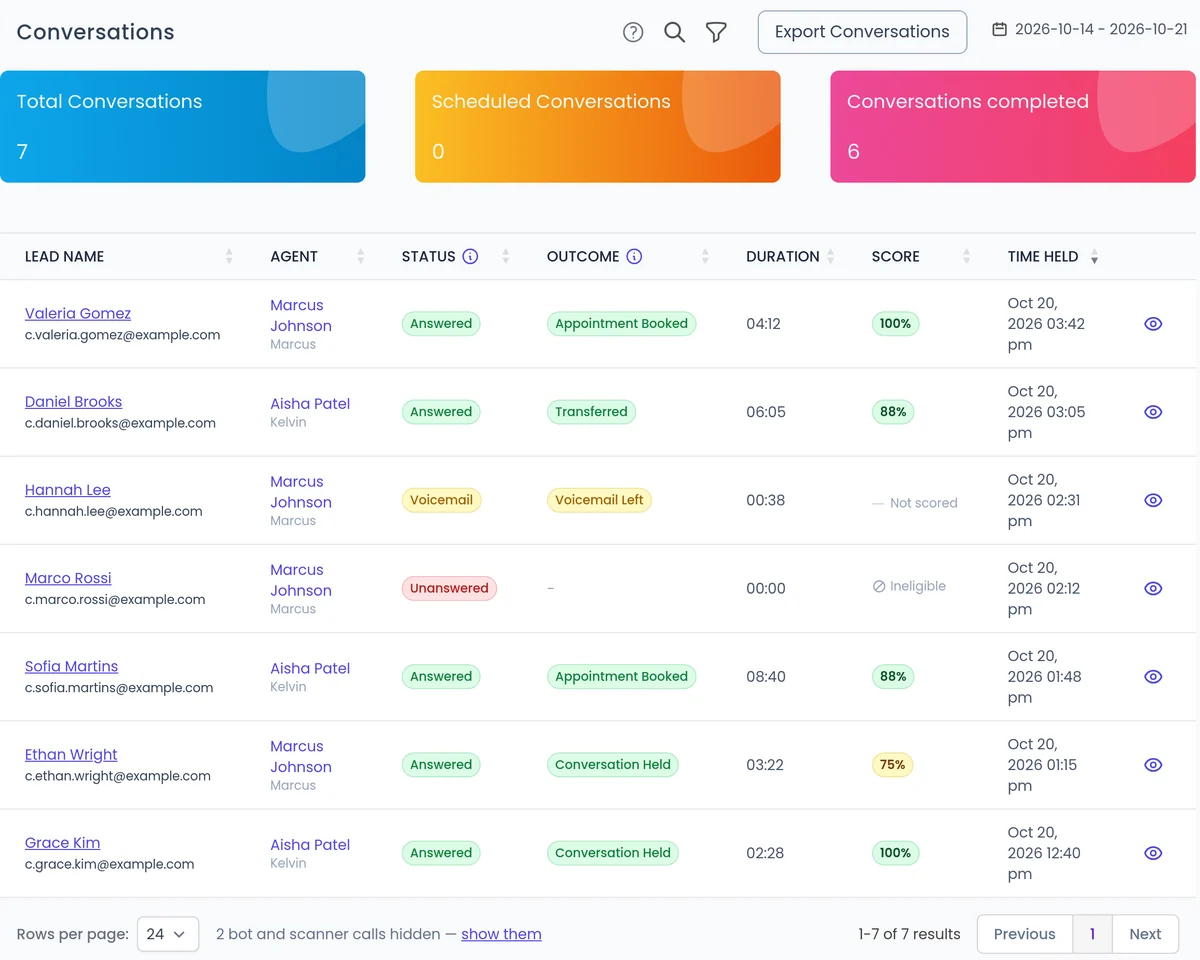
One Conversations page with a filter by type. Conversations are recorded and transcribed so your team can review them.
Learn more →Call status and outcome
Call Status says whether the call connected, such as Answered or Voicemail. Call Outcome says what happened, such as Appointment Booked or Transferred.
Learn more →Recordings and transcripts
Play the recording and read the transcript to find the moments that matter, such as an objection or a pricing question.
Learn more →Attempt history
For campaign leads, see every call attempt and what happened each time.
Learn more →Improve your agents
Scores that match each agent's job
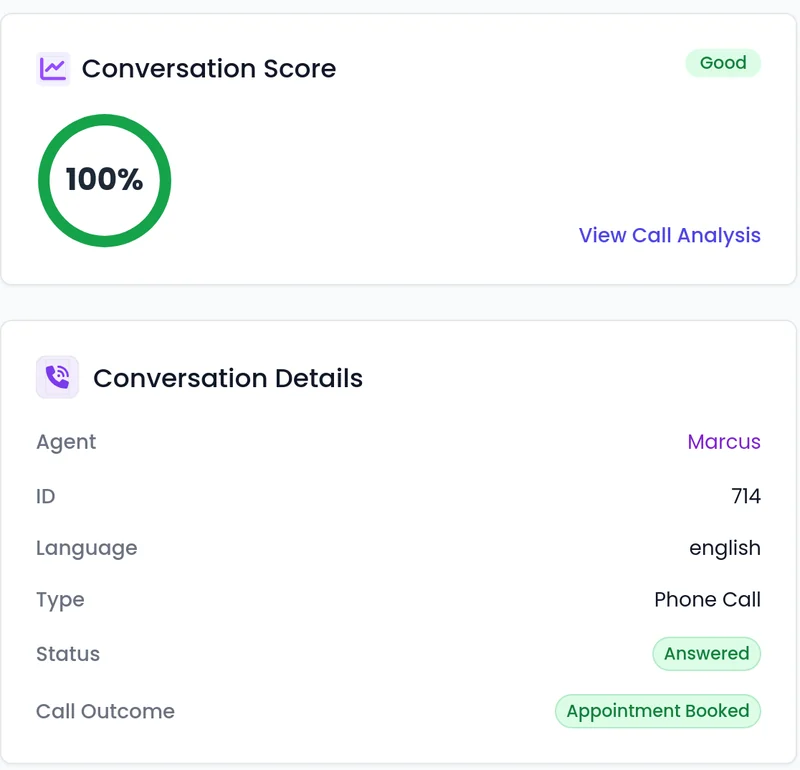
Calls are graded against each agent's own setup and goals, not a generic checklist. Agents built with the built-in assistant get a quality scorecard written for them.
- The score, the status and the outcome sit together on each conversation.
- While a conversation runs, the live lead intent score rates interest from 0 to 100, with its trend and reasons. You turn it on per agent.
Report on your team and campaigns
Handoff reporting
If reps take over live web calls from a Waiting Room, see how often visitors ask for a person and how often a rep joins, with each rep's join rate, share of the work and handle time.
Learn more →Campaign reports
When a calling campaign finishes, a report arrives by email with the call spreadsheet attached for most campaigns, sent to the people you choose.
Exports
Export calls and leads with the fields, presets and formats you choose, including custom lead fields. Large lead exports arrive by email.
Where your widget runs
An Embedded Sites tab lists the websites each web agent's widget runs on, and each conversation shows the site it started from.
What you can see at a glance
Where to look for each question.
Call Status
Did the call connect?
Call Outcome
What happened on the call?
Quality score
Did the agent follow its setup?
Attempt history
How is a lead progressing?
Handoff reporting
Are reps joining when asked?
FAQ
Still wondering about something? Ask us on the call. We'll build your agent while we talk.
Are conversations recorded?
Yes. Conversations are recorded and transcribed so your team can review them.
Can I see chats and calls together?
Yes. Calls and chats sit in one Conversations list, and you can filter by type.
How is call quality scored?
Calls are graded against each agent's own setup and goals, so a booking agent and a support agent are judged on what each one is meant to do.
Can I get the data out?
Yes. Export calls and leads with the fields and formats you choose, including custom lead fields. You can also send events to your own tools through Zapier, webhooks or the API.
See your own conversations in the dashboard
Book a demo and we will walk you through recordings, call outcomes and quality scores for an agent like yours.