Call analytics: understand every AI sales conversation you review
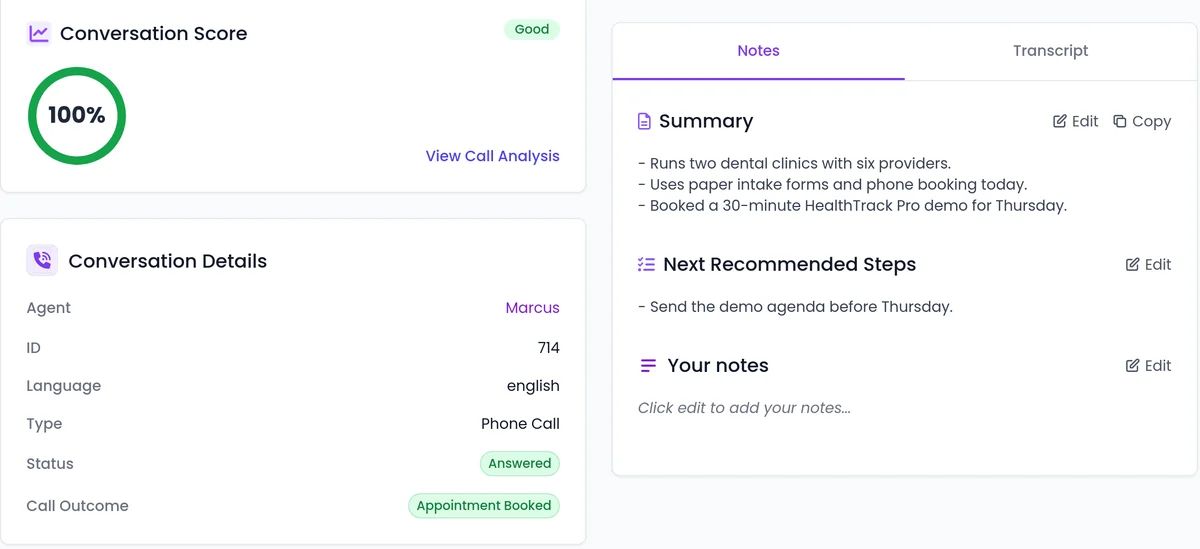
SalesCloser records and transcribes conversations so your team can review them, labels each call with whether it connected and what happened, grades calls against each agent's own setup and goals, and exports conversations and leads with the fields you choose.
- Calls and chats in one list
- Recordings and transcripts
- Call Status and Call Outcome
- Quality scores
Conversations
What does call analytics show you?
- One list for calls and chats, with a filter by type.
- Recordings and transcripts, so your team can review each conversation.
- Call Status and Call Outcome, two separate labels.
- Quality scores graded against each agent's own setup and goals.
- Attempt history for each lead in a campaign, and the site each web conversation started from.
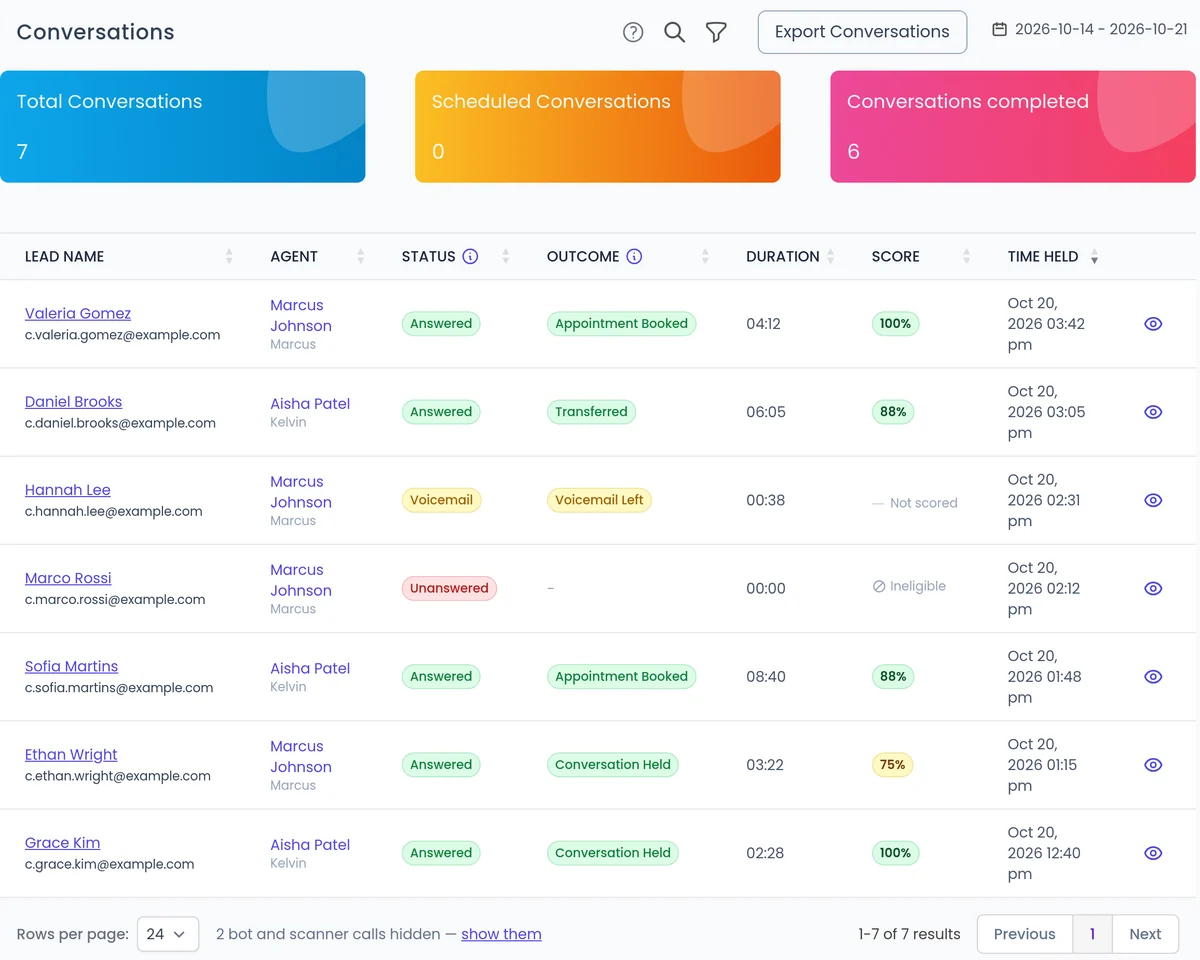
How do Call Status and Call Outcome differ?
Many answered calls but few bookings points to the conversation, not the list. Many unanswered calls points to timing or data quality.
Call Status
Answered, Unanswered, Voicemail, Failed, Pending, In Progress.
Call Outcome
Appointment Booked, Transferred, Do Not Call.
Quality
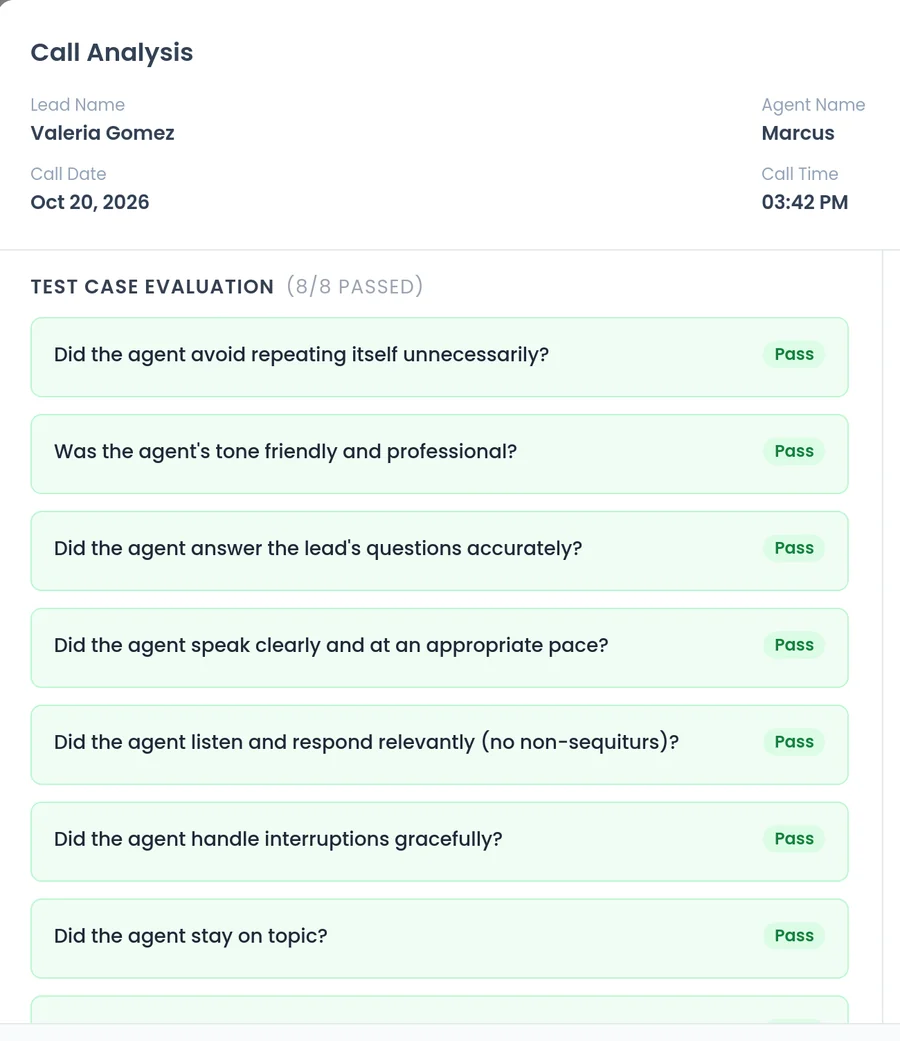
How is call quality scored?
Calls are graded against each agent's own setup and goals, so a booking agent is judged on booking and a support agent on support. Agents built with the built-in assistant get a quality scorecard written for them, based on the goal, what the agent has to collect and the rules it has to respect.
Scores sit next to each call, so you can spot the weakest conversations and start there.
Exports
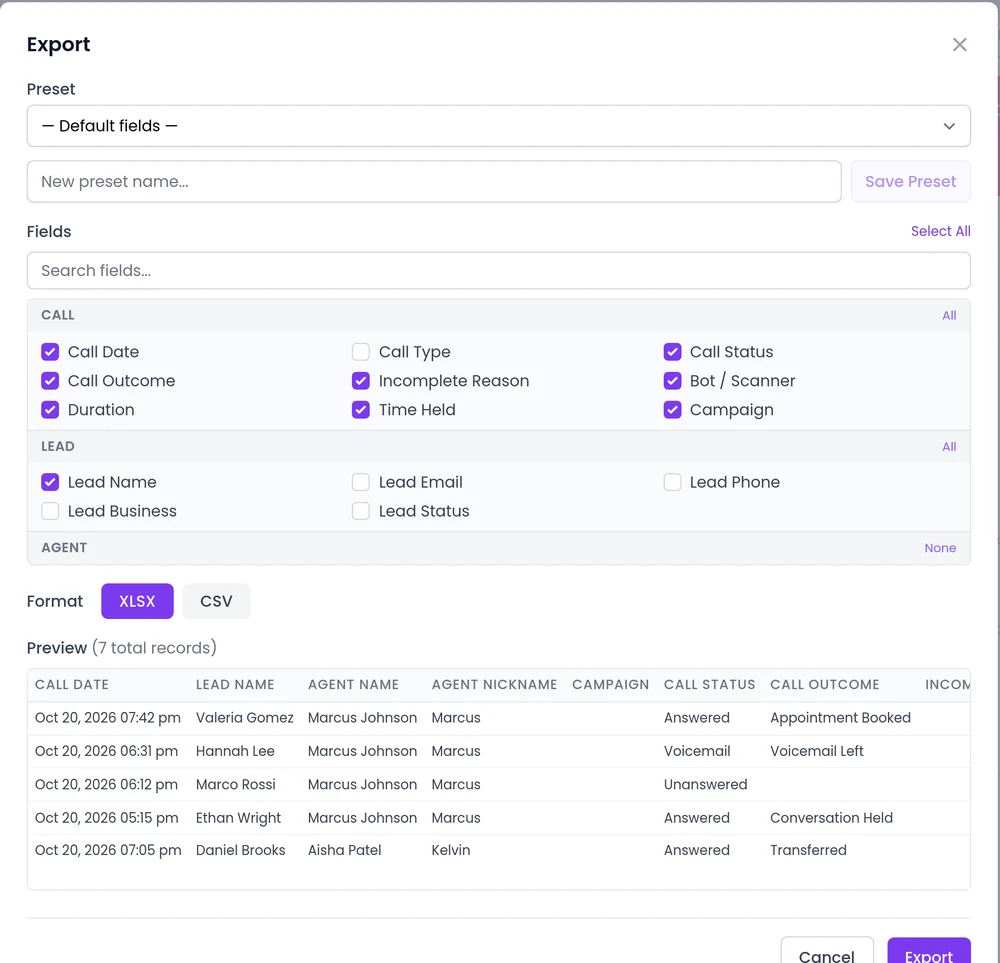
Get the data out
Open Export Conversations, pick fields and a format, and save presets so weekly reports use the same fields every time.
- Add your custom lead fields from the Lead Attributes group. A search box helps with long field lists.
- Lead exports of more than a thousand leads run in the background, and the download link is emailed.
- Send call and conversion events to Zapier, webhooks and the API. See CRM integrations.
How do you set it up?
Most of call analytics is on for every account.
- 1
Open Conversations
Filter by type to review calls, chats or both.
- 2
Open a call
Play the recording, read the transcript and see its Call Status and Call Outcome.
- 3
Export what you need
Use Export Conversations with your fields and format.
- 4
Choose report recipients
Set who gets campaign reports in Notification Settings in your company profile.
- 5
Add the intent score
Turn on the live intent score per agent to score interest during a conversation.
What should you know?
Scores are a guide
A score tells you where to look. Listen to the call before you change an agent.
Recordings hold personal data
Decide who needs access and give everyone else a role that fits. See security and admin.
Best practice
Review a few calls from each agent every week, starting with the lowest scores, and pair Call Outcome with Call Status before you judge a campaign.
FAQ
Still wondering about something? Ask us on the call. We'll build your agent while we talk.
Are all conversations recorded?
Conversations are recorded and transcribed so your team can review them.
Can I see what happened on a call without listening to it?
Yes. Call Status shows whether it connected and Call Outcome shows what happened, such as Appointment Booked or Transferred. The transcript is there when you need detail.
What does the quality score measure?
How well the call matched the agent's own setup and goals, rather than a generic checklist.
Can I export my custom lead fields?
Yes. The Export Conversations dialog lists your custom lead fields in a Lead Attributes group.
Does SalesCloser show how my reps handle handoffs?
Yes. Handoff reporting shows how often visitors ask for a person, how often reps join, and each rep's join rate and handle time. See Live handoff.
See call analytics on an agent like yours
Book a demo and we will show you recordings, outcomes and quality scores for a business like yours.