Conversations: how your AI sales agent talks with leads
SalesCloser agents ask your qualifying questions, answer from your own content and speak with leads in 50+ languages using natural voices. You decide how strictly they follow a script, how they sound and what they can do on your website, so each conversation fits the way your team sells.
- Your questions
- Your content
- 50+ languages
- Natural voices
Qualification
Qualify leads your way
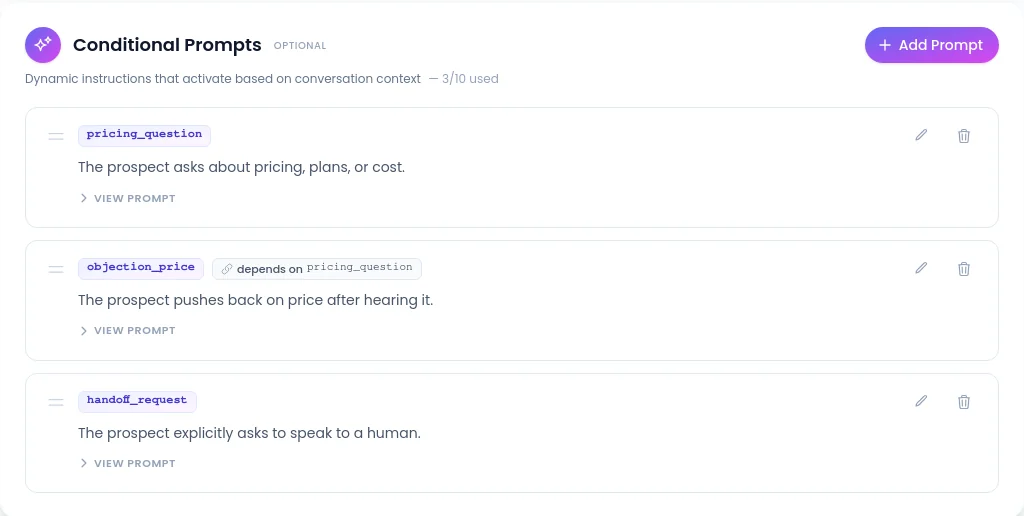
Give the agent your questions and rules, and set different instructions for different situations with conditional prompts. It asks what you need to know and records the answers on the lead, so your team sees them before any follow-up.
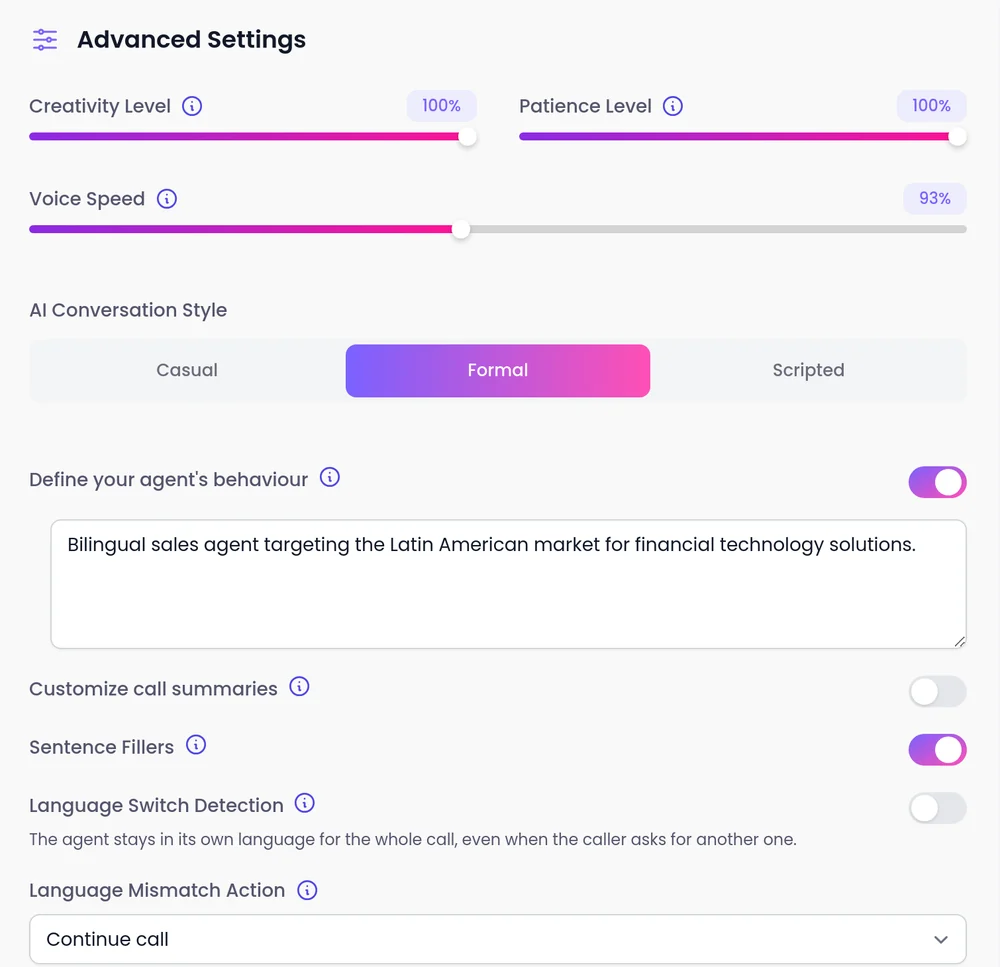
- Under AI Conversation Style, choose Casual (the default), Formal or Scripted.
- With a call script that must be followed on a prompt-based agent, choose Scripted. The agent says your lines word for word and returns to its last question after a side question.
- See AI qualification
More of what shapes a conversation
Answers from your content
The agent answers from your website, documents, FAQs and videos. On your website it can use the page the visitor is on as reference: off until you switch it on, with pages it must never read. On browser video calls it shares your product demo videos on screen and can see a screen the visitor shares. See the knowledge base · See product demos by screen share
50+ languages
Agents speak with leads in 50+ languages. You decide what the agent does when a caller speaks a different language than expected: continue the call or end it. See languages
Natural voices
Preview each voice before you save, including speech-to-speech voices with an End-of-turn speed of Fast, Balanced or Patient. On the classic setup, a pronunciation dictionary handles your terms. Add a light office sound on phone calls, or turn off "Are you still there?" prompts. See natural voices
Actions on your website
The agent can run functions you define on your own site, such as creating an account or fetching a price. Your developer registers them, and you tell the agent in its instructions when to use each one. Website widget only. See website actions
What you control
You also control how the agent introduces itself, including whether it says it is an AI up front, and you can tell it to always answer truthfully when asked.
Questions, rules and conditional prompts
What the agent asks and how it handles each situation.
AI Conversation Style
Casual, Formal, or your script word for word.
Knowledge base
What the agent answers from.
Language settings
What happens when a caller speaks another language.
Voice and end-of-turn speed
How the agent sounds and when it replies.
Website functions
What the agent can do on your site.
FAQ
Still wondering about something? Ask us on the call. We'll build your agent while we talk.
Can the agent follow my exact script?
Yes. On a prompt-based agent, choose Scripted under AI Conversation Style and the agent says your lines word for word, then returns to its last question after a side question.
Where does the agent get its answers?
From the knowledge you give it: your website, documents, FAQs and videos. Keep your knowledge base current so the answers stay current too.
What languages can the agent speak?
Agents speak 50+ languages, and you choose what happens when a caller speaks a language you did not expect.
Does the agent sound natural on the phone?
Speech-to-speech voices work on phone and web calls and listen and reply in voice directly for more natural turn-taking. You can preview each voice before saving.
Does the agent know which page a visitor is on?
It can, if you switch on page awareness. It then uses the page as reference when the visitor asks or it helps the answer, and it does not bring it up unprompted.
Hear a conversation for yourself
Book a demo and talk to an agent that qualifies, answers and books like one built for your business.