Knowledge: what your AI sales agent knows
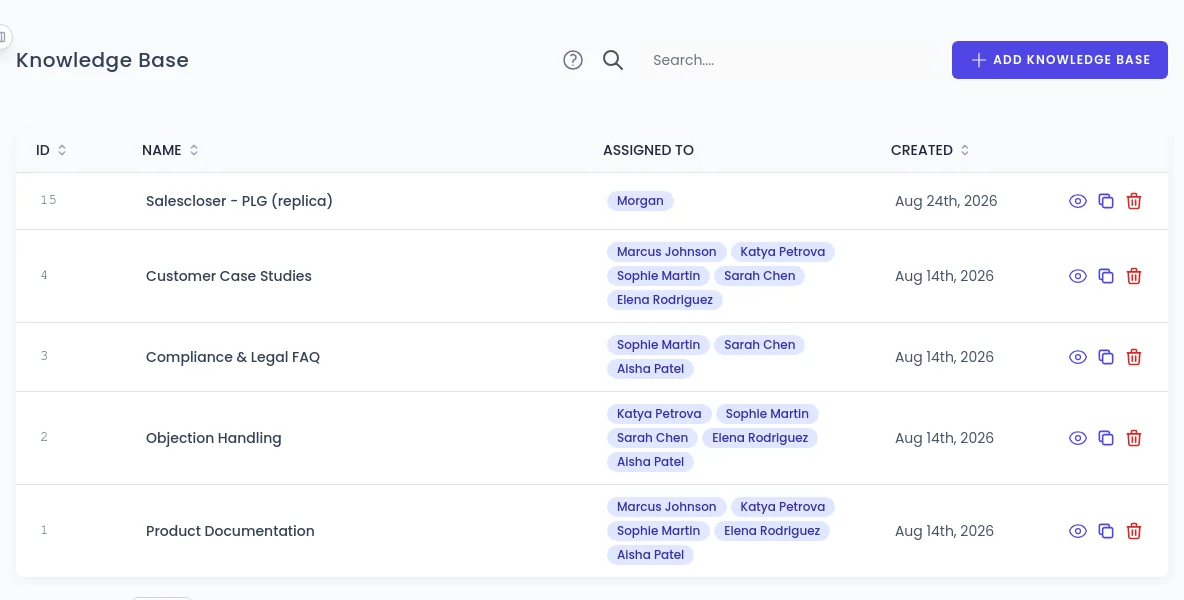
SalesCloser agents answer from the knowledge you give them: your website, uploaded files and FAQs, transcribed demo videos and private pages that use a token or basic auth. The knowledge base is shared across your account, so you build it once and attach it to every agent that needs it.
- Your website
- Files and FAQs
- Videos and audio
- Private pages and APIs
Why it matters
What your agent knows decides how it answers
A sales agent is only as good as its answers. When a lead asks about pricing, a feature or a policy, the reply should match what your team would say. The knowledge features below decide what your agent can draw on, on calls and in chat. Each one is covered in depth on the knowledge base page.
Which sources can the agent learn from?
Your website
A built-in assistant reads your pages during setup and builds your agent's knowledge base, so your first agent starts with what your visitors see. Add and remove sources afterwards. Read more
Files and FAQs
Upload pricing sheets, policies and product details, then delete, reprocess or download them in bulk. Turn a file into FAQs, with a preview to review before anything changes. Read more
Videos and recordings
Upload .mp4, .mp3 or .wav files up to 25 MB each, a few minutes of video. Each file is transcribed, so the agent learns what was said, not what was shown on screen. Read more
Private pages and APIs
A URL source can use a Bearer token, an API key header or basic auth, and you choose how often it is read again. Sign-in forms, member areas, single sign-on and OAuth are not supported. Read more
Shared across the account
Build it once, attach it to every agent
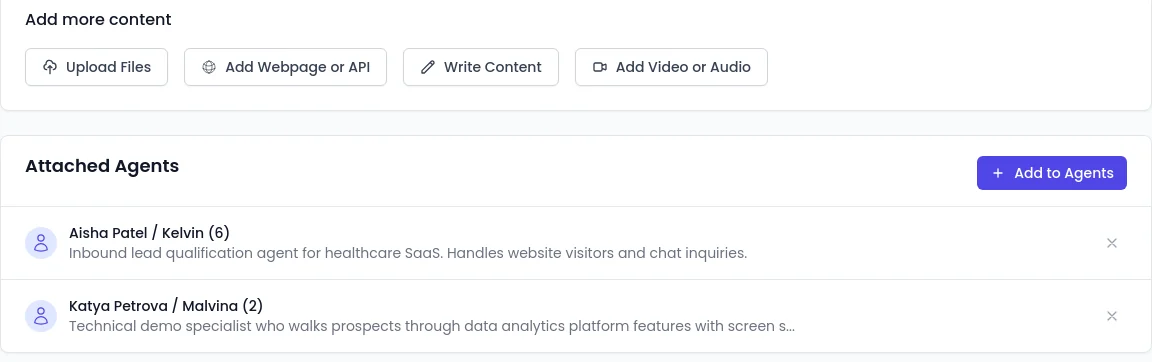
One knowledge base can serve many agents, so a support agent and a demo agent answer from the same source. Add content and attach agents from the same page.
- Upload Files, Add Webpage or API, Write Content or Add Video or Audio
- Add to Agents attaches the knowledge base to each agent that should use it
Related knowledge features
Test what your agent knows
Run a test conversation with the questions your leads ask most. It is a quick way to spot gaps and outdated answers before a lead does.
Page awareness
On your website, the agent can use the page the visitor is on as reference when it helps the answer. List restricted pages it must never read. See conversations.
Build and update by chat
The built-in assistant can create and update knowledge bases when you describe what you want, and asks you to confirm first. See integrations and automation.
FAQ
Still wondering about something? Ask us on the call. We'll build your agent while we talk.
What can a SalesCloser agent learn from?
Your website, uploaded files, FAQs, transcribed video and audio files, and private pages or APIs that use a Bearer token, an API key header or basic auth.
Does the agent learn from what is shown in a video?
No. Video and audio files are transcribed, and the agent learns from the transcript text. Narrate anything on screen that matters.
Do I need a knowledge base for each agent?
No. The knowledge base is shared across your account. Attach it to as many agents as need it.
Can the agent read a password-protected site?
Not through a login page. It can read private pages and APIs that use a Bearer token, an API key header or basic auth, but not sign-in forms, member areas, SSO or OAuth.
How do I check what my agent knows?
Run a test conversation with the questions your leads ask most.
See your content in a real conversation
Book a demo and bring the questions your buyers ask most. We will show you how an agent answers them from your own content.