Booking and follow-up: turn interest into a meeting on the calendar
Your agents book meetings while the lead is still talking, schedule callbacks when a lead asks to talk later, try again when a lead misses the call, and send a follow-up email through an automation you set up.
- Calendar booking
- Callbacks
- Retries
- Email follow-ups
Four ways a conversation turns into the next one
A lead who is ready should not wait for a link, and a lead who says "not now" should still hear from you.
Calendar booking
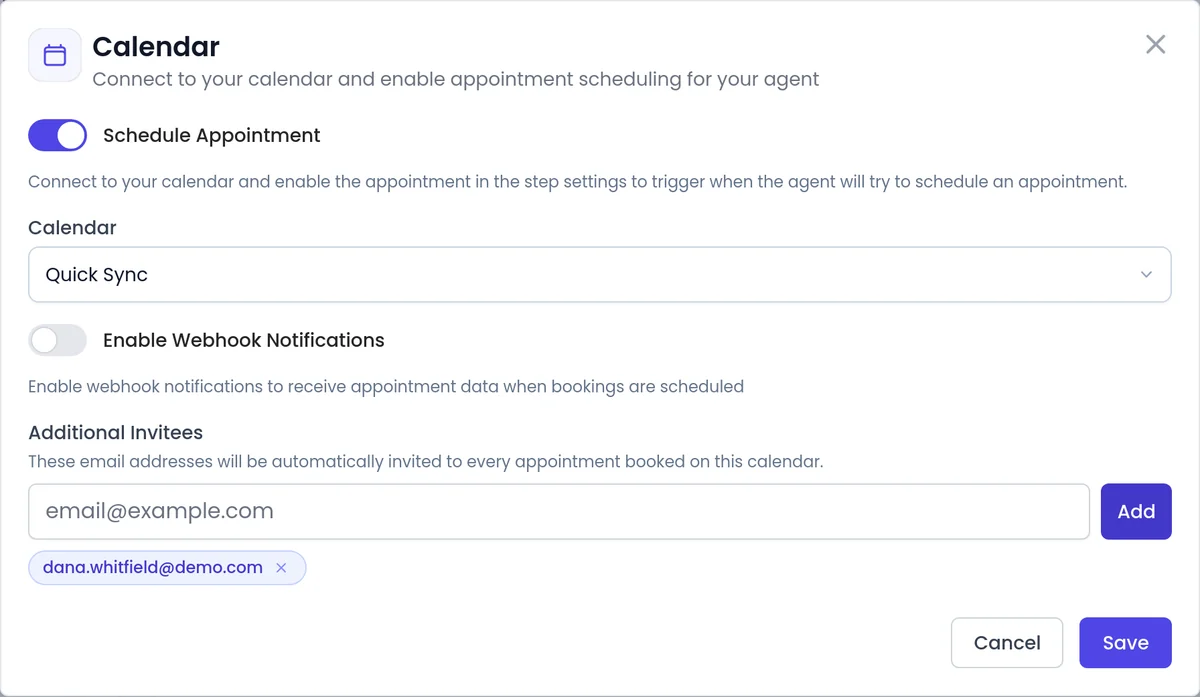
The agent books onto Calendly, Cal.com or Cal.eu during the conversation. Additional Invitees join every booking, and for a Calendly event with several locations you pick one when you attach the calendar.
Learn more →Callbacks
On a phone call, "call me back later" becomes a booked callback, read in the lead's timezone when known. Built in for every phone agent, and it dials at the chosen time even outside calling hours.
Learn more →Retries
If a lead does not pick up, the agent tries again on your campaign's schedule, including after a voicemail. A campaign can stop once the lead has talked.
Learn more →Email follow-ups
After a conversation, an automation you set up can send a follow-up email, so the next step is in writing.
Learn more →A clear record
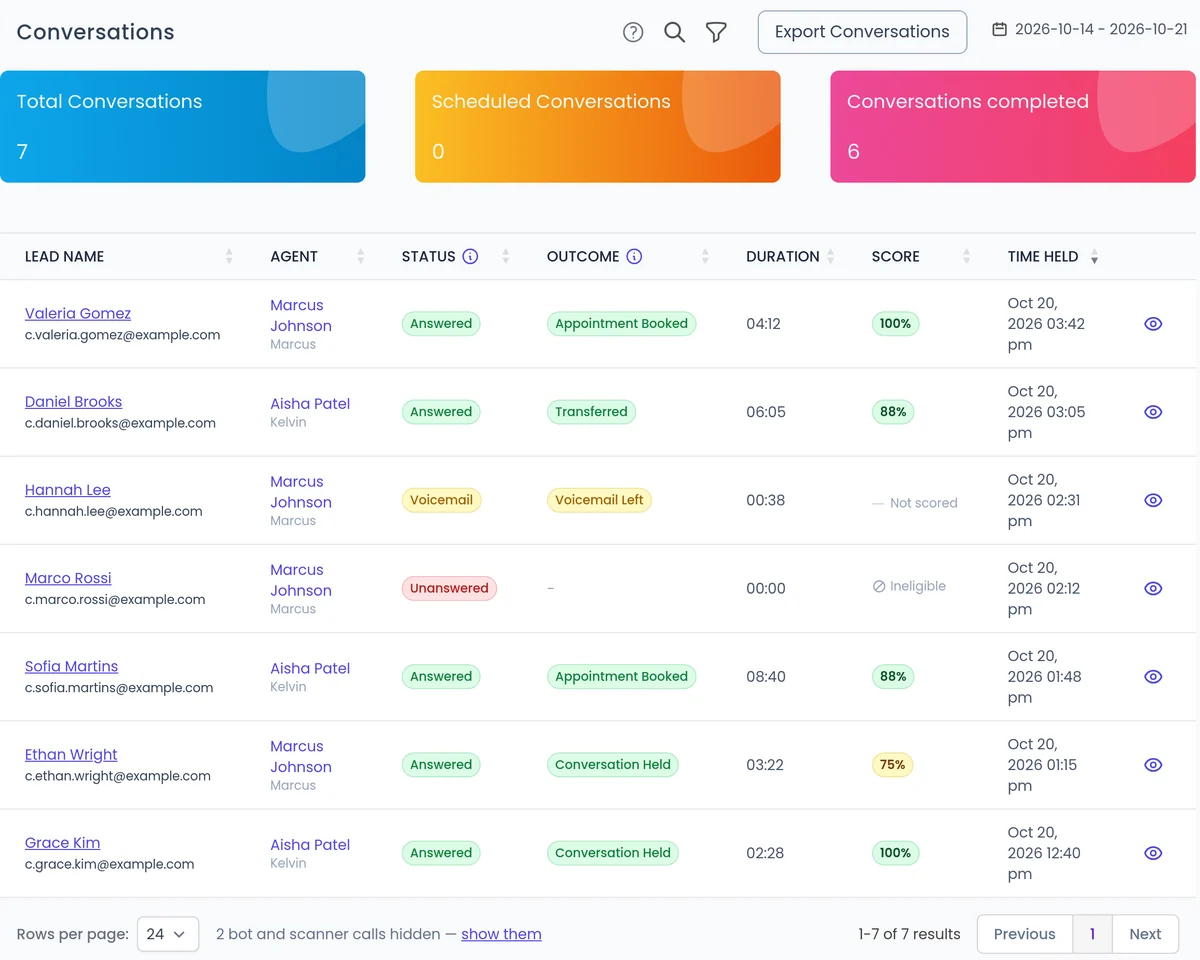
See what was booked
Each call shows whether it connected and, separately, what happened on it, such as Appointment Booked or Transferred. When a conversation reaches a conversion, an event can go to Zapier, webhooks or Appmixer.
- Update your other tools or alert your team. See CRM integrations.
- Review calls, outcomes and scores in call analytics.
- Booking before a transfer: when a meeting is part of the next step, the phone agent books it before it transfers the call.
Which one, on which channel?
How each feature starts.
Calendar booking
Connect a calendar, turn on Schedule Appointment.
Callbacks
Inbound and outbound. Built in; the lead asks.
Retries
Campaign settings.
Email follow-ups
Sent after the conversation.
FAQ
Still wondering about something? Ask us on the call. We'll build your agent while we talk.
Which calendars does SalesCloser book into?
Calendly, Cal.com and Cal.eu. You can list your own teammates as Additional Invitees on the agent's calendar, and they are added to every booking.
Do I need to turn on callbacks?
No. Callback scheduling is built in for every agent that takes phone calls. Callbacks are booked on phone calls only, not from web chat or text messages.
Does a callback follow my calling hours?
No. A lead-requested callback dials at the time the lead chose, even outside campaign calling hours. Regular campaign calls still wait for the next allowed time. Calling rules and consent stay your responsibility.
What happens when a lead does not answer?
In a campaign, the agent tries again on the schedule you set, including after a voicemail. A callback booked on an inbound call is not retried.
How do I send a follow-up email?
Set it up in Automations > Add abilities with Send a follow-up email after calls.
See a meeting booked on a live call
Book a demo and watch an agent qualify a lead and put the meeting on the calendar before the call ends.